
Business Growth · UK Guide 2026
Write a Contact Page for an Appointment-Only Business
JASOTO · Updated November 5, 2026 · 1,568 words
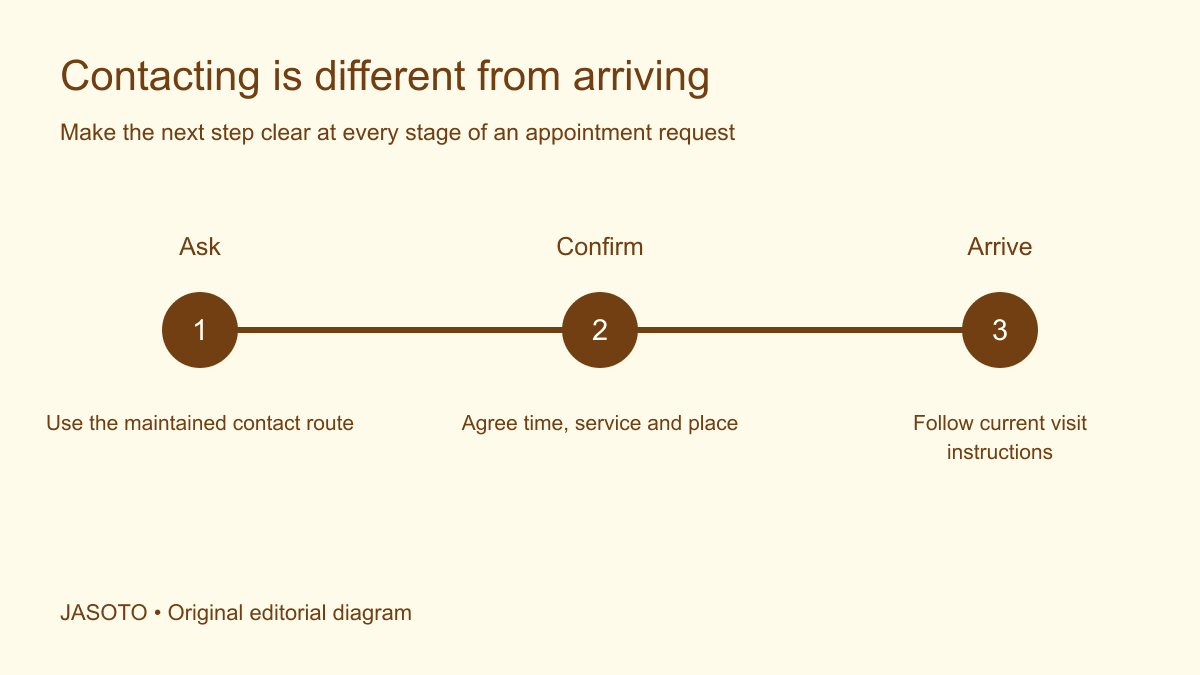
Original JASOTO editorial diagram. Its complete workflow is explained in the article; no actual customer outcome is depicted.
Write an appointment-only contact page by stating the visit requirement beside the address and main action, explaining how appointments are requested, and distinguishing contact hours from permission to arrive. Tell customers when a request becomes confirmed and how confirmed visitors receive directions. A page showing an address, map and ordinary hours can otherwise look like an invitation to walk in, even when a small note elsewhere says appointments are required.
This guide uses a small appointment-based business in the United States as its context. It offers an editorial planning method rather than platform configuration instructions or legal advice about premises access. The examples are fictional. Base the page on the actual business model, relevant requirements and practical arrangements agreed by the people responsible for welcoming customers.
The practical answer
- Put the appointment requirement beside the address and main contact action.
- Distinguish message-review hours from permission to visit.
- Explain how a request becomes a confirmed appointment.
- Give confirmed visitors current arrival information through the right channel.
Establish what appointment-only means in this business
Ask whether customers visit premises, staff travel to customers, or appointments take place remotely. A business may use more than one model, so explain which services follow which route. “Appointment only” can mean no walk-ins, a required consultation before a visit, or individually agreed opening times. Define the actual arrangement before choosing a familiar label that different staff interpret differently.
Record who can confirm appointments and what must be checked first. If a request requires service details or a location review, the page should describe that step. Do not imply that every available-looking time is bookable for every service. The contact page connects the public promise to the booking operation, including any manual work that happens after the customer sends a message.
Put the visit requirement where customers make decisions
Place a clear statement beside the address, map and booking action. A visitor looking for directions may skip the introductory paragraphs, so the relevant location block needs its own useful explanation. “Visits by confirmed appointment” is meaningful when the business genuinely requires confirmation; pair it with the route for obtaining that confirmation.
Avoid contradictory calls to action such as “Drop in anytime” or “Visit us today” if walk-ins are not offered. Check headings and image captions too. The page's overall impression should match the arrangement, rather than relying on customers to find a qualification after they have planned a journey. If other locations have different access rules, label them individually instead of applying one ambiguous statement to every address.
Separate message coverage from visit availability
Explain when the team reviews inquiries if that information helps customers. Distinguish it from confirmed appointment times. A coordinator might answer messages during a normal working period while visits are individually scheduled. Publishing those message hours under a broad “Open” label can encourage people to arrive without an appointment.
Use precise labels such as “Inquiry team hours” and “Visits by confirmed appointment” where they reflect the actual process. Do not imply continuous review simply because the form is available overnight. If the business publishes a response expectation, support it with an operating arrangement and review owner. A contact page should help customers predict the next step without inventing a service level the team cannot maintain.
Explain what customers should send initially
Ask for the information needed to route the inquiry and decide the next action. That may include the service requested, relevant location and preferred way to be contacted. Keep detailed preparation separate until it is needed. Avoid asking for extensive personal or project information simply because the contact page has room for a large form.
Give a route for people who are unsure which service applies. The page can offer a short explanation or a general question option if staff can handle it. Do not force a customer to select a technical category inaccurately to reach the team. A usable initial request is more valuable than a complete-looking record based on guesses that staff must later undo.
Show how a request becomes confirmed
Describe the sequence in ordinary language: send a request, receive any necessary review, agree the appointment details and follow the confirmation. Keep the submit action and acknowledgement aligned with that sequence. “Request received” should not become “Your visit is booked” unless the system and staff process have actually completed the relevant confirmation.
Tell customers which communication establishes the agreed time and place. If a phone conversation is part of the process, explain how the details are recorded and conveyed through the normal workflow. Do not create uncertainty by referring to several unnamed confirmations. A customer should be able to identify their current status without contacting the business just to interpret its messages.
Treat the address as operational information
Confirm that the published address accurately represents how the business serves customers and that the relevant owner approves its use. [Google's business representation guidance](https://support.google.com/business/answer/3038177?hl=en) emphasizes accurate real-world business information, including address and service area. Follow the current platform rules for profile configuration; the website explanation should remain consistent with the actual operation.
If visitors receive detailed directions after confirmation, state that process clearly. Do not imply a public reception exists if it does not. Equally, avoid withholding ordinary information in a way that prevents a customer from judging whether a potential appointment is practical. Decide what is public and what is shared privately based on the real model and relevant advice, rather than a universal template.
Give confirmed visitors usable arrival details
Prepare a maintained arrival message with the agreed location, date, local time, entrance and contact route for difficulties. Include relevant practical information confirmed by the venue or business. If a building has several entrances, identify the one visitors should use. A map pin may help, but it does not explain a locked reception or an entrance on another street.
Ask customers about relevant communication or access needs through an appropriate process without making assumptions. Explore language support where needed, and check translated arrival details against the approved version. Keep individual requirements private. The public contact page should point to a usable help route, while the confirmation provides the specific information needed for the person's agreed visit.
Explain early, late and changed arrivals through the real process
Identify what a customer should do if they need to change the appointment or experience a delay. Use the business's actual contact route and relevant terms. Do not invent cancellation periods, fees or grace windows as filler. If the team cannot monitor general email during appointments, avoid listing it as an immediate arrival-help route unless a workable process supports that instruction.
Give staff consistent handling guidance internally. A customer who contacts the team should not receive conflicting answers about whether to travel or wait for confirmation. Where a change affects a booking, ensure the responsible person records the agreed outcome. The page cannot decide every individual situation, but it should help the customer reach someone able to make the relevant decision.
Keep other channels from implying walk-in access
Review business profiles, directory entries, social descriptions and appointment reminders for the same visit model. Record where ordinary hours, map labels or promotional text could suggest unrestricted access. Follow each channel's current rules and use the fields available accurately. A website correction may not resolve confusion caused by a prominent older statement elsewhere.
Check the public result after edits and distinguish submitted changes from visible information. If an external channel remains inconsistent, give the issue an owner and use its support process as appropriate. Avoid claiming universal consistency before checking. Compare appointment-based businesses with the same practical attention to whether the contact and visit instructions support an informed customer decision.
Test a visitor who arrives from a map
Give a colleague the address section without the rest of the page and ask whether they can visit now. Then show the full contact journey and ask how they obtain confirmation. Their answers should follow from the published information rather than a private explanation of the business. This focused exercise often reveals a missing appointment statement beside a map or a misleading “Open” heading.
Test the next message and directions as well. Can a confirmed customer find the correct entrance and contact the right team if a question arises? Research travel once the appointment is agreed, while checking current journey information through relevant providers. The test is a limited practical check of the content, not proof that every visitor will understand or that the page has improved conversion.
Assign ownership and review the repeated questions
Name the person who maintains contact details, booking explanations and arrival instructions. If inquiry handling needs more capacity, define the work before exploring reception support roles. Consider who covers absences and who can correct an inaccurate message promptly. A contact page becomes stale when everyone can suggest changes but nobody owns the published promise.
Review repeated questions and unconfirmed visits after publication, noting the starting position and other operational changes. Keep earlier wording and an update record for rollback. Revise the point in the journey causing confusion rather than adding more general text to the top of the page. The practical aim is clear: customers know how to contact the business, understand whether they have an appointment and receive useful instructions for the visit actually agreed.
Put the guide into practice
- Confirm whether customers visit the business or staff visit them.
- Explain the appointment requirement near contact details.
- Separate inquiry coverage from confirmed visit arrangements.
- Test the request and confirmation journey.
- Keep profiles and directions consistent with actual operations.
Frequently asked questions
Should an appointment-only business display opening hours?
Describe the actual contact and visit arrangements accurately, and follow each platform's current rules for its hours fields. Website wording can distinguish when inquiries are reviewed from when confirmed visits occur. Do not publish general hours that customers are likely to interpret as walk-in access if that is not available.
Should we publish the full address before confirmation?
That depends on the actual business model, visitor needs, privacy considerations and applicable platform requirements. Make the decision with the responsible owner and relevant advice. Whatever you publish should accurately explain whether customers may visit, while confirmed visitors receive the information needed for their agreed appointment.
What should the page say about same-day requests?
State the real request process and avoid implying acceptance. If staff can review same-day inquiries, explain how to ask and when the request becomes confirmed. If the business cannot reliably monitor that route, do not suggest that sending a message secures an immediate visit.
Explore JASOTO tools
Compare providers and check their visit and contact arrangements.
Explore reception support roles →Define ownership for reviewing visit requests and customer messages.
Plan a confirmed visit →Research a journey once the appointment location and time are agreed.
Explore language support →Consider communication needs when agreeing appointments and arrival details.
Continue with JASOTO
Compare your next step
Discover UK businesses, compare services and request written quotes before making a decision.