
Websites & Visibility · UK Guide 2026
Prepare Website Updates When Your Business Moves
JASOTO · Updated November 5, 2026 · 1,519 words
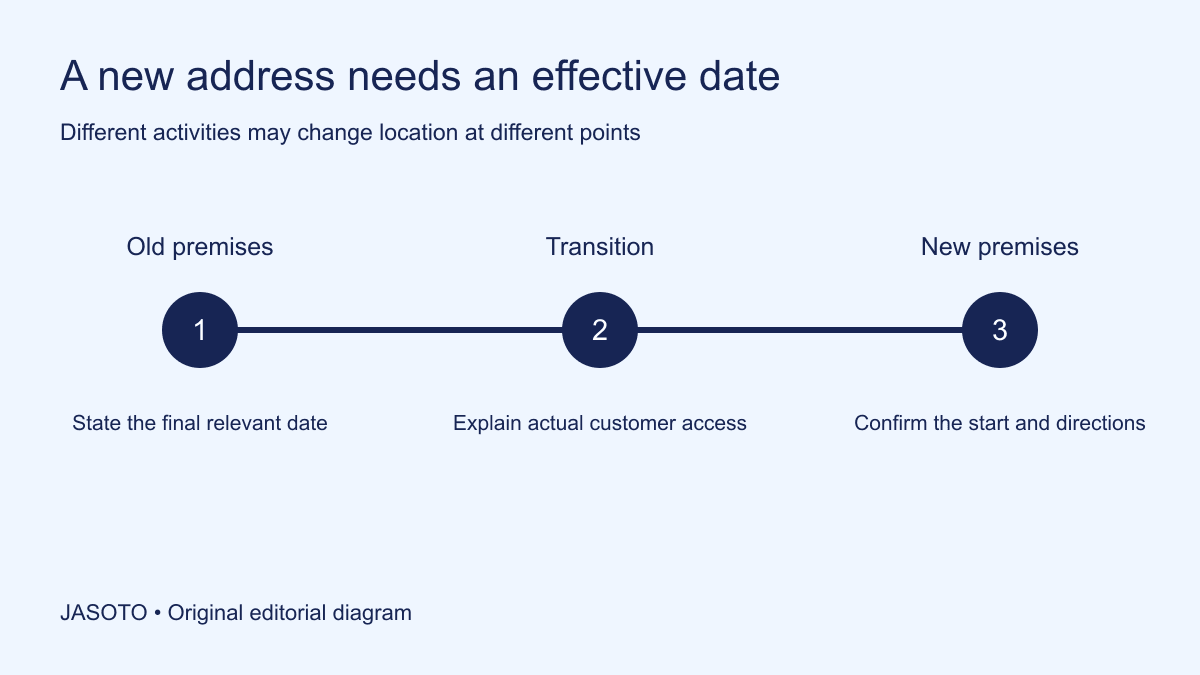
Original JASOTO editorial diagram. Its complete workflow is explained in the article; no actual customer outcome is depicted.
Prepare a page update for a business move by defining when customers should use the old address, when the new address applies and what happens during any transition. Update appointments, maps and repeated address references as well as the announcement. A move message is useful only when a customer can identify the correct location for their particular date and activity.
This guide focuses on a small business in the United States moving premises. It offers an editorial cutover plan rather than legal, postal or platform migration advice. Examples are fictional. Use the actual lease, operating plan, relevant provider instructions and appropriate professional advice for matters beyond customer-facing content.
The practical answer
- Define when each activity leaves the old location and starts at the new one.
- Keep the current address clear during the transition.
- Update booking instructions and address references beyond the announcement.
- Verify the public map and page information after changes publish.
Agree the operational timeline first
List the final customer-facing activity at the old premises and the first confirmed activity at the new location. Distinguish visits, collections, deliveries, phone support and back-office work where they differ. A business may move stock before it can welcome customers, so the physical moving date alone may not provide a usable public schedule.
Have the responsible owner approve the dates and identify what remains provisional. Do not turn a contractor's hopeful completion estimate into a customer opening promise. If the start date is uncertain, decide what can honestly be published and when the status will be reviewed. The content team needs a verified operating decision before it can produce a clear transition message.
Build a master address record
Record the exact approved address, unit or suite details, public location name and appropriate map reference. Keep postal details separate from visitor instructions when they serve different purposes. A building address may be accurate while the visitor entrance is elsewhere. Ask the person responsible for the premises to confirm the information rather than relying solely on an informal message about where the office will be.
[Google's address guidance](https://support.google.com/business/answer/2853879?hl=en) covers accurate profile addresses and map pin management. Follow current platform instructions for those edits. For your own content, use the approved address record as the source across pages and messages. A saved profile edit is not evidence that the public pin or every external navigation service already reflects the move.
Decide what the visitor needs during transition
Write separate answers for someone visiting before the move, during any interruption and after the new location opens. Explain whether visits are by appointment and which service continues remotely or elsewhere, if applicable. Avoid a broad “we have moved” statement while customers still have agreed visits at the old premises.
If there is no customer access during part of the transition, say so plainly and provide a maintained contact route. Do not imply that an unattended building or unfinished reception will receive visitors. Keep any alternative arrangement specific to what is actually available. A clear limitation is more useful than an optimistic announcement that leaves staff improvising when customers arrive.
Inventory the website's address references
Search the contact page, location pages, footer, booking pages, downloadable documents and active promotional pages. Include map links, structured business information and image captions where relevant, assigning technical items to the appropriate developer. Record each reference, owner, planned change and effective point. Do not assume an address stored in one website setting controls every place it appears.
Separate current information from historical context. A genuine older case study may mention the former premises without misleading anyone if clearly dated, while an active directions page must lead to the current arrangement. Decide deliberately rather than deleting every historical address reference or leaving all old material untouched. The inventory should identify how each reference affects a customer's present decision.
Draft the announcement around actions and dates
Lead with the practical change: location, effective date and the next step for customers. Then add any useful reason or benefit that is accurate. For a fictional studio: “Appointments from December 8 take place at our new studio. Appointments before that date remain at the current location unless we contact you with a revised arrangement.” Publish such wording only when the process supports it.
Use full dates that remain understandable in screenshots and forwarded messages. A phrase such as “next week” ages quickly. Link to a maintained location page for complete directions and status. Keep the announcement concise enough to scan, while giving existing customers a separate route to resolve an individual arrangement rather than expecting them to infer their booking location from general news.
Review existing appointments and deliveries separately
Identify appointments spanning the transition and assign a person to confirm each affected arrangement through the normal authorized process. A website update does not establish that the customer has seen or accepted a change. Keep individual communications and any agreement in the relevant booking record. Do not publish customer names or appointment details in the move notice.
Apply the same principle to suppliers and deliveries. The public address may not be the receiving point for a particular load or date. Give the supplier the approved instructions for its own arrangement. If an internal team member has promised access at the old site, resolve that promise rather than assuming the new public page automatically overrides operational commitments made elsewhere.
Check profiles, templates and automated messages
List active business profiles, social accounts, email signatures, phone messages and booking reminders. Record who controls each channel and how an update is verified. A new contact page can be undermined by an old appointment reminder that sends customers to the previous building. Test the message templates used after the change, not just the promotional announcement.
Where external edits are pending, record that status accurately and set a review point. Avoid claiming the move is fully reflected online until the important customer routes have been checked. Keep the team informed about remaining discrepancies so they can answer questions consistently. If another organization controls a directory entry, use its correction process and retain the request reference.
Prepare directions for the actual arrival point
Confirm the entrance, floor or suite, reception arrangement and relevant contact for arrival questions. Use current information approved by the premises owner or responsible team. A map pin helps locate a property but may not explain where visitors should enter. If the business operates by appointment, make that requirement visible beside the directions.
Research travel to the new location after confirming the relevant date and appointment. Check claims about parking, public transportation or access directly with the appropriate provider or venue before publishing them. Do not copy facilities from a property advertisement and assume they describe the customer arrangement. The page should distinguish verified arrival information from general journey research.
Test the page as a customer with an old message
Choose a realistic route: a customer opens an earlier booking email, follows its link and compares the website address with the map. Ask a colleague unfamiliar with the move which location applies. Their answer should follow from the published dates and current instructions. Note contradictions, unclear labels and broken links rather than asking only whether the announcement looks attractive.
Test both sides of the effective date in an appropriate preview or review process. A scheduled page update may be ready while an automated reminder remains unchanged. Assign each discrepancy and retest the affected route after correction. This practical check is limited evidence of usability, not proof that nobody will arrive at the wrong site or that every external listing has changed.
Give the cutover a named coordinator
Choose who authorizes the final update, checks public results and handles last-minute date changes. Maintain a short status list so website, reception and supplier contacts refer to the same current plan. If the move is delayed, the coordinator should identify every affected message rather than correcting only the most visible banner.
For support, research moving and business providers against defined tasks. If staffing arrangements or job locations change, review the relevant information before publishing local business roles. Avoid implying that a new premises address automatically expands service coverage or creates new positions. Each claim needs its own operational basis and approval.
Retire the transition notice after verification
Once the new arrangement is established, make the new location the clear current reference and remove expired transition instructions from active routes. Retain a dated move announcement where useful, but ensure it cannot be mistaken for an upcoming event indefinitely. Preserve the earlier wording and update log for review or rollback if the change was published incorrectly.
Review wrong-location questions and failed arrivals using real records, without attributing every issue to one channel automatically. Note which reference caused confusion and improve the maintenance process. The useful outcome is a coherent location story: customers know where to go for the activity and date agreed, and the business can explain what changed across its public information.
Put the guide into practice
- Approve the move dates and customer access arrangements.
- Inventory address references and channel owners.
- Prepare dated old-location and new-location wording.
- Check existing appointments separately.
- Verify published changes and retire outdated notices.
Frequently asked questions
Should we replace every old address before moving day?
Use a dated transition plan. Customers need the correct location for the activity and date they are arranging, so a future address should not look like the current visiting location. Prepare changes in advance, identify when each becomes effective and check existing appointments separately rather than relying on one website edit.
What if the map still points to the old premises?
Record the discrepancy, follow the provider's current correction process and assign an owner to check the public result. Keep accurate directions on channels the business controls while the issue is being resolved. Do not claim that a submitted map edit is already visible or that every navigation service has updated.
Should the announcement include a reason for moving?
Only if it is useful, accurate and appropriate to share. The essential information is where the business operates, when the change applies and what customers should do. A promotional explanation should not obscure those facts or imply new facilities and services that have not actually been confirmed.
Explore JASOTO tools
Continue with JASOTO
Compare your next step
Discover UK businesses, compare services and request written quotes before making a decision.