
Business Growth · UK Guide 2026
Separate Product Variants Without Confusing Shoppers
JASOTO · Updated November 5, 2026 · 1,603 words
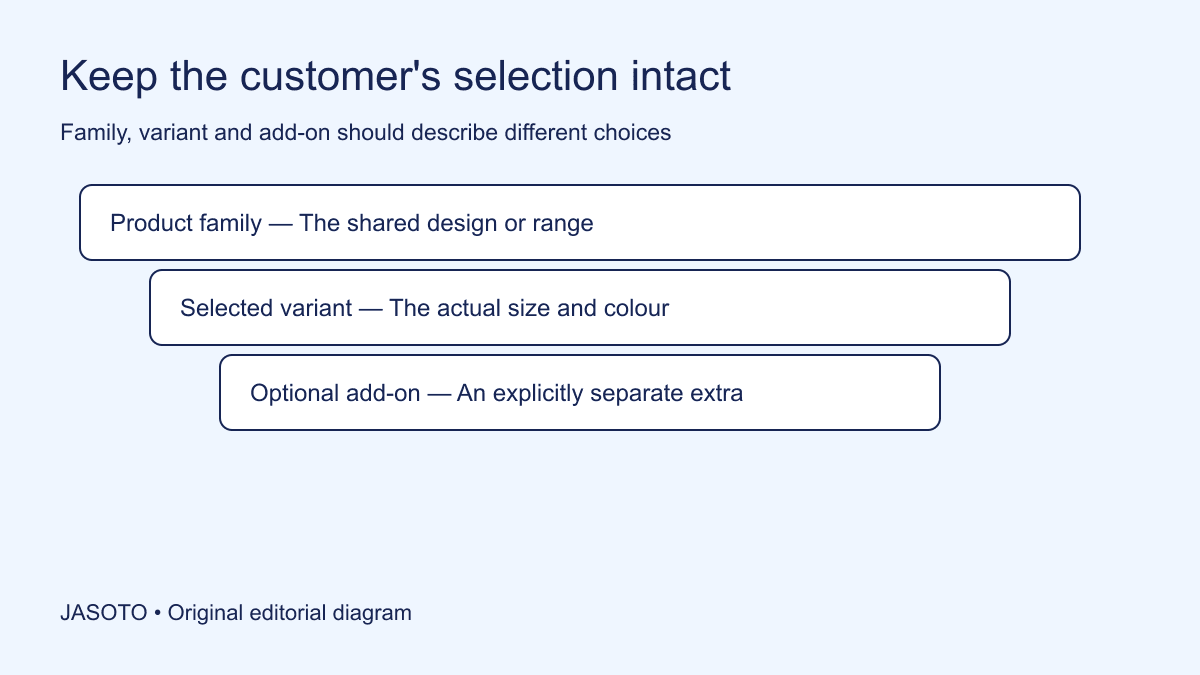
Original JASOTO editorial diagram. Its complete workflow is explained in the article; no actual customer outcome is depicted.
Separate product variants by defining the actual choices, naming them consistently and keeping the selected item's image, price, availability and order record aligned. A shopper should be able to understand which version they are choosing and recognise it again in the cart. The selection needs to survive every handover through checkout, confirmation and fulfillment.
This guide is an original catalogue review method for small retailers in the United States. It uses an invented backpack range with two sizes, several colors and an optional organizer. It focuses on accurate choice and operational clarity. Platform configuration depends on the actual storefront, so ask an appropriate specialist to implement changes and check the current requirements of external product channels.
The practical answer
- Distinguish a product family, a selectable variant and an optional add-on.
- Use option names customers can understand consistently.
- Show information that matches the current selection.
- Check the selected variant through cart, confirmation and fulfillment.
Map the real product range first
List the product family and every combination the business actually offers. A simple matrix can show sizes down one side and colors across the top. Mark combinations that exist, those temporarily unavailable and those never supplied. Do not create every mathematical combination automatically if the supplier makes only part of the range. Customers need the real offer, not a theoretical catalogue.
Use verified supplier or stock information and identify who maintains it. A spreadsheet assembled from old product images may contain discontinued or incorrectly named variants. Resolve those questions before redesigning the storefront. An attractive selector cannot fix a range map that tells the site to sell a version the business has never stocked.
Distinguish the family from the purchasable item
The family description explains what versions share. The individual variant identifies the actual item that will be supplied. Keep a stable internal identifier for that item even when the marketing title changes. Staff should be able to connect a customer's selection to a stock unit without relying on a color nickname that means different things to different people.
If the business uses Google Merchant Center, [its variant guidance](https://support.google.com/merchants/answer/6324507?hl=en) distinguishes unique product identifiers from a shared item-group identifier. Check the current channel requirements for your range. Internally, preserve the same basic relationship: related variants can belong together while each purchasable version remains identifiable in stock, orders and customer support.
Use option names customers can interpret
Choose consistent labels for the actual differences. If one product uses small and large while another similar page uses compact and full, explain whether those names describe the same dimensions or different products. Avoid an unexplained supplier code as the only customer-facing choice. Keep the code available where it helps order traceability, but add understandable information.
Be careful with subjective color names. A finish named midnight may need a plain description and a relevant image so customers can understand the intended appearance. Do not promise that every screen reproduces color perfectly. The useful task is accurate product information and a reasonable visual reference, with an appropriate route for questions when appearance is important to the purchase.
Explain differences that affect use
For each size or configuration, state the actual relevant differences rather than repeating the same generic description. A larger backpack may have a different compartment arrangement as well as greater dimensions. Verify the details and identify what information helps customers choose. Avoid claiming compatibility with every device based solely on a broad label such as large.
Use a comparison table where several facts need to be read together. Keep measurements and contents tied to the correct variant, with understandable units. If the supplier has not confirmed a particular detail, ask before publishing it. Filling a table cell with a plausible guess makes the page look complete while creating a selection problem that staff must later resolve.
Match images to the selected variant
Check whether choosing a variant updates the relevant image and whether supporting views still represent that choice. A shopper selecting a green backpack should not unknowingly evaluate pockets shown only on a different size. If an image is illustrative across the family, label its purpose clearly and supply the actual variant information needed to understand the difference.
Keep product images connected to internal references. A folder containing several nearly identical filenames can cause the wrong image to be assigned even when the platform supports variant images correctly. Review the product record and the actual customer view together. The staff member maintaining the catalogue should be able to explain which physical version each published image depicts.
Keep price and availability selection-specific
Make sure the displayed price and purchasing action apply to the selected variant. If prices differ, the customer should understand the current total and relevant terms before committing. Do not assume that a family-level starting price adequately explains every option. Use the actual storefront and consumer requirements, with appropriate advice where necessary, rather than relying on a generic pricing phrase.
Distinguish unavailable stock from an impossible combination. If the small version never comes in a particular color, saying temporarily out of stock may create an expectation of future supply. If a genuine variant is awaiting replenishment, do not invent a restock date. Give accurate current information and an appropriate next step without automatically substituting a different variant the customer did not choose.
Show optional extras as separate decisions
An organizer, accessory or service can be an add-on rather than a different backpack. Explain what the base item includes and what the extra changes. The customer should be able to review the additional choice and resulting contents clearly. Avoid using a styled image of several items as the only explanation of whether they are all included.
Check how the add-on appears in the order record and fulfillment instructions. If it is separately stocked, staff may need a distinct reference. If it changes the assembled product, the configuration needs appropriate handling. Ask the relevant operations and platform people to confirm the actual structure. The customer-facing choice and back-office record should tell the same story about what will arrive.
Preserve the choice through cart and confirmation
Test whether the cart names the selected size, color and other important differences. A generic product title may be insufficient when several versions look similar. Review the confirmation message and order-management view too. The customer and the packing colleague should both be able to identify the intended item without reopening the original product page and guessing which option was chosen.
Pay attention to editing a choice in the cart. Ask the responsible specialist to verify that the revised selection updates the actual order, price and availability appropriately. Do not rely only on a successful page display. The practical review follows the selection through the complete authorized test flow, including the record used for fulfillment and the information the customer receives.
Worked example: backpacks and an optional organizer
Imagine a retailer offering a compact and a larger backpack. Both come in navy, while only the larger version comes in green. A removable organizer is sold separately. The range matrix identifies the real combinations, and the page explains the size differences with verified dimensions and contents. The green option is shown only in the actual available configuration, while the organizer remains an explicit additional choice.
A colleague reviews a test order and can identify the larger green backpack and the separate organizer in the cart, confirmation and packing record. This invented example makes no claim about sales improvement or a particular platform feature. It shows why the product structure should be defined before the business asks a designer to make the selector look cleaner.
Review confusing customer questions as evidence
Collect recurring selection questions in a simple issue register with the page, variant and information gap. A question about whether the organizer is included points to a different problem from a mismatch between the chosen color and order image. Keep those cases distinct. An aggregate complaint count may hide the specific field or handover that needs correction.
Ask a colleague unfamiliar with the range to choose an item from a short scenario and explain what they expect to receive. Use representative test information through the appropriate process. If their expectation differs from the order record, investigate the source. Keep the old version and change the relevant wording, data or interface with suitable support, so an unhelpful revision can be reversed.
Maintain the range when supply changes
Check saved customer links and internal shortcuts after a variant is discontinued. They may still point to a version that no longer appears in the ordinary selector. The appropriate storefront response should explain the current position accurately and avoid silently selecting another version. Ask the responsible technical person how the actual platform handles those links, and preserve the historical item information needed by existing customers.
Name the person responsible for discontinuations, renamed finishes and new variants. Check the catalogue, images, stock records and relevant external channels when a change occurs. Do not delete a variant's identity from historical orders simply because it is no longer sold. Preserve the information needed for appropriate support and records while making the current offer clear.
Use JASOTO businesses to discover catalogue or storefront support and verify relevant capability directly. If maintaining variants and fulfillment becomes continuing work, explore ecommerce operations roles within a staffing review. For a confirmed product viewing, research travel after checking the exact version available. Clear variant information keeps the customer's decision connected to the product the business can actually supply.
Put the guide into practice
- Map the actual available product combinations.
- Define customer-facing option labels and stable internal identifiers.
- Connect selection to image, price and availability.
- Test the order record with a colleague unfamiliar with the range.
Frequently asked questions
Should every color have a separate product page?
Choose an arrangement that accurately represents the range and works with your storefront and sales channels. The critical task is to preserve the selected item's identity and information. A separate page or a selector can both confuse customers if images, availability or order details do not match.
Can unavailable combinations remain visible?
They can be explained clearly if the interface supports it. Distinguish a combination the business does not make from a real variant that is temporarily unavailable. Avoid implying that every displayed option can be purchased or that an alternative will be substituted automatically.
Is an accessory a variant?
It depends on the actual product structure, but an optional extra should not silently change the base item. Make the choice and resulting contents clear. Keep the internal catalog and customer-facing description consistent, and check the relevant rules of any external sales channel.
Explore JASOTO tools
Discuss the actual product structure and customer selection flow with suitable providers.
Explore ecommerce operations roles →Consider support when maintaining variant data and fulfillment is ongoing work.
Research a confirmed product viewing →Plan travel after confirming the exact variant available to inspect.
Continue with JASOTO
Compare your next step
Discover UK businesses, compare services and request written quotes before making a decision.