
Business Growth · UK Guide 2026
Design an Event Signage Walk-Through
JASOTO · Updated 5 November 2026 · 1,618 words
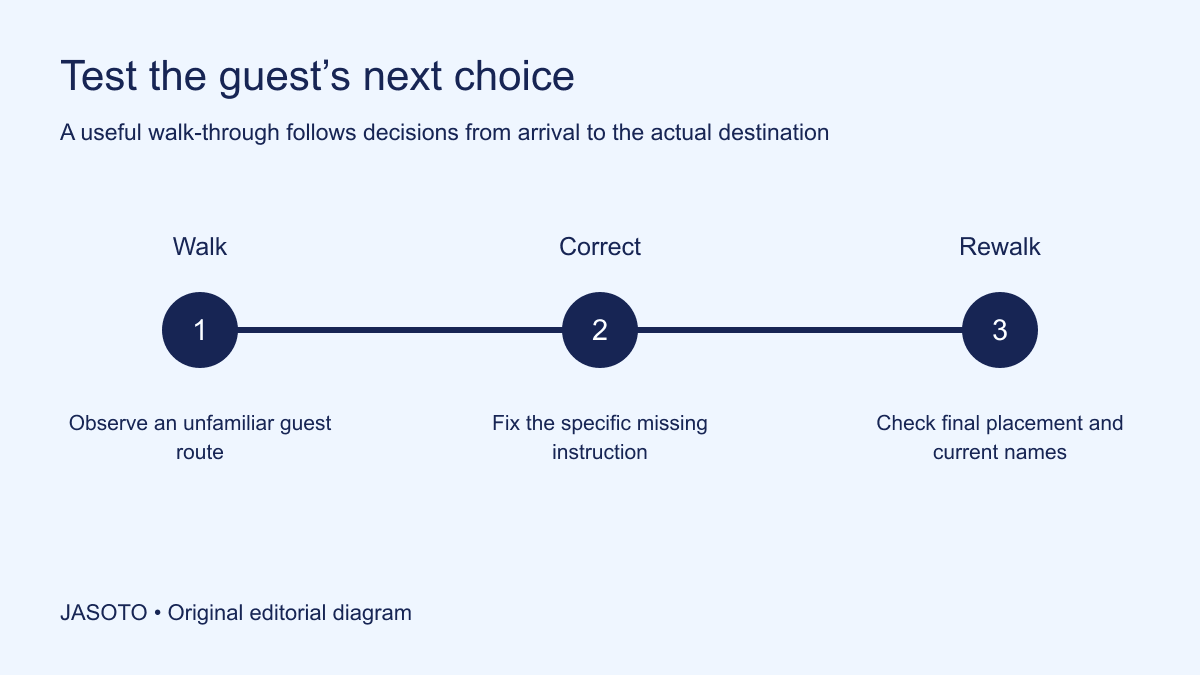
Original JASOTO editorial diagram. Its complete workflow is explained in the article; no actual customer outcome is depicted.
Design an event signage walk-through by following a guest's actual route and recording where they need to choose a direction. Test whether the sign at each decision point gives the information needed before the choice. Use the same room and event names as the invitation, and confirm placement with the venue. More signs do not necessarily make a confusing route easier to follow.
This original guide is for temporary event wayfinding in UK venues. Government accessible-communication guidance encourages clear, legible information and considering audience needs. HSE provides separate safety-sign guidance; keep required safety and emergency arrangements with the venue's responsible people. The walkthrough below tests event directions and does not authorize redesigning, covering or moving safety signs, required routes or other venue controls.
The practical answer
- Start with actual guest journeys.
- Place information before the relevant decision.
- Use consistent readable destination names.
- Keep venue safety arrangements separate and respected.
Define the journeys guests actually make
List the main arrival points and destinations, such as entrance to registration, registration to the session room and room to an agreed break area. Include the different approach used where relevant to the actual access arrangement. Avoid beginning with a list of sign locations chosen because a wall looks empty. The route and the guest's question should determine what information is needed.
Confirm the event's current names and locations before walking. A sign leading correctly to Room Three can still confuse guests whose invitation calls it the Garden Room. Resolve naming differences with the organizer and venue. Keep a simple route record showing the starting point, destination and current instruction. This becomes the baseline for checking whether signs work and for revising them if the room or entrance changes later.
Find the real decision points
Walk the route at an ordinary pace from the relevant entrance. Note where a guest must choose a corridor, level or door, and where the destination becomes uncertain. A sign after a turning may confirm a choice too late to prevent a wrong route. Record the specific question at each point, such as which corridor leads to registration or whether the named room is beyond the next door.
Separate a direction problem from a destination-identification problem. An arrow can help choose a corridor, while a clear room label establishes arrival. A single distant poster may not perform both tasks. Use the actual layout and venue permissions to decide what is appropriate. The walkthrough should make the missing information visible, rather than assume that every uncertainty needs a larger version of the same sign placed somewhere else.
Test from an unfamiliar viewpoint
Ask a person who did not organize the event to follow the route using the information a guest will receive. Observe where they pause, turn or ask a question. Do not coach them before the decision point, because that supplies the very local knowledge the signs need to convey. Explain the purpose of the exercise so it is a review of the information, not a test of the person's ability.
Record what they looked for and which sign they interpreted. A pause can have several causes: the destination name is unfamiliar, the arrow is ambiguous or the sign is hidden from the approach. Ask a concise question afterwards rather than inferring the cause from observation alone. The result is evidence about that route and reader. Use it to improve a specific detail without claiming the test establishes that every attendee will find every room without help.
Keep names and language consistent
Use the same terms across invitations, registration, running order and signs. Explain necessary abbreviations or replace them with a name guests recognize. An internal department label may be familiar to staff while giving an external visitor no clue about the event. A room's official name can remain where it matters, paired with the session identity that the guest is actually seeking.
Write the action or destination directly. Remove background material that does not help the decision at that location. A sign for the workshop room need not contain the organizer's full mission statement. Keep promotional information separate where it competes with the route. The goal is a readable instruction at the moment the person needs it, with enough context to distinguish the destination from another event using the same venue.
Review legibility in the actual position
Place a proposed sign through the venue's approved method and inspect it from the relevant approach and distance. Check what the lighting, reflections and surrounding material do to readability. Do not assume a design viewed close-up on a laptop will work at the corridor junction. Use appropriate clear text and visual contrast, with audience requirements considered through the responsible process.
Avoid relying on color alone for essential meaning. Keep a text label or other appropriate identifying information alongside any color coding. If the event uses an image or symbol, test whether it is understood in context and supported by words where needed. Government guidance on accessible formats is useful background, but an organizer should also ask about actual needs and suitable alternatives. One visual design cannot be declared universally accessible merely because it follows a preferred template.
Check placement with the venue
Ask where temporary event directions may be installed and how they should be attached or supported. Confirm that the placement fits the venue's actual routes and other requirements. Do not put a stand where it obstructs movement, covers required information or creates another practical problem. The venue should review relevant uncertainty rather than expecting an event volunteer to make a safety decision from visual convenience.
Keep emergency, safety and other required signs under their appropriate arrangements. If an event direction appears to conflict with them, raise it with the responsible venue contact and resolve the plan. Do not alter a required sign to match the event's branding. HSE's separate safety-sign resource reinforces that this is a distinct responsibility. Temporary wayfinding should help guests use the approved event route while respecting the venue's existing controls and information.
Test both the forward route and return
Walk from registration to the room, then inspect what a person sees when leaving. The same corridor can look different in reverse, and a sign visible on entry may be hidden behind an open door later. Check the routes relevant to the event and the actual approved access arrangements. Do not assume a guest will remember every turn after a long session in an unfamiliar building.
For an invented community workshop, the entrance sign clearly leads to registration, but guests leaving the break area cannot find the session room because its label is on the opposite-facing wall. The team adds or revises the appropriate approved direction at that decision point. This is a specific usability correction. It does not require covering the corridor in repeated posters or inventing a new unofficial route through another room merely because that seems shorter.
Plan for a room or schedule change
Keep a list of the active signs and the person responsible for replacing them. Give each sign a location reference so a replacement instruction identifies the actual corridor or door rather than an ambiguous poster title. A room change can leave the invitation updated while a corridor arrow still points to the old location. Identify which signs depend on each destination so the correction can be coordinated. The registration and question-desk teams should receive the same current instruction.
Provide an appropriate human contact at a useful point where necessary, particularly when guests may already be following old directions. Do not expect one new sign at the destination to catch someone who has taken the wrong corridor. Use the walk-through route to decide where the change needs to be communicated. Keep the update concise and unambiguous, with the old instruction removed or clearly replaced through the venue's approved process.
Give the event team a usable issue record
For each problem, record location, guest question, observed issue, proposed correction and owner. Include an appropriate image only if it helps and avoids unnecessary personal detail. A report saying “signage poor” gives little direction, while “the session name is absent at the first corridor choice” identifies a fix. Keep the record focused enough that a small team can act on it before opening.
Find potential print or event support through business listings and verify suitability for the actual material and deadline. Confirm the venue and entrance before guests plan travel. If wayfinding coordination is recurring work, describe it accurately in relevant roles, including the boundary between drafting event information and approving placement. The issue record should connect those responsibilities so the person printing the sign is not expected to decide the venue's route.
Rewalk after the correction
Check the revised route from the same starting point, using the final installed version where practical. Confirm the new sign resolves the identified question and does not introduce another ambiguity. Avoid assuming a correction is complete because the file was edited or sent to print. The final placement and current room arrangement are part of the information the guest encounters.
After the event, remove temporary directions through the agreed process and record the specific lesson for another use of the venue. If extra signs create clutter, restore the essential decision-point instructions and test again. A useful walkthrough leaves a route people can understand through consistent names, timely directions and identifiable destinations, with a human help route for remaining uncertainty. The measure of the work is whether the actual next choice becomes clearer, rather than how many posters the team produced.
Put the guide into practice
- Confirm current routes and room labels.
- Test with an unfamiliar reader.
- Record issue, correction and owner.
- Recheck installed signs after changes.
Frequently asked questions
Where should an event direction sign go?
Start with the guest’s decision point and the venue’s approved placement process. Test whether the information is visible before the relevant choice. A sign after a turning may confirm a destination too late to prevent a wrong route.
Can temporary event signs replace venue safety signs?
Keep required safety and emergency information with the responsible venue arrangements. Raise any conflict with the appropriate contact and do not cover, move or redesign required signs for event branding. Temporary directions should support the approved route.
How should a room change affect the walk-through?
Review every active direction that depends on the old room, including the invitation, registration instructions and corridor signs. Communicate at the point where guests would otherwise follow the old route. Recheck the installed correction rather than assuming a revised file resolves the whole journey.
Explore JASOTO tools
Discover providers and check support for your specific task.
Explore roles and responsibilities →Consider the practical responsibilities involved when recruiting or joining a team.
Plan work-related travel →Research a journey when joining, training or meeting colleagues in person.
Continue with JASOTO
Compare your next step
Discover UK businesses, compare services and request written quotes before making a decision.