
Jobs & Careers · UK Guide 2026
First-Week Schedule: Give Every Session a Named Contact
JASOTO · Updated 5 November 2026 · 1,665 words
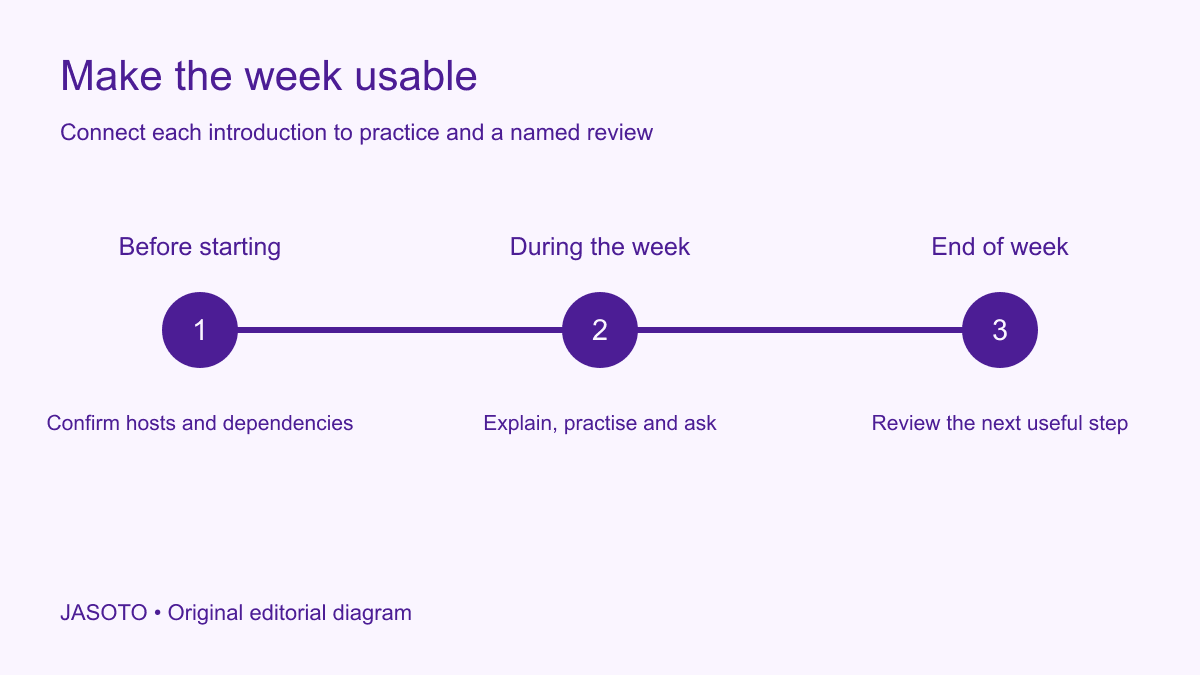
Original JASOTO editorial diagram. Its complete workflow is explained in the article; no actual customer outcome is depicted.
A useful first-week schedule tells a new colleague what will happen, why it matters, who will meet them and how to get help if the plan changes. Give each session a named contact and an intended outcome. Add working time between appointments so the starter can try something, ask questions and absorb the information instead of moving through an uninterrupted sequence of introductions.
For a small UK team, the difficult part is often ownership rather than calendar software. Acas recommends planning induction before a worker starts and tailoring it to the person and working location. The schedule method below is an original practical approach to that coordination problem. It complements your organisation's induction and employment arrangements; it does not replace the responsible manager's decisions about required training or support.
The practical answer
- Give every session a named host.
- Connect introductions to practical questions.
- Protect time for practice and review.
- Maintain one current schedule.
Decide what the week needs to make possible
Start with three outcomes that describe useful readiness by the end of the week. For an invented service coordinator, these could be finding the current booking instructions, preparing a sample appointment confirmation and knowing who approves an exception. Avoid a target such as “understands the company”, which is too broad to shape an individual session. A clear outcome lets you remove meetings that have no useful connection to the starter's immediate work.
Ask the manager which activities are essential before work begins and which can happen later. Do not move required instruction behind the task that depends on it merely to fill a calendar gap. Mark the dependency visibly: a system practice session may require an activated account, a completed introduction and an available reviewer. The schedule should reveal those requirements rather than disguise them as independent appointments that happen to occur in the same week.
Give every session one accountable host
Write an individual's name beside each appointment, together with their role and contact route. “Finance”, “IT” and “the team” can remain useful context, but they do not tell a new starter whom to approach at the scheduled time. Confirm that the named person has accepted the responsibility and understands what the session is supposed to achieve. Copying somebody into an invitation is not reliable evidence that they have agreed to lead it.
Where several people contribute, retain one session owner. In a purchasing introduction, one colleague might explain approval limits and another demonstrate the request form. The owner makes sure the pieces connect and resolves a cancellation. Identify a backup where interruption is likely, but ask that person first. A hypothetical backup who has never seen the plan can create the appearance of resilience without providing any useful help to the starter.
Write an invitation that works outside the calendar
Each entry should include a plain-language title, date, start and finish, location or joining method, host and a short purpose. Add preparation only if it is actually necessary and available. “Bring the sample request from Tuesday” is actionable; “read everything in the shared drive” is not. Make sure the person can read the schedule before access to their work calendar is complete.
For an in-person session, identify the room and how to reach it from the starter's usual base. For a remote session, confirm that the invitation can be used with the planned equipment and account. Include the fallback contact in text rather than hiding it in a system the employee cannot yet open. The same entry should still make sense when copied into a simple accessible document or read aloud over the telephone during a connection problem.
Create space for practice and recovery
A diary full of available colleagues' meeting slots is not necessarily a usable first week. Place short independent tasks after relevant explanations and give the starter a chance to record questions. The purpose is to discover what they can do, what remains unclear and what needs further support. Do not interpret every unbooked interval as wasted time that another department should fill.
Allow reasonable transitions between locations and between demanding activities. A remote starter may need time to change an audio setting, locate a file or contact the next host. An office starter may need to find a room and introduce themselves. Use your knowledge of the actual work and the person's agreed arrangements to set the timetable. Avoid claiming that a particular meeting length or universal daily pattern is suitable for everyone joining the business.
Pair introductions with a question the person can answer
Give each introductory meeting a connection to the role. A warehouse colleague might explain who can confirm whether an item has been dispatched. An account manager might explain which customer commitments need their approval. This helps the starter form a useful contact map, rather than trying to memorise a sequence of names without any reason to approach those people later.
Ask hosts to finish with a practical invitation: “Contact me when a delivery date changes before you promise a replacement.” Record the contact's responsibility beside their name in the schedule or linked notes. Separate availability from authority. A friendly colleague who answers quickly may be able to explain the form but not approve the purchase. The schedule should help the starter distinguish those roles instead of rewarding whoever happens to be easiest to find.
Plan a first task with a review point
Give the starter a bounded activity that produces something another person can review. For a support role, that might be drafting a response from an approved example. For an administrator, it might be completing a sample request. State which information is fictional, what should be saved and what must not be sent or changed in live systems. The first task should offer a useful learning opportunity without relying on hidden judgement about acceptable risk.
Name the reviewer and reserve time for feedback. If the reviewer is unavailable until Friday, do not schedule the dependent next step on Wednesday without an alternative. Ask the reviewer to identify the next improvement and the instruction that supports it. A person cannot learn much from “looks fine” when they are unsure which parts were checked. Add the review outcome to the schedule record without turning the document into a performance scorecard for every conversation.
Make changes visible in one current version
Choose one place where the current timetable is maintained. Include a visible update date and a schedule owner. When a session changes, update the entry and inform the affected people through the agreed channel. A new calendar invitation does not always explain whether an older one is cancelled, and a revised attachment can leave the starter comparing several nearly identical documents.
Describe the consequence as well as the change. “System demonstration moves to Thursday; use Wednesday's practice block to read the approved sample brief” is more useful than “IT postponed”. Preserve essential dependencies when rearranging. If the first task cannot happen until the demonstration, move the task too. Ask the starter to confirm that they have the current plan, especially when the change is made before their business account is active.
Account for locations and working patterns
Check which days each contact is actually working and where they will be. A person being employed by the same business does not mean they share the starter's hours, office or public holidays. Confirm the intended location for every in-person session before anyone plans travel. If the week includes more than one site, include the transition and arrival contact rather than treating travel as invisible personal time.
Ask the responsible manager about individual arrangements that affect scheduling, and handle private information through the proper channel. The published timetable can say “protected break” or show a different session format without explaining personal details to every host. Where external training or setup support is needed, find potential business providers and confirm their availability before building the week around them. An unconfirmed supplier appointment belongs in the plan as pending, with an owner responsible for resolving it.
Use a daily check-in to find the next obstacle
Reserve a brief conversation with the manager or agreed support contact. Ask what the starter could complete, what prevented progress and which upcoming session needs clarification. These questions produce more useful scheduling changes than repeatedly asking whether everything is fine. The person may not yet know which confusion is normal or whom they are permitted to interrupt.
Keep changes proportionate. One failed sign-in might need a support slot; several unclear task boundaries might need the manager to revise the first assignment. Record actions with an owner and date, rather than copying a long private conversation into the timetable. If the employee raises a sensitive issue, use the appropriate management process. A shared first-week schedule is a coordination tool, and should not become the default storage location for confidential discussions.
Review the schedule as a reusable plan
At the end of the week, compare the planned outcomes with what happened. Ask which session helped with real work, which instruction was missing and which meeting would be better later. Update the reusable plan with those lessons while retaining individual flexibility. The next starter may have different experience, equipment or working patterns, so a useful schedule remains a starting point rather than a script nobody can change.
If induction coordination is a continuing responsibility, describe it when planning roles or recruitment. Someone should own the timetable, while hosts retain responsibility for their sessions and managers for role readiness. The rollback for an ineffective timetable is practical: postpone low-priority introductions, restore needed practice time and move dependent work until instruction is available. A successful first week produces a usable contact map and a clear next step, rather than merely a calendar containing many completed invitations.
Put the guide into practice
- Confirm attendance with each host.
- Record purpose and joining details.
- Name the reviewer for the first task.
- Review what needs to change next week.
Frequently asked questions
Should the manager attend every induction session?
They need not lead every session, but should know how the activities connect to the role and remain available through an agreed contact arrangement. Give each specialist session its own named owner. The starter should know which questions belong with that host and which decisions require the manager.
How much detail belongs in the first-week schedule?
Include the details needed to attend, prepare and understand the outcome. Link to supporting material instead of copying an entire handbook into every entry. If the schedule becomes difficult to scan, retain the essentials in the timetable and place instructions in clearly named supporting documents.
What happens when a host is unexpectedly absent?
The schedule owner should contact the agreed backup or move the session and its dependent task. Tell the starter what to do during the changed interval and update the current version. Do not leave them waiting in a room or call because everyone assumed someone else would explain.
Explore JASOTO tools
Discover providers and check support for your specific task.
Explore roles and responsibilities →Consider the practical responsibilities involved when recruiting or joining a team.
Plan work-related travel →Research a journey when joining, training or meeting colleagues in person.
Continue with JASOTO
Compare your next step
Discover UK businesses, compare services and request written quotes before making a decision.