
Business Growth · UK Guide 2026
Check a Maintenance Report Before You File It
JASOTO · Updated 5 November 2026 · 1,627 words
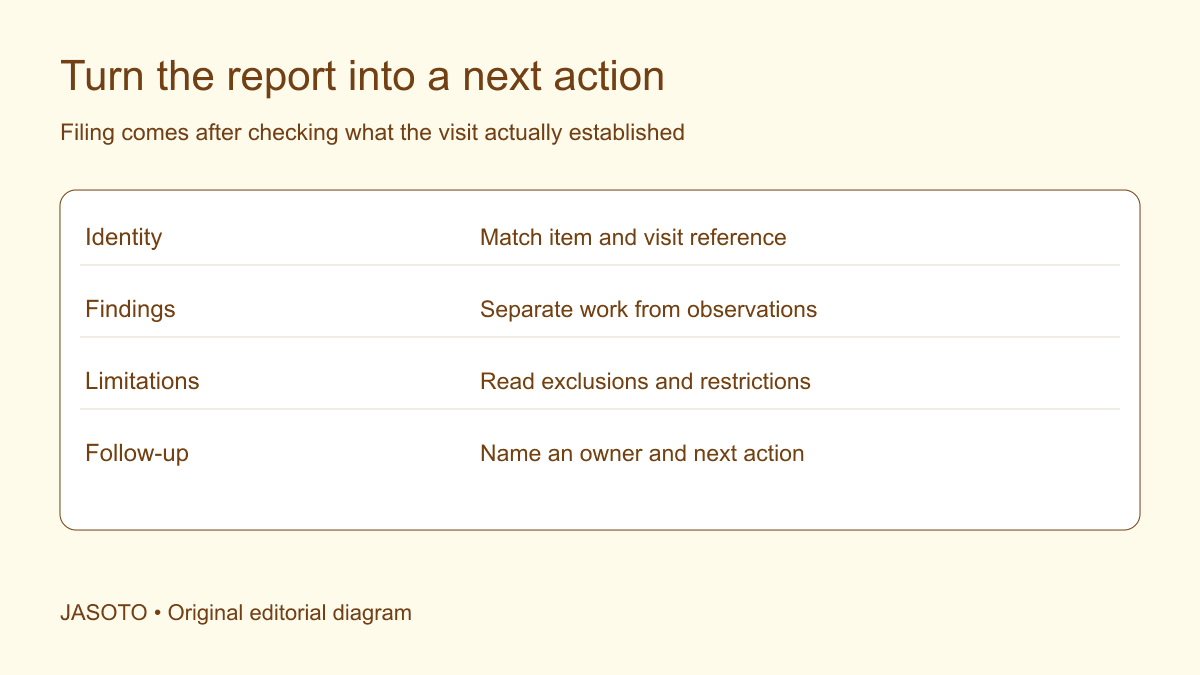
Original JASOTO editorial diagram. Its complete workflow is explained in the article; no actual customer outcome is depicted.
Before filing a maintenance visit report, check that it identifies the correct equipment, explains what was done, records important findings and leaves no unassigned follow-up. Read any limitations and instructions explicitly. Attendance, maintenance, inspection and repair describe different things; a document confirming one should not silently become proof of all the others.
For a UK small business, the practical problem is often the gap between receiving a PDF and acting on it. A report may reach the accounts inbox while its recommendation affects the person using the equipment. This guide offers an original administrative review process. It does not teach technical inspection or authorise equipment use. Those decisions should remain with the competent people and proper arrangements responsible for the equipment.
The practical answer
- Match the report to the exact visit and equipment.
- Separate work completed from recommendations and limitations.
- Give unresolved actions a responsible person and next step.
- Keep technical judgments with the competent provider.
Match the report to a specific item and visit
Check the date, site, provider reference and equipment identifier against your booking and asset record. If several similar items exist, a description such as “office unit” may be insufficient. Ask the provider to clarify which item was serviced. Avoid guessing from the order in which the technician visited rooms. An accurate report attached to the wrong asset can be misleading even when every technical statement in it is correct.
Record the version received and the date it arrived. If the provider sends a revised report, retain the relationship between versions and make the current one easy to identify. Do not leave two differently named PDFs in separate folders with no indication that one supersedes the other. The colleague making the next decision should not need to compare file timestamps to discover which report applies.
Check the work described against the booking
Read the scope in the report alongside the appointment confirmation. Was the booking for routine maintenance, investigation of a reported symptom, a particular repair or another defined task? Look for work that could not be completed and ask why. A report may legitimately describe a reduced scope because an item was inaccessible, but that limitation should not disappear when the visit is marked attended.
Separate the administrative query from a technical challenge. “The booking included two named items, but the report identifies one” is a clear request for clarification. It does not accuse the provider of missing work. The second item may have a separate report or a different reference. Start by resolving the documentary gap rather than assuming the explanation, then update the action record with the answer received.
Read findings as findings, not automatically as instructions
A report can contain observations, work performed, recommendations and operating instructions. Identify which is which. “Wear noted” may be an observation; “replacement recommended” proposes further action; “do not use pending repair” is a different kind of statement. If the wording is ambiguous, ask the issuing competent provider what it means for the business's next step. Do not invent a reassuring interpretation because the report looks routine.
Copy important references accurately when routing them internally. Summarising a qualified statement as “all fine” can remove the very condition that matters. Equally, avoid escalating an ordinary recommendation into a claim of immediate danger without basis. Give the responsible person the relevant passage and access to the full report so they can obtain the appropriate advice and decide through the proper process.
Identify the limits of the visit
Look for exclusions, inaccessible areas, missing information, unavailable tests or work deferred to another appointment. These details define what the report can establish. An item not examined should not be treated as having passed a check. Ask what information or arrangement would allow the unresolved part to be considered, and record who will obtain it. A limitation is more useful when it leads to a clear question.
[HSE's work equipment inspection guidance](https://www.hse.gov.uk/work-equipment-machinery/inspection.htm) explains that inspection needs and scope depend on the equipment and risk assessment. This is why a generic service attendance sheet should not automatically be treated as a formal inspection record. Ask the responsible provider or adviser which document the particular visit produces, and whether any other required record or assessment remains outstanding.
Turn recommendations into assigned decisions
Create an action entry for a recommendation that needs a response. Include the report reference, the recommendation, the person responsible for considering it and the next agreed step. That step might be requesting a quotation, consulting a specialist or arranging access. Do not record “replace part” as authorised work if the report only recommends obtaining a quote. Keep the decision stage visible.
Distinguish a target date you set internally from a commitment agreed with the provider. If no timing has been confirmed, show the question as unresolved. A spreadsheet date is not evidence that a technician is booked or a part will arrive. Check dependencies before informing colleagues that the issue will be resolved on a particular day. This prevents a purchasing assumption from becoming an operational promise.
Verify parts and changes without becoming the technician
Where the report records replacement parts, settings or other changes, check that the details needed for future enquiries are present. Ask for relevant part references or service notes where appropriate. The administrative reviewer should preserve what the competent provider reports, not determine whether a component is technically suitable. If a detail conflicts with an earlier record, flag it for clarification rather than overwriting one account with the other.
Link supporting documents sensibly. A separate quotation, warranty document or test record may belong with the report but serve a different purpose. Use names that describe their role. Avoid placing every attachment under “certificate” when some are invoices or recommendations. The next colleague should be able to recognise what each document establishes before opening a dozen files during an urgent enquiry.
Worked example: a visit with one deferred task
Imagine a small office receiving a report after a planned equipment service. The report identifies the item and lists completed checks, but notes that a separate task could not proceed because access was unavailable. The accounts administrator initially prepares to file it as complete. On review, they create an action for the facilities contact to confirm the outstanding access requirement with the provider.
The visit remains recorded as attended, while the deferred task stays open. The administrator does not rewrite the technician's findings or decide that the equipment is ready for every use. This invented example shows the value of distinguishing document receipt, visit completion and outstanding work. It makes no claim that a particular technical outcome, cost saving or legal compliance result followed from the review.
Ask focused questions while the visit is still recent
Send one concise clarification request covering the actual gaps. Quote the report reference and identify the section concerned. For example: “Please confirm whether the note on page two applies to asset A or asset B, and what next action you recommend.” A precise question is easier to answer than asking the provider to explain the whole report again, particularly when several colleagues are copied into the exchange.
Agree who will receive the answer and update the internal record. If the question affects use or safety, route it promptly through the business's responsible arrangements rather than leaving it in an ordinary filing queue. Keep the original wording available. A telephone clarification can be noted, but ask for appropriate written confirmation when an important interpretation or instruction would otherwise depend on someone's memory.
File for the next person who needs the history
Check the route from report to action with a short handover test. Ask an authorised colleague to locate the equipment reference, explain which recommendation is awaiting a decision and identify whom to contact next. If they can find the PDF but cannot find the open action, improve the link between those records. If they find an obsolete report first, improve the version labels or index. Test the information pathway without asking them to interpret technical findings outside their competence.
Also check how the record connects to purchasing and invoicing. A bill can refer to the same visit while describing only the commercial charge, and payment does not answer every technical question. Conversely, a query about a report should not be hidden as an unexplained invoice dispute. Record the actual question in the appropriate process and tell the relevant colleagues what remains unresolved. Keep approval of additional work separate from acknowledgement that the original report arrived.
Review this administrative method after a few real visits. If the same field is repeatedly missing, discuss reporting expectations with the provider before the next booking. If a field never supports a decision, consider whether it belongs in the internal checklist. The aim is a proportionate review that exposes meaningful gaps while preserving the competent provider's account accurately.
Store the current report with the relevant asset or service history and an index of open actions. Use access controls appropriate to the contents. Check that an authorised substitute can find it when the usual contact is absent. A well-named file in one person's private mailbox may be effectively unavailable to the team that needs it. Retention should follow the applicable requirements and the business's considered policy.
When looking for a new provider, discover maintenance businesses and discuss reporting expectations before booking. If record coordination is a continuing responsibility, explore relevant support roles within a staffing review. For a confirmed follow-up requiring travel, research the journey. The report review should end with a usable history and a visible next action, rather than a completed filing task that leaves the practical question unanswered.
Put the guide into practice
- Check identifiers, date and report version.
- Read findings, exclusions and equipment status.
- Clarify uncertain statements before filing.
- Link follow-up actions to the report.
Frequently asked questions
Does a signed report mean the equipment is safe?
Do not infer that from a signature alone. Read what the report actually covers, its limitations and any explicit status or instructions. Ask the competent provider to clarify uncertainty, and follow the business's proper arrangements before equipment is used.
Should I edit an incorrect report myself?
Keep the original and ask the issuing provider for a corrected version or documented clarification. You can add an internal note explaining the query, but avoid changing technical findings or making the provider's original record appear to say something it did not.
How long should a maintenance report be kept?
Use a retention approach appropriate to the equipment, applicable requirements and the business's obligations. HSE gives specific guidance on records for work equipment inspections, but a maintenance attendance note and a formal inspection record are not automatically the same document. Ask the responsible adviser where the distinction matters.
Explore JASOTO tools
Discuss the relevant equipment and report requirements with suitable providers.
Explore maintenance administration roles →Consider support when coordinating records and follow-up is ongoing work.
Research a follow-up visit journey →Plan travel once the location and appointment are agreed.
Continue with JASOTO
Compare your next step
Discover UK businesses, compare services and request written quotes before making a decision.