
Business Growth · UK Guide 2026
Meeting Room Booking Checklist for Hybrid Teams
JASOTO · Updated November 5, 2026 · 2,072 words
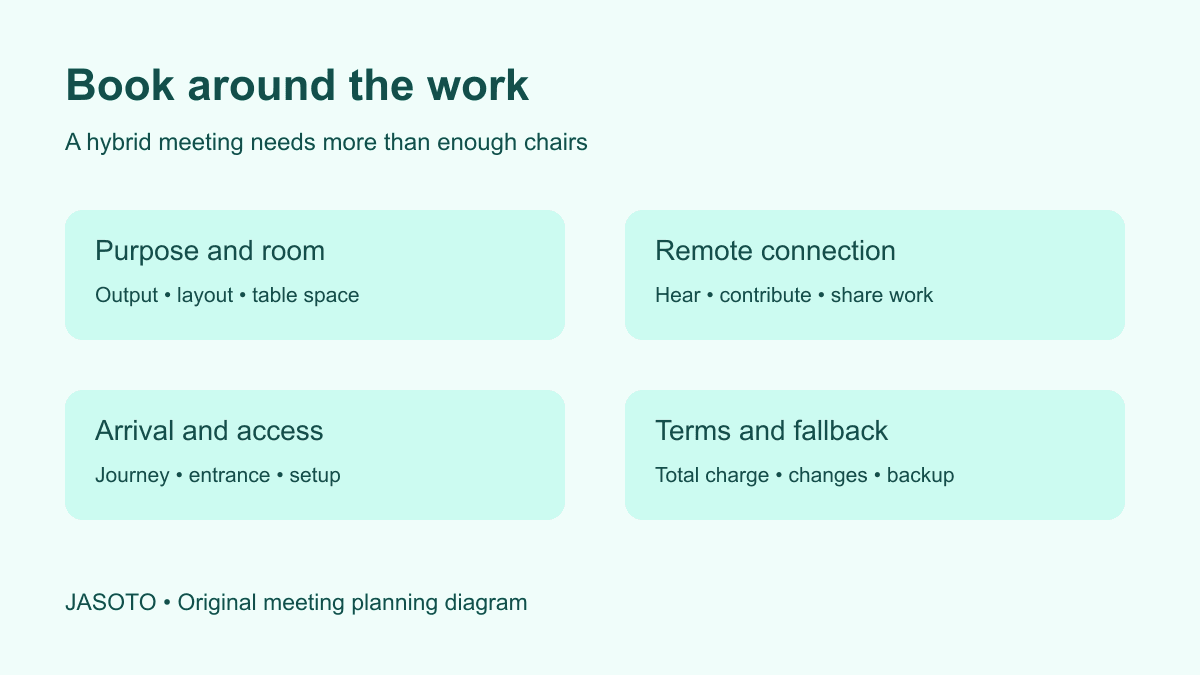
Original JASOTO planning diagram. It illustrates a booking decision, rather than an actual venue or measured result.
Choose a meeting room by checking whether every participant can take part in the work you have planned. Confirm the layout, audio, connection, arrival arrangements, booking period and total charge before paying. A room with enough chairs can still be unsuitable if remote participants cannot hear the discussion or the group cannot use the working space.
This guide provides a practical booking brief for a small hybrid team: some people in a room and others joining remotely. It uses US English for JASOTO.com, with a planning method that international readers can adapt. It does not give universal venue prices or local legal rules. The worked scenario is invented and the booking recommendations are editorial suggestions; verify the specific room and terms directly with the venue.
Answer before you book
- Describe the meeting's output before choosing a room layout.
- Test how remote participants will hear, speak and see shared work.
- Include setup, access requirements and pack-down in the booking brief.
- Compare the complete booking and its change conditions.
1. Describe the result the meeting must produce
Start with an output: a shortlist, an agreed project scope, a hiring decision or a set of customer interview findings. Then describe the activities needed to produce it. A presentation followed by questions uses a room differently from a working session with paper plans on the tables. The room should support the activity rather than dictate it after the booking is paid.
Record the expected in-person and remote attendance separately. Include the facilitator, any guest speaker and people who may join only for one session. A venue's capacity statement may refer to a particular seating arrangement, so ask what the room can accommodate in your actual layout. Leave usable space for the activity, circulation and any agreed access arrangements.
Decide whether gathering in person adds enough value to justify the journey. A short status update may work remotely, while handling physical samples can create a clear reason to meet. If the group needs a facilitator, technical support or temporary coordination help, consider those responsibilities early. The JASOTO jobs page is relevant when there is a genuine staffing need, rather than assuming the venue team will perform an unbooked role.
2. Ask for the layout that matches the task
Ask for a current layout or photographs of the specific room in the proposed configuration. An image of a different room or a promotional picture without furniture gives limited information about your booking. Mark where the screen, speaker, group work and remote-participant display will be. Check whether the planned furniture can actually be moved and whether staff must do it.
For a workshop, count useful table space as well as seats. Participants may need room for a laptop, documents and a shared prototype. A narrow table that is comfortable for a discussion may be awkward for mapping a process. Ask where materials can be placed without blocking movement or covering a display that another participant needs to use.
If confidentiality matters, ask about the room boundary: doors, shared walls, nearby public space and whether the booking provides exclusive use. A venue's general description as a business center does not answer those questions. Avoid sending sensitive project details merely to explain the concern. Describe the required privacy and ask the venue to confirm what it can provide.
3. Specify a hybrid audio test
An equipment list is useful, but a short representative test is more informative. Arrange for someone outside the room to join using the intended meeting platform. Ask different people in the room to speak from the positions they will use. Check whether the remote participant can hear the discussion clearly and whether people in the room can hear the remote participant without straining.
Give one person responsibility for the room connection. Several laptops with active microphones and speakers can make a conversation difficult, so decide which devices provide the shared audio and how others will participate. Ask who can resolve a technical problem during the booking and how to reach them. Do not assume a receptionist is also available to diagnose conferencing equipment.
Write down the test result and anything still unresolved. A successful call from an empty room does not prove that a noisy group session will work, but it can expose basic compatibility problems. If you cannot test before committing, identify the uncertainty in the booking decision and ask about an acceptable fallback. Do not silently convert “Wi-Fi included” into a promise that every hybrid activity will run smoothly.
4. Keep the shared work available to remote participants
Choose where the authoritative working document lives. If the group is editing a plan, a shared document that participants can open directly may be easier to use than a camera pointed at handwriting on a distant wall. Assign someone to capture decisions during the session. A facilitator who is also presenting, fixing audio and taking notes may miss a remote participant waiting to contribute.
Agree a clear way to request a turn. The person facilitating should look for contributions from both the room and the remote connection. For voting or prioritization, use a method that everyone can access, and have an alternative if the chosen tool fails. Do not make a remote participant depend on a colleague remembering to move a physical sticky note on their behalf.
A useful dry run follows one complete activity: read the prompt, examine the material, contribute a response and find the recorded decision. That exposes gaps an equipment test may miss. Keep the test focused on the actual meeting output. There is little value in demonstrating an elaborate whiteboard feature if the real task is reviewing a contract paragraph together.
5. Confirm access through the whole visit
W3C's event accessibility checklist encourages organizers to ask participants about requirements and consider both the venue and the remote platform. Use that resource when planning the session. Ask about the complete visit rather than relying on an unexplained accessible-room label. Confirm relevant routes and arrangements with the venue and the participant, without making assumptions about what someone needs.
Translate requirements into booking tasks with named owners. For example, the organizer might confirm arrival instructions, the venue might provide information about a route, and the facilitator might arrange the requested communication support. Ask only for information needed to make the arrangements. Participants should not have to distribute unnecessary personal details to every person involved in the booking.
Keep a way to update the plan if attendance or requirements change. Put the contact for practical questions in the invitation and ensure that contact can act before the session. International participants may also need clear time zones and understandable instructions. A calendar invitation, a venue confirmation and a travel plan should describe the same start time and location.
6. Compare the complete booking cost
Ask for a written quote that identifies the room, date, access period, layout and included services. Record the currency and applicable charges as shown by the venue. Separate optional additions from items your session requires. A low room rate is difficult to compare with another offer if one includes technical support and the other adds it later.
Check setup and pack-down time. If your session starts at 10 a.m., booking access from 10 a.m. may leave no time to connect equipment or arrange materials. Ask whether early entry is permitted, whether furniture setup is complete on arrival and what happens if you run past the booked period. Build the agenda around the access you actually have.
Keep payment dates, deposit conditions, cancellation terms and change deadlines together. Ask what happens if attendance falls, a guest cannot travel or a different room is required. Those are contract questions for the venue, and the answers vary. This guide intentionally avoids a supposed standard cancellation period because publishing one could give a reader false confidence about their particular booking.
7. Work through a realistic six-person session
Consider an invented product team with four people in the room and two joining remotely. Its task is to choose between three packaging concepts. The organizer initially looks for six seats, then realizes the physical samples need table space and the remote participants need clear photographs before the session. The booking brief changes to reflect the work, rather than just the headcount.
The team asks for one display for shared material, a room audio setup and a table arrangement that leaves space for the samples. It stores photographs and a comparison sheet in a shared folder. During a test, a remote colleague cannot read small labels through the room camera, so the team adds close-up images to the comparison sheet. This is a planning example, not evidence of a tested venue.
The facilitator assigns one person to handle physical samples and another to record the decision. Everyone evaluates the same named concepts against the same criteria. If the video connection drops, the shared documents remain available and the team can move to its agreed backup communication route. If a participant still cannot contribute adequately, the decision is deferred rather than quietly made without them.
8. Send this booking brief to shortlisted venues
Use a short brief with these fields: purpose; preferred date and acceptable alternatives; in-person and remote attendance; activity and layout; required access period; equipment and meeting platform; confirmed participant arrangements; catering needs; privacy expectations; and the person authorized to approve the quote. Add a request for total charges and the applicable change terms. Replace unknown details with questions, not guesses.
Ask each venue to respond to the same brief. Put their answers beside the requirements and mark each as confirmed, unavailable or unresolved. This prevents a visually appealing venue from winning merely because its brochure is easier to read. A requirement that remains unresolved should stay visible when you make the decision; it should not become an assumed inclusion.
The JASOTO businesses directory can help you discover venues and related providers. Contact the provider directly to confirm the specific space and availability. If the session needs catering, interpretation or facilitation, establish which services come from the venue and which require another supplier. A directory listing describes an opportunity to investigate, rather than a guarantee that a provider fits the brief.
9. Connect the booking with the actual journey
Work backward from the time participants must be ready to contribute. Arrival at a train station or airport is only part of the journey. Include the onward route, building entrance, reception process and time needed to settle in. Ask the venue about the entrance people should use, particularly if a map pin points to a large building with multiple access points.
Use JASOTO travel to explore journey options where helpful, then verify details and booking terms with the travel provider. Keep transport purchases distinct from the room agreement. Changing a meeting room does not automatically change a fare, hotel reservation or transfer. Before a nonrefundable purchase, check that the meeting date and location have been confirmed by the organizer.
Send one practical arrival note instead of forwarding a long chain of booking messages. Include the address, entrance instructions, start time with time zone, on-the-day contact and remote joining route. State when equipment setup or presenter arrival is needed. Someone arriving early to test a microphone needs different instructions from a guest joining for the final discussion.
10. Prepare the fallback and close the loop
Choose the point at which a failed setup changes the meeting plan. If audio cannot be restored by an agreed time, will the group move to a backup room, join individually or reschedule? Name the person who makes that decision. An unowned fallback can turn into several competing attempts to fix the problem while participants wait without useful information.
After the session, save the decision record where participants expect to find it and check any outstanding actions. Review the booking against the brief: which requirements were met, which needed workarounds and which should change next time? Use specific observations, such as a difficult entrance instruction or missing connection cable, rather than a broad rating with no explanation.
Keep the reusable parts of the brief and discard assumptions that did not hold. The next session may need a different layout or attendance pattern, so review the record before repeating the booking. A good meeting room checklist helps a team make and communicate a decision; it does not turn a previous booking into automatic evidence that the room will suit every future event.
Final booking checks
- Confirm the specific room, working layout and access period.
- Test the real hybrid activity, not just the equipment list.
- Resolve participant arrangements with named owners.
- Save the complete quote, change terms and fallback plan.
Frequently asked questions
How much meeting room setup time should I book?
Estimate it from the actual tasks: furniture, materials, connections and a remote check. Ask the venue what is ready on arrival. There is no single setup period that fits every session.
Is Wi-Fi enough for a hybrid meeting?
It is only one part. Check room audio, the platform, shared materials and how remote participants will contribute. A representative test is more useful than assuming a connection includes everything needed.
Should I book the room before arranging travel?
Confirm the organizer's date and location before making travel commitments that cannot easily change. Review each provider's terms separately because changing the room does not automatically change transport or accommodation.
Can teams outside the US use the brief?
Yes. Adapt spelling, currency, time zones, transport and applicable booking rules. The same planning method can serve international readers without creating a separate near-identical article for every country.
Explore JASOTO tools
Continue with JASOTO
Compare your next step
Discover UK businesses, compare services and request written quotes before making a decision.