
Jobs & Careers · UK Guide 2026
Missing Interview Link? Find the Right Contact
JASOTO · Updated 5 November 2026 · 1,678 words
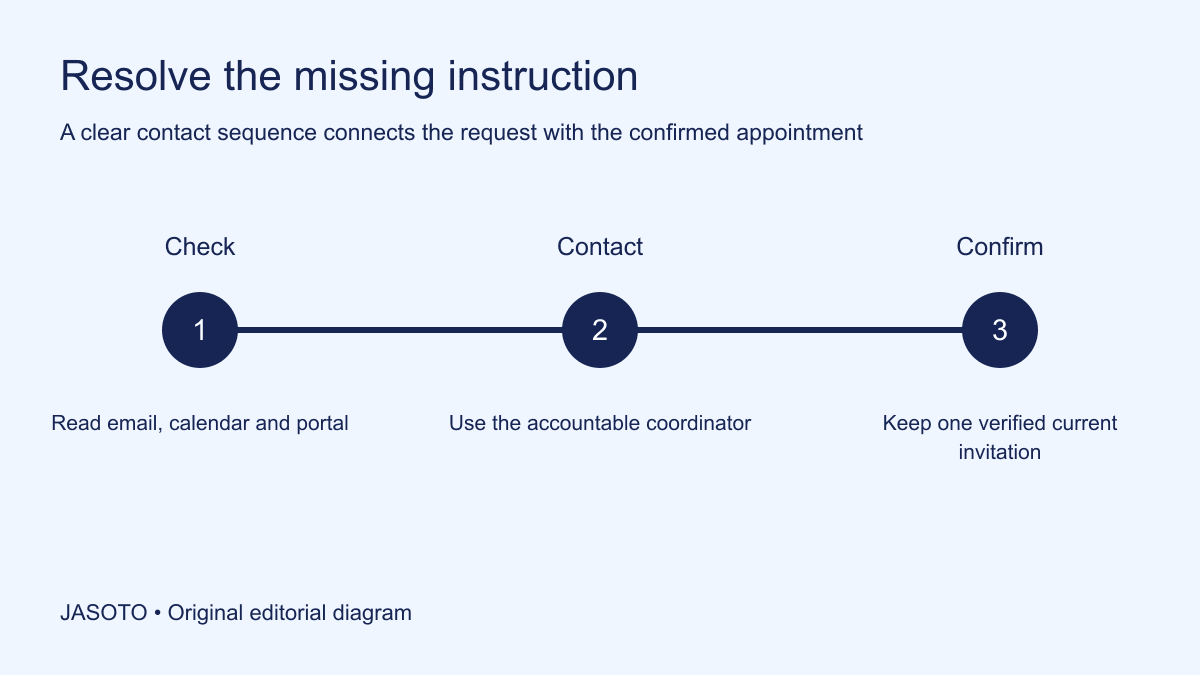
Original JASOTO editorial diagram. Its complete workflow is explained in the article; no actual customer outcome is depicted.
If an interview link is missing, first check the confirmed invitation and recruitment portal, then contact the person or team already handling the appointment. Send your name, role reference, interview date and the exact missing detail. Keep the request in the existing conversation where possible. This gives the recruiter enough context to act without starting a new chain that nobody can connect to your booking.
This guide offers a practical contact sequence for UK applicants. The NCSC explains that scam messages can impersonate trusted organizations, so verify an unfamiliar replacement instruction through an established route. The steps below help you resolve an administrative gap while keeping that check proportionate. A missing link can have a simple explanation, such as a separate calendar invitation or an email that has not yet been sent.
The practical answer
- Check the full confirmed appointment first.
- Use the established recruitment contact.
- State the exact missing detail and time constraint.
- Keep one current confirmed joining instruction.
Establish what the appointment actually confirms
Open the latest message and identify the date, time, format and contact. Confirm whether the interview is definitely online. Sometimes an early email announces an interview while a later message contains the venue or joining information. Keep the latest confirmed instruction separate from a tentative availability request. A conversation about a possible slot does not necessarily mean a final booking and link have been issued.
Check whether the message promises a later invitation or gives a specific action to complete first. If the employer says the link will arrive the day before, a request a week earlier may be unnecessary. If that promised point has passed, mention it factually in your enquiry. Do not invent a delivery deadline that the employer never gave. The useful question is what remains missing from the actual agreed process and when it becomes necessary to resolve it.
Search the expected places systematically
Look in the existing email thread, relevant calendar event and official candidate portal. Check appropriate filtered or junk folders without opening unfamiliar attachments merely because they mention interviews. Search using the employer name, role reference and known sender. A short systematic check is more efficient than repeatedly scanning the whole inbox while growing less certain about what you have already examined.
If a calendar event exists, open its full description rather than relying only on the title shown in the calendar grid. The joining information may appear below a collapsed section or in an attachment referenced by the message. Use the actual application's normal controls and official support where needed. Record what you found: “calendar appointment present, no joining details in the description” is an accurate status, while “nothing arrived” can obscure a useful booking reference.
Choose the first accountable contact
Reply to the established recruiter, interview coordinator or scheduling address that sent the confirmed arrangement. If the invitation provides a specific support route, use it. Avoid guessing a hiring manager's personal email when the process already names an accountable team. The person who coordinated the slot is often best placed to locate the correct invitation or route the request internally.
If an agency arranged the interview, check whether it remains the contact for joining details. Do not independently contact several employees at the hiring business unless the process directs you there or the established route has become unavailable. Multiple disconnected requests can produce conflicting replies and make it harder to identify the current instruction. Keep a brief record of whom you contacted and when so any escalation builds on the existing enquiry.
Write a request that can be answered quickly
Use a subject that connects the issue with the appointment, such as “Interview joining details: role reference, date”. In the message, identify yourself, the scheduled time and time zone where relevant, and the channel you checked. State the missing element directly. Ask the contact to resend or confirm the joining instruction. Include the existing reference rather than attaching every application document again.
An invented example reads: “I am scheduled to interview for the service coordinator role on the confirmed date at the stated time. I have the calendar appointment, but cannot find a joining link in its description or the portal. Could you confirm how I should join? I can be reached through this email if the arrangement changes.” Replace the placeholders with your actual details. Keep the wording factual and avoid implying that the recruiter caused a failure you have not established.
Match follow-up timing to the appointment
Consider how soon the interview starts and any stated response expectations. For an appointment several days away, the normal recruitment channel may be sufficient. For an imminent appointment, use a provided telephone or urgent contact route if one exists. The aim is to make the time constraint visible without sending repeated messages every few minutes. A specific statement that the interview begins shortly helps the recipient prioritize appropriately.
If you call, keep the same core details ready and ask for the appropriate coordinator. Leave a concise message if the agreed route allows it. Do not share sensitive personal information simply to persuade a reception team that the request is important. Your name, role and appointment reference should usually be the starting context for locating the booking. If additional verification is requested, use the employer's established process and pause if an unfamiliar request appears unrelated to arranging the interview.
Verify a replacement instruction when needed
When a reply arrives through the known conversation, compare the date, time and role with your booking. If it comes from an unfamiliar sender or asks you to use a different service, check the instruction through the established contact where there is genuine uncertainty. NCSC guidance warns that impersonation can look convincing; appearance alone should not be the basis for deciding that an unexpected request is legitimate.
Keep the check practical. Ask the known coordinator whether the new invitation is theirs. Avoid using a phone number contained only in the suspicious message as the sole verification route. Do not enter credentials or pay an unexpected fee merely to obtain an interview link. If you suspect a scam, follow the appropriate official reporting and recovery guidance. If the instruction is confirmed, update the current appointment notes and stop using the superseded joining details.
Prepare for the start time without a link
Have your device, interview notes and established contact route ready while the issue is being resolved. At the scheduled time, send a concise factual update if you still cannot join: identify the appointment, explain that the joining instruction remains missing and confirm you are available through the agreed channel. This creates a clear record of the situation without pretending that availability alone establishes you attended.
Do not create your own meeting and assume the panel will join it. Ask whether the recruiter wants an alternative arrangement. The employer may resend the invitation, suggest another method or rearrange the appointment. Keep any confirmation in the same maintained notes. If you receive no response, record the actions you took and follow up through the established route. Avoid making promises about remaining available indefinitely when you have other commitments that need to be stated clearly.
Resolve conflicting messages explicitly
If two links or times arrive, ask which one is current. Include the exact conflict without forwarding unnecessary personal information to a wide audience. A coordinator may have sent a revised event while an earlier automated email remains active. The candidate should not have to decide silently which instruction is more authoritative based only on the message's design or the sender's apparent seniority.
Once confirmed, update the calendar and mark old details as replaced. Retain the relevant conversation where appropriately needed, but keep the active prompt sheet unambiguous. For an invented rescheduled interview, the candidate receives a new link with the old time in its title. They ask the coordinator to confirm the current appointment and then correct their notes. This small check is more reliable than assuming either the title or the event field must be correct.
Keep the wider search organized
Add the final joining details and contact route to your application tracker. Record the employer and role clearly so information from several active applications cannot be mixed. Keep personal contact details private and remove outdated active reminders when appropriate. A reliable tracker reduces the risk of using a link from another employer simply because two interviews use the same platform or similar event titles.
Use job opportunities to discover roles while keeping actual scheduling details tied to the recruiter. If you arrange technical assistance through business providers, describe the problem precisely and avoid sharing unnecessary application information. If the employer changes to an in-person interview, confirm the address and arrival contact before researching travel. A discovery page or general company listing can help identify context, but the confirmed recruitment route remains the source for the appointment itself.
Close the loop after the issue is settled
Acknowledge the confirmed instruction briefly where useful and test the relevant setup through the platform's appropriate test method. Do not enter a live meeting prematurely unless invited. Save the current contact and fallback route so another technical problem does not restart the search for help. If the appointment was missed or rearranged, confirm the new arrangement directly rather than assuming a suggested time became a booking.
Afterwards, note the actual cause if it became clear: a hidden calendar description, wrong address, delayed invitation or unresolved employer issue. Improve only the relevant part of your routine. The rollback for a confused contact chain is to return to the last confirmed appointment and one accountable coordinator, then request the missing instruction plainly. A useful message gives that person the facts needed to act and leaves you with one current way to join, instead of a growing collection of speculative links and disconnected requests.
Put the guide into practice
- Search expected email and calendar locations.
- Send a concise reference-based request.
- Use an established urgent route if needed.
- Update the tracker after confirmation.
Frequently asked questions
Who should I contact first?
Use the person, scheduling team or agency already coordinating the confirmed appointment, unless the invitation names a different support route. Reply in the existing conversation where practical and include the role reference, date, time and exact missing detail so the contact can locate your booking.
Should I send messages to everyone on the interview panel?
Start with the accountable recruitment contact and use an escalation route when needed. Several disconnected messages can create conflicting instructions. If the appointment is imminent, use an established urgent contact method and explain the time constraint clearly rather than guessing personal contact details.
What if a new link comes from an unfamiliar address?
Compare it with the confirmed arrangement and verify through an established contact if the request is unexpected or unclear. Do not rely only on the message’s appearance or use its own contact details as the sole verification route. Keep one confirmed current invitation after the check.
Explore JASOTO tools
Discover providers and check support for your specific task.
Explore roles and responsibilities →Consider the practical responsibilities involved when recruiting or joining a team.
Plan work-related travel →Research a journey when joining, training or meeting colleagues in person.
Continue with JASOTO
Compare your next step
Discover UK businesses, compare services and request written quotes before making a decision.