
Global Business · UK Guide 2026
Plan a Multilingual Reception Information Sheet
JASOTO · Updated 5 November 2026 · 1,513 words
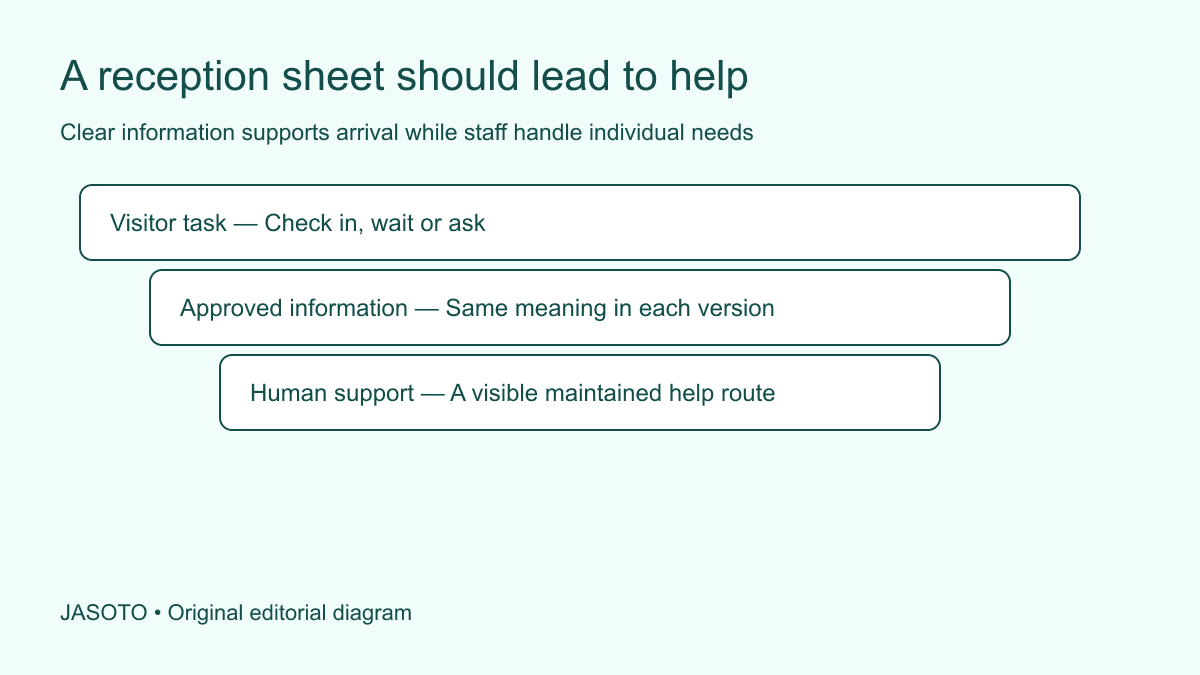
Original JASOTO editorial diagram. Its complete workflow is explained in the article; no actual customer outcome is depicted.
Plan a multilingual reception information sheet around the tasks visitors need to complete when they arrive: identify the correct desk, check in through the approved process, understand where to wait and ask for help. Prepare one clear source version, arrange appropriate translation and test the final copies at reception. Give every version a date and an owner so printed information does not quietly become outdated.
The sheet should support ordinary arrival information for the actual premises and audience. This guide uses a fictional small UK business reception. Important safety, privacy and individual-service decisions belong with the organization's approved arrangements and responsible people. A translated sheet is useful when it connects visitors to those arrangements without pretending to resolve every possible conversation.
The practical answer
- Choose the visitor tasks the sheet must support.
- Use one approved source and clear language selection.
- Keep important instructions connected to local responsible staff.
- Test the actual printed or digital version at reception.
Identify the arrival tasks before choosing content
Observe the questions reception regularly handles and ask staff where visitors hesitate. Choose the tasks the sheet can realistically support. A person may need to know whether they are at the right business, who to tell they have arrived or whether to wait for their host. Start with these immediate decisions instead of translating a general company brochure.
Keep the scope limited enough to use while standing at a desk or reading on a phone. Detailed service terms and promotional material can be available elsewhere. The reception sheet should help someone orient themselves and reach the right assistance. Record which tasks remain with staff so nobody treats the document as a reason to stop offering human help.
Confirm the actual local arrangements
Ask the responsible premises or reception owner to approve check-in, waiting locations, appointment expectations and help contacts. Use the names visitors will see onsite. If the sheet says “report to reception” while the physical sign says “visitor desk,” consider whether the difference creates unnecessary uncertainty. Keep local labels consistent across source text and translations.
Verify opening or staffed periods where relevant. A help route that exists only during part of the day needs an accurate explanation. Do not publish access codes, private personnel information or sensitive operational detail in a general handout. Use the organization's approved process for restricted instructions and give the public sheet a legitimate way to reach assistance.
Select languages from audience evidence
Use relevant visitor requests, service records and staff observations appropriately to decide the initial language set. Record the evidence and uncertainty. Avoid inferring an individual's language from nationality, name or appearance. Offer a respectful way to state a preference where that helps the service, and explain how staff respond when the requested language is not already available.
Review the choice as the audience changes. A sheet prepared for one event or customer group may not suit another. Explore language assistance when deciding what support is appropriate, while verifying provider suitability independently. A list of translated versions should not imply that reception staff can conduct every conversation in those languages unless the actual staffing supports that claim.
Prepare a plain source that can be reviewed
Use short sections organized by action: finding the desk, reporting arrival, waiting and asking for help. Write direct instructions using confirmed locations and terms. Avoid jokes, idioms and internal abbreviations. Give each section a stable identifier so factual reviewers can compare the versions even when sentence order changes naturally in translation.
[W3C's accessible-event guidance](https://www.w3.org/WAI/teach-advocate/accessible-presentations/) encourages attention to participant requirements and understandable information. Apply that principle to reception planning while checking the actual audience and setting. Plain language and translation both help, but neither automatically resolves every access need. Keep the route for discussing individual requirements visible and staffed.
Choose a usable language-selection format
Decide whether visitors receive separate sheets, select a digital version or use a short multilingual panel. Make the language choices recognizable to their intended readers. Ask appropriate language reviewers to check labels instead of assuming English names for languages are sufficient. Keep the current versions easy for staff to find without searching an unstructured folder.
Test the physical format. Several full translations squeezed into a small panel may require a person to scan dense text before locating their section. A separate version may be easier, but staff must know how to provide it. For digital material, check that the visitor can reach the information without an unnecessary account or a connection the premises cannot reliably provide.
Brief translation with context and boundaries
Give the translator the audience, source version, physical setting and purpose of each section. Supply approved names for the business, rooms and relevant signs, explaining which must remain recognizable onsite. Ask how questions will be raised and who answers factual uncertainties. A literal translation of an unclear source does not make the arrival process understandable.
Keep the difference between general arrival information and consequential instructions clear. The provider should flag wording that needs specialist review rather than invent an answer. If the sheet includes safety-related material, use the responsible person's approved content and appropriate qualified review. Do not ask an unverified machine translation to become the sole basis for an important instruction.
Keep names, times and locations aligned
Check each language version against the approved business name, address, room labels and relevant schedule. A fluent sentence can still point to an outdated waiting area. Use the section identifiers and a factual checklist to verify the important details independently of language style. Make the final source and target versions refer to the same arrangement.
Where a place name remains unchanged for recognition, ensure the explanation helps the visitor connect it to the physical sign. Avoid translating a room label into words that do not appear anywhere onsite without a useful bridge. Research visitor journeys for planning, then verify the premises-specific entrance and reception information with the responsible local team.
Make the help route concrete
State what a visitor should do if they do not understand the sheet, cannot find their host or need communication assistance. Identify the desk, person by role or maintained contact method appropriate to the location. Check that staff know the process and can access any approved language support. A phrase such as “ask someone” leaves too much uncertain in an unfamiliar environment.
Explain waiting expectations accurately without making unsupported promises about response or service time. If reception must contact a host, describe that action rather than guaranteeing an immediate meeting. Keep individual customer or visitor details in the appropriate record, not on a shared sheet. The public document should help someone obtain assistance without exposing another person's appointment or private circumstances.
Work through a fictional arrival task
Imagine a visiting supplier arriving at a business center shared by several companies. The source sheet originally says “come upstairs and wait.” Review identifies that the visitor first needs to use the named desk and confirm which company they are visiting. The revised source gives that sequence using the same labels as the onsite signs.
The translated versions are checked by suitable readers, and reception staff rehearse providing the correct sheet and contacting the host. The exercise reveals one old waiting-room name still printed on a version. It is corrected before use. This fictional scenario shows why a local factual review and a task test are needed alongside linguistic review; it does not establish a standard reception procedure for other premises.
Test the final copies where they will be used
Ask appropriate readers to locate the check-in action, waiting information and help route from the actual printed or digital version. Observe whether headings, language labels and room references support the task. Check readability and any relevant access needs through the organization's process. A translation approved in a document may become difficult to use after printing at a smaller size.
Have staff find the current version without the creator's assistance. Research reception support providers with the precise task if outside help is needed. Record the version tested and remaining issues. Do not treat a language label or attractive layout as proof that the sheet is usable; the practical test is whether visitors and staff can follow the intended route.
Maintain the physical and digital versions together
Assign who updates the source, commissions revisions, withdraws old copies and checks the help route. Use a visible version date or reference suited to the format. When reception locations or contact arrangements change, identify every language version and physical display affected. An updated master file does not remove an outdated sheet still sitting on the desk.
Consider reception roles where continuing ownership needs capacity, and keep previous versions for review or rollback through the normal process. Collect specific feedback about misunderstood labels or unavailable help. Improve the relevant task rather than expanding the sheet into a general manual. The useful result is current arrival information that people can recognize, use and follow through to appropriate assistance.
Put the guide into practice
- Confirm arrival, waiting and help arrangements.
- Select languages using real audience evidence.
- Prepare a plain source with stable section identifiers.
- Arrange appropriate translation and factual review.
- Assign physical-copy updates and a help-route check.
Frequently asked questions
Should every language fit on one crowded page?
Choose a format people can actually use. Separate clearly labelled versions or a short shared sheet with well-organized sections may work better than shrinking several full translations onto one page. Test the physical or digital format at reception and preserve the same important information across versions.
Can the sheet replace an interpreter?
A sheet can support predictable arrival tasks but does not resolve every individual conversation. Give visitors a clear route to staff and any appropriate language assistance. Decisions involving complex, sensitive or consequential information may require qualified support according to the actual situation and the organization's process.
How do we decide which languages to provide?
Use appropriate evidence about the visitors the reception serves, including relevant questions and requests. Avoid assuming language from a person's name or appearance. Record the decision and a route for people using a language not covered, then review the choice as the audience changes.
Explore JASOTO tools
Research translation, printing or visitor-service support against the actual brief.
Explore reception roles →Define staff ownership for visitor questions and sheet updates.
Research visitor journeys →Keep arrival information consistent with the confirmed location.
Explore language assistance →Consider appropriate support beyond the reception sheet.
Continue with JASOTO
Compare your next step
Discover UK businesses, compare services and request written quotes before making a decision.