
Travel · UK Guide 2026
Prepare a Travel Contact Sheet That Works Offline
JASOTO · Updated 5 November 2026 · 1,654 words
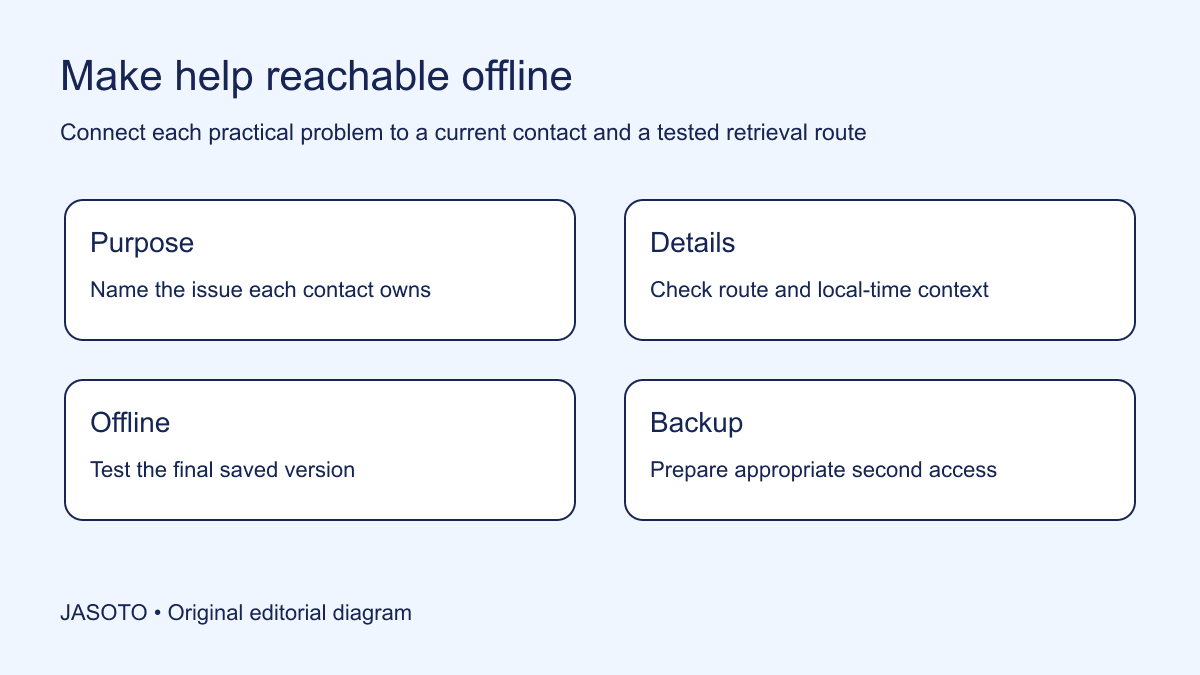
Original JASOTO editorial diagram. Its complete workflow is explained in the article; no actual customer outcome is depicted.
Prepare an offline travel contact sheet with the people and providers needed to resolve the trip's likely practical problems. Give each contact a purpose, a usable calling or messaging route and enough reference information to identify the arrangement. Save it in a form you can actually open without a connection, and check a second appropriate way to retrieve essential details if the main device is unavailable.
This guide offers an original method for UK-based travelers on domestic or overseas work trips. The FCDO foreign travel checklist provides broader preparation guidance for travel abroad. Use current official destination information and the relevant provider instructions for the actual trip. The contact-sheet method below organizes practical routes to help; it does not replace emergency guidance, travel documents or the organization's travel procedures.
The practical answer
- Choose contacts by the problem they resolve.
- Keep routes current and purpose-labelled.
- Test the final offline record.
- Prepare a suitable second retrieval method.
Start with the problems a contact can resolve
List the practical decisions that might arise: a missing arrival instruction, changed pickup, late meeting, unavailable room or booking question. Identify who can actually resolve each issue. A general company switchboard may help route a query, while a named host can confirm the entrance and an authorized business owner can approve a changed plan. Keep those responsibilities distinct.
Avoid copying an entire address book. A long unfiltered list can make the useful contact harder to find when the traveler is under pressure. Choose the routes relevant to the actual itinerary and explain each in a few words. The sheet should answer “Who can help with this problem?” before it asks the traveler to interpret dozens of names. Add another contact when there is a specific unmet need, rather than because more entries make the document look comprehensive.
Use business and provider routes appropriately
Confirm the established contact methods for the host, accommodation, transport and any booked local service. Use current details from the actual booking or official provider source. A number saved during an earlier trip may lead to another property or a service no longer used. Check which route applies to a particular reservation or appointment before placing it on the active sheet.
Keep personal contact details limited to what is appropriate and agreed. A colleague's private number should not automatically be distributed to everyone traveling because it is convenient for the coordinator. Where the business uses a shared contact route, explain when it is monitored and what it can decide. The traveler needs a realistic path to help, not a list of numbers that each redirect the problem to someone else without any ownership.
Write the purpose beside every contact
Add a short action-oriented label such as “confirm meeting entrance”, “change pickup through provider” or “approve business itinerary change”. This reduces dependence on remembering job titles. A person known to the coordinator may be unfamiliar to the traveler, and a supplier name alone may not reveal which part of the trip it covers.
Include the relevant appointment or provider context where necessary. For an invented site visit, the host entry identifies the actual branch and visit date, while the transfer entry identifies the booked service and its established contact route. Keep private booking references through the appropriate handling arrangement. The sheet can point to a separate record if the full reference should not be widely shared. Useful context should help locate the arrangement without making the sheet a concentrated collection of unnecessary secrets.
Make international contact information explicit
For an overseas trip, check that contact details are written in a usable format for the traveler and include the country context where needed. Confirm the relevant local time zone for contacts whose availability matters. Avoid ambiguous statements such as “call before five” when the traveler and business approver may be in different places. Use a clear date where a time-sensitive arrangement could cross a local day boundary.
Do not hard-code a permanent time difference from memory. Check the actual date and locations when working availability matters, and keep current official or provider information available for the trip. The purpose is practical communication, not a complex conversion table. A short note identifying the contact's local hours and zone can be enough if it is accurate and current. Mark uncertainty and resolve it before the sheet is relied on for an urgent business decision.
Separate urgent help from routine coordination
Organize the sheet so a traveler can distinguish an immediate assistance route from an ordinary booking question. Use the organization's approved travel arrangements and current official destination guidance where relevant. Do not invent emergency numbers or assume the home country's number applies everywhere. The FCDO checklist links broader preparation resources for British travelers abroad; check the actual destination information appropriate to the trip.
Keep the practical role of the sheet clear. A delayed pickup may call for the provider, while a different kind of urgent situation requires the appropriate official assistance. Avoid placing a business coordinator in the document as though they are a substitute for local emergency services or professional support. Where the organization provides a specific assistance service, confirm its actual scope and how the traveler accesses it. Labels should help people choose the right route rather than make every problem look like an internal administrative query.
Choose an offline format and test it
Save the essential contact information in an approved form that remains available without a live connection. Then deliberately test retrieval under appropriate offline conditions. Open the file, find a contact and read the relevant reference. A bookmark or link to an online directory does not by itself create an offline record. Check the actual device and application you expect to use.
Keep the layout readable on the intended screen. A wide spreadsheet may contain all the information while making a phone user scroll sideways between a name and number. Use a concise structure with clear labels and enough context in each entry. Check any exported version as well. A PDF, image or printed page may omit text that was visible in the source tool, so verify the final artifact rather than assuming conversion preserved every essential detail.
Prepare for an unavailable main device
Decide how the traveler would retrieve essential contacts if the primary device is lost, out of power or otherwise unavailable. Choose an appropriate secondary method consistent with the information's sensitivity and the organization's arrangements. A small printed sheet or another approved accessible record may be useful, but it should contain only what is needed. Do not solve device dependency by exposing credentials or private documents indiscriminately.
Keep authentication and recovery secrets outside the general contact sheet. The traveler can record the approved support route without placing passwords or recovery codes beside booking and identity details. Ask the responsible technical or business contact about an appropriate arrangement where needed. A fallback should preserve the ability to seek help while respecting the boundaries around account access and personal information. It should not create a new risk merely to make the document feel complete.
Give the sheet an owner and update point
Name who maintains the current version and show when it was checked. Review contacts after a venue, provider or business responsibility changes. A contact list can become stale even while the main transport booking remains correct. If the meeting host changes, update both the person and the purpose label rather than leaving a familiar name attached to an obsolete responsibility.
Send a material correction through the agreed channel and tell recipients which version replaces the earlier one. Ask them to update the offline copy as well. A live shared document changing does not guarantee a downloaded file has changed on a traveler's phone. The version process should reflect how people actually use the sheet. Keep it simple enough that the coordinator can maintain it and the traveler can identify the current record without comparing several nearly identical attachments.
Rehearse one practical problem
Choose a likely scenario and ask the traveler to find the relevant contact without internet access. For example, the meeting entrance is unclear or the local pickup has not connected. Check whether the sheet identifies the right provider or host and supplies enough context to explain the issue. The rehearsal tests the document's usefulness rather than the traveler's memory of the itinerary.
Explore travel options during planning, then keep actual provider contacts tied to confirmed arrangements. For services discovered through business listings, verify the route to support directly. When maintaining travel information is a recurring responsibility, describe it accurately in relevant roles. The coordinator may maintain the sheet while another person approves changes; both purposes should be visible so the traveler can reach the right decision owner instead of asking the most responsive person to resolve something outside their authority.
Close and revise after the trip
After travel, remove obsolete active copies where appropriate and retain only the records needed through the organization's arrangements. Review which contact was difficult to reach or which purpose label caused confusion. Update the reusable structure with that evidence. Do not infer that an unanswered call proves a provider is universally unreliable; record the specific circumstance and decide what backup or clarification is needed next time.
If the sheet has grown too long, restore the essential problem-to-contact routes and move background material elsewhere. If an offline export fails, replace it with a tested format before relying on it again. The practical result is a concise record that works under the conditions it was designed for: no live connection, an unfamiliar place and a specific question to resolve. Each entry should lead to an appropriate person or service with enough context for a useful next action.
Put the guide into practice
- Confirm provider and business contact details.
- Separate urgent help from routine questions.
- Replace offline copies after material changes.
- Review one realistic problem before departure.
Frequently asked questions
Is saving a web link enough for offline use?
Test the actual record without a connection. A link or bookmark may still require internet access, and an exported file may omit essential detail. Open the final version on the device you will use and check that names, contact routes and references remain readable.
Should I put passwords on the contact sheet?
Keep authentication and recovery secrets outside the general sheet. Record the approved support route instead and follow the organization’s appropriate arrangements for account access. A useful fallback should help you contact support without concentrating unnecessary sensitive information in one easily shared document.
How often should the sheet be updated?
Check it when trip arrangements or responsible contacts change, and identify the current version. Ensure downloaded or printed copies are replaced after a material correction. The useful frequency depends on actual changes, rather than a calendar rule that leaves stale details active between reviews.
Explore JASOTO tools
Discover providers and check support for your specific task.
Explore roles and responsibilities →Consider the practical responsibilities involved when recruiting or joining a team.
Plan work-related travel →Research a journey when joining, training or meeting colleagues in person.
Continue with JASOTO
Compare your next step
Discover UK businesses, compare services and request written quotes before making a decision.