
Business Growth · UK Guide 2026
Update Opening Hours Across Every Customer Channel
JASOTO · Updated November 5, 2026 · 1,594 words
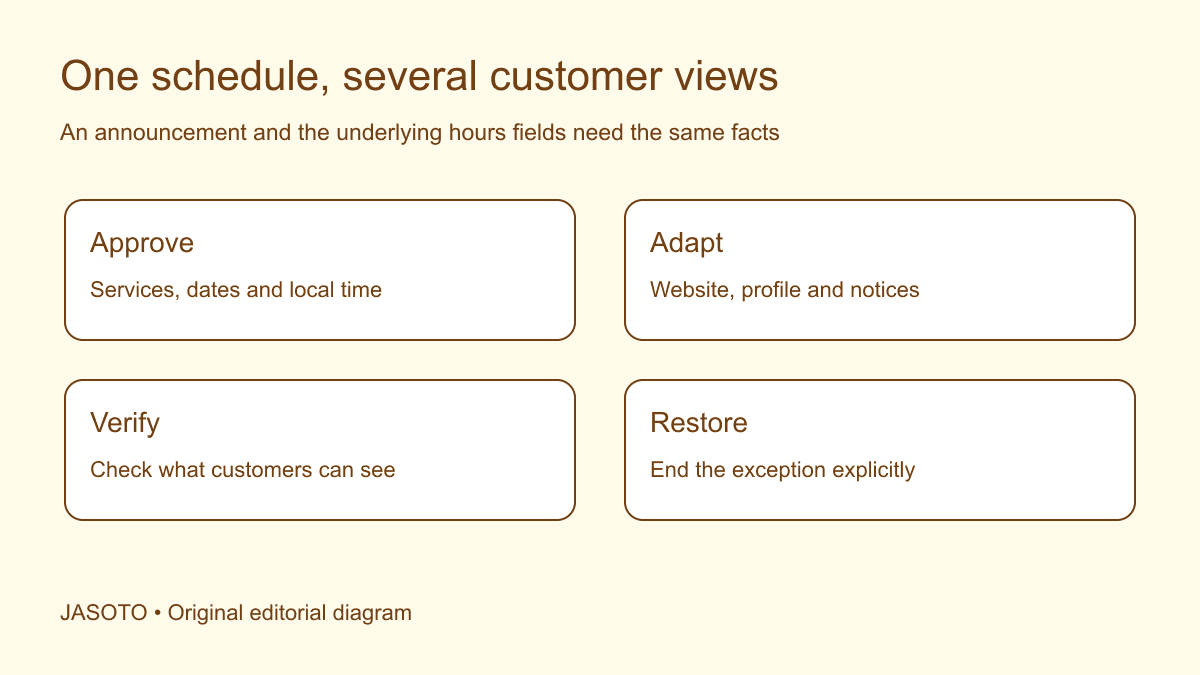
Original JASOTO editorial diagram. Its complete workflow is explained in the article; no actual customer outcome is depicted.
Write an opening-hours update from one approved schedule, stating what changes, which location or service it affects, when it takes effect and how customers can obtain help. Then update every relevant public channel and check the result. An announcement is incomplete when a customer reading the website sees different hours from someone viewing a business profile or listening to the phone message.
For a small business in the United States, the challenge is often coordination rather than copywriting. Store visits, phone support, deliveries and appointments may follow different schedules. This guide provides an editorial workflow for keeping those distinctions clear. The example business and times are fictional, and platform instructions should be checked against current provider documentation.
The practical answer
- State the effective dates and the service each schedule describes.
- Create one approved schedule before adapting channel messages.
- Check structured hours fields as well as announcement text.
- Assign the return to normal hours and verify the public result.
Confirm exactly which schedule is changing
Start with the business decision. Is the storefront closing earlier, the phone team changing coverage, or one service becoming unavailable? Identify the locations and dates affected. Avoid using “business hours” as a substitute for this work. A business can answer calls while its premises are closed, and it can accept online requests when nobody is available to review them.
Ask the responsible manager to approve the facts before the marketing or website team writes a message. Record the schedule in a simple table with service, location, date, opening time, closing time and exception. If a time remains undecided, do not publish a guess. Agree when the decision will be made and what customers need to know while it is pending.
Use dates that remain clear after sharing
Write the effective date with the month spelled out where practical, and include the year when the notice may remain visible or be reused. “This Friday” depends on when someone reads a screenshot or forwarded email. A dated statement survives those contexts more reliably. Pair the date with the day only after checking that they agree.
Use one time style consistently and identify the local time zone where customers may be remote or locations span zones. Do not copy a time zone abbreviation into a long-running notice without checking whether it remains appropriate. For ordinary local storefront hours, a clear local schedule may be sufficient. The aim is to remove plausible ambiguity for the actual audience rather than add technical detail that does not help them.
Distinguish normal hours from temporary exceptions
Label whether the change is a new regular schedule or a dated exception. A temporary closure notice should not make customers infer that every future Tuesday is closed. A permanent schedule change should not be written as a short-lived alert with an unexplained end date. Give the information owner a clear instruction about what remains after the announcement is removed.
[Google's current business-hours guidance](https://support.google.com/business/answer/15300403?hl=en) distinguishes regular hours from special hours and certain service-specific schedules. Follow the provider's current process for the relevant field. The broader workflow here applies across channels: preserve the difference between the underlying schedule and an announcement about it, and verify both rather than assuming one update automatically changes the other.
Build a channel inventory before publishing
List the places customers encounter hours: contact page, location page, website footer, booking flow, business profiles, social accounts, door notice, phone message and automated email reply. Add any documents the business actively distributes, such as appointment confirmations. Focus on real customer routes rather than creating a theoretical list so large nobody can maintain it.
For each channel, record its owner, update method, planned change and verification status. A profile managed by an external agency needs an explicit request and confirmation. An old printed card may be impossible to retrieve, so decide how the current customer journey will clarify the change. The inventory makes gaps visible and helps the team avoid assuming that a colleague controls a channel they have never accessed.
Write a complete master message
A useful structure is: affected service or location; exact change and dates; available alternative contact; return to normal or next review point. For a fictional repair shop: “Our collection desk closes at 2 p.m. local time on November 20. Phone inquiries continue until 5 p.m. Collections resume under the normal schedule on November 21. Contact the desk before traveling if you need to confirm a collection.”
Check every factual element against the approved schedule. Do not add a reassuring alternative that is not actually staffed. “Email us anytime” describes the ability to send a message, not continuous support. If the team will review email later, say so in terms the business can honor. Keep the full message as the reference for shorter channel versions.
Adapt the format while preserving the facts
A door notice may need larger text and a concise schedule. A website banner may link to a complete location update. A phone message should speak the essential dates and contact route rather than direct callers to an unexplained “latest post.” Adapt the presentation to how people use each channel, keeping the same approved dates and service boundaries.
Avoid abbreviations that save space by removing meaning. “Closed 20–21” lacks a month and may leave the reopening date unclear. If a channel has a strict limit, prioritize the affected service, dates and route to complete information. Check that the destination page is current and available before publishing the shorter notice. A concise announcement fails if the link leads to an older schedule.
Review bookings and customer promises
Check existing appointments, collections and deliveries against the changed schedule. Updating public hours does not notify every person with a prior arrangement. Identify who will review affected bookings and contact customers through the business's normal authorized process. Keep private customer details out of the public announcement. A customer may need an individual resolution even when the general notice is perfectly clear.
Consider staff journeys and visitors planning a special trip. Research travel information when relevant to planning, but do not imply that a notice guarantees transport connections. The operational question is whether people relying on a prior arrangement know what happens next. Record who owns exceptions so reception or phone staff do not invent a different answer for each caller.
Check language versions and local terminology
If the business publishes in several languages, provide the approved master schedule and explain terms such as collection, pickup, appointment and walk-in. Those distinctions should survive translation. Explore language support when needed, and name a reviewer for each version. A translated date may be correct while the service label incorrectly implies that the entire business is closed.
Keep versions linked to the same effective dates and update owner. If a last-minute change affects only the English announcement, the other version becomes misleading through omission. Use a compact comparison of service, date, time and alternative contact to check alignment. Do not assume an automated translation or a copied previous notice has preserved the current operational facts.
Verify the public view after the update
Open the website and profiles as a customer would, checking the relevant location and device where practical. Look at hours fields, banners and contact information together. Listen to the recorded phone message. Inspect the actual printed notice. Record the check time and any discrepancy, recognizing that some external channels may not display a submitted edit immediately.
Assign unresolved publication issues to an owner. “Saved in the dashboard” is a different status from “visible to customers.” Avoid claiming every channel is aligned while an edit remains pending or a cached page still shows an old schedule. Use the channel's support process where necessary and consider a truthful interim clarification on the channels you can control.
Test an awkward customer journey
Choose a realistic customer who has seen only one channel. For example, someone reads an old appointment email, checks the business profile and then calls before setting out. Compare the information they encounter at each step. The exercise can reveal that a profile correctly shows the storefront closure while the phone message still implies collections continue under the regular schedule.
Record the contradiction and fix its source rather than adding another announcement that customers must discover. Ask a colleague unfamiliar with the update to explain whether they can visit, call or collect an item on the affected date. Their answer should follow from the available information without private knowledge of the staffing plan. Repeat only the affected check after correction and keep the evidence with the update record. This is a practical comprehension check, not proof of universal understanding or a measured reduction in complaints.
Plan restoration before the exception begins
Give the temporary notice an end owner and a review point. After the exception, check that normal hours or the new regular schedule are displayed correctly. Remove outdated pinned announcements and update automated replies as appropriate. Do not rely on somebody remembering the change after a busy event, holiday period or staffing transition.
Use the update log to identify ongoing maintenance needs. Find business support if channel administration requires help, or explore customer service roles if coverage promises exceed available staff. Keep the lesson specific: which channel was missed, which wording caused confusion, and what evidence supports a better process. A consistent schedule helps customers make decisions, but traffic or revenue improvements require separate measurement.
Put the guide into practice
- Confirm which locations and services change.
- Write full dates and unambiguous local times.
- List every customer channel that displays a schedule.
- Check the published result from a customer view.
- Assign expiry, restoration and follow-up checks.
Frequently asked questions
Is posting on social media enough?
A post can help announce the change, but customers may rely on the website, a business profile, a door notice or an automated reply instead. List the channels your customers actually use and update their relevant hours information. Check that an older pinned post does not contradict the current schedule.
Should we replace our normal weekly schedule for a one-day change?
Use the channel's appropriate exception feature where available and follow its current instructions. Keep the regular schedule and temporary change conceptually separate. Record the effective date and restoration plan so a one-day exception does not accidentally become the apparent schedule for every subsequent week.
What if phone support stays open while the shop closes?
Publish the two schedules explicitly. Say when customers can visit and when calls are answered, using labels that match the actual services. Avoid a single ‘closed’ statement that suggests all contact has stopped, or a single ‘open’ statement that encourages a visit to unavailable premises.
Explore JASOTO tools
Find support for maintaining customer-facing information.
Explore customer service roles →Review staffing when changed hours require different coverage.
Research customer and team journeys →Consider visitors and traveling staff when communicating access changes.
Explore language support →Prepare consistent hours messages for customers using other languages.
Continue with JASOTO
Compare your next step
Discover UK businesses, compare services and request written quotes before making a decision.