
Business Growth · UK Guide 2026
Plan a Paper-to-Digital Archive Project
JASOTO · Updated November 5, 2026 · 1,614 words
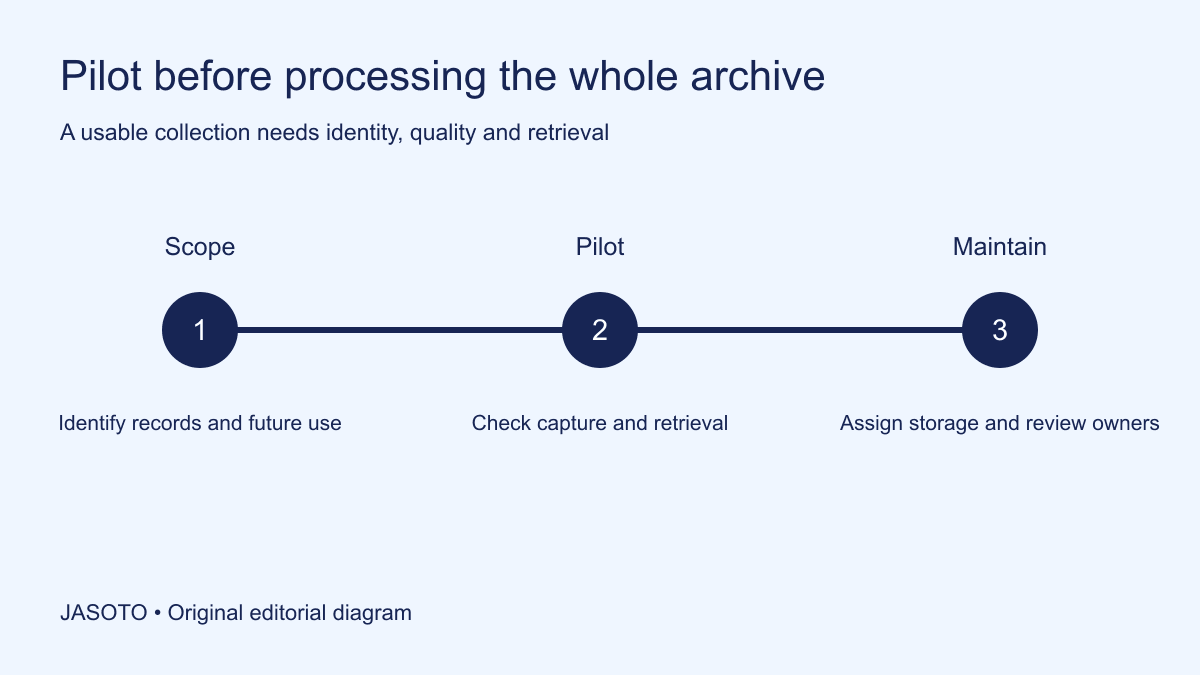
Original JASOTO editorial diagram. Its complete workflow is explained in the article; no actual customer outcome is depicted.
Plan a paper-to-digital archive project by defining the records, the tasks future users need to perform and the evidence that the digital output is usable. Pilot representative material before scaling. Preserve document identity and context, and keep decisions about original paper in the appropriate records process rather than assuming that a scan automatically authorises disposal.
This guide is an original project worksheet for small businesses in the United States. It focuses on ordinary administrative records and does not establish technical archival standards or legal retention periods. The example uses an invented studio scanning completed project folders. Obtain suitable records, privacy, technical and professional advice for material whose condition, sensitivity or legal role requires it.
The practical answer
- Define which records and future tasks the project must support.
- Preserve document identity and meaningful page order.
- Test image quality and retrieval before scaling the work.
- Keep decisions about original paper under the appropriate records process.
Define the archive's future purpose
Write the tasks the digital collection must support: locating an old specification, reviewing a completed order or finding a particular approval. These uses help determine the context and quality needed. A collection intended for occasional reference can have different requirements from records relied on for consequential decisions. Do not choose a scanning setup solely because it produces small files quickly.
Identify the intended authorised users and their normal retrieval terms. They may search by project reference, customer reference or document type. Preserve the relevant relationships in an index or appropriate system. A folder containing readable images can still fail its purpose if nobody can connect them to the business matter or distinguish a draft from the record actually used at the time.
Inventory the material before promising completion
List the proposed groups, approximate extent and known special conditions. Record mixed sizes, attachments, folded pages or fragile material where relevant. Use an appropriate inspection process and avoid handling sensitive or vulnerable records beyond what is suitable. If something needs specialist assessment, identify that requirement rather than treating all paper as identical input for a desktop scanner.
Mark uncertainty in the estimate. A count of folders is not necessarily a count of documents or pages. Explain the basis used for planning and ask a potential service provider which information it needs for a reliable quote. Avoid inventing a precise project duration from an unexamined cupboard. The inventory should improve the next decision, even when it shows that more information is required.
Clarify the authoritative record and original-paper decision
Ask the responsible records owner which information must be retained and in what form. A digital working copy and an authoritative original can serve different purposes. Do not assume that scanning changes the retention requirement or legal role automatically. Preserve the appropriate decision and source of advice rather than relying on a generic statement that digital is always acceptable.
[NARA's digitization guidance](https://www.archives.gov/records-mgmt/policy/digitization) addresses U.S. federal records and includes quality-management resources. Its requirements are not automatically rules for a private studio. Use guidance appropriate to the actual records and obligations. The practical project plan here keeps capture, usability and authorised original-paper handling as distinct decisions that need accountable owners.
Preserve document boundaries and page order
Decide how the digital output represents a document, its attachments and its relationship with the folder. A series of individual page images can lose meaning if the order or grouping disappears. Record the appropriate approach in the project specification and test it on realistic material. Avoid assuming a scanner's default filenames preserve the business structure users need.
Identify which contextual details matter, such as a document reference, annotation or attachment label. Ask the records owner how they should be represented. Do not remove or reorder material simply to make feeding the scanner easier without an appropriate process. If preparation changes the physical arrangement, preserve the relationship needed to understand and reconcile the output afterwards.
Choose naming and indexing together
Use stable identifiers and a concise documented pattern for the output. Decide which facts belong in the filename and which are maintained in the index. A very long name may be hard to maintain, while an unexplained sequence number may be impossible to retrieve without a reliable register. Check the actual systems and users before committing the whole archive to either extreme.
Define the meaning of dates and version labels. A scan date is different from the date of the source document. Keep those facts appropriately distinguishable. The [Massachusetts Archives guidelines](https://www.sec.state.ma.us/divisions/archives/records-management/digitization-guidelines.htm) distinguish digital-copy purposes in their records context; the original planning method here asks what identity and context your users need to interpret the actual record, rather than borrowing a technical specification without understanding it.
Agree capture quality with suitable expertise
Determine the appropriate capture and output requirements for the material and use, with technical or archival support where needed. This article does not prescribe a universal resolution, colour setting or file format. A readable ordinary page and a document containing faint annotations may require different consideration. Ask how the proposed method preserves the information that matters to the record's purpose.
Document the chosen approach and meaningful limitations. A supplier should know the expected output, relevant checks and exception process before processing the material. Do not accept an unexplained high-quality label as a specification. Likewise, do not demand a complex standard that adds no appropriate value merely because it sounds authoritative. Match the requirement to the actual evidence and business need.
Plan privacy and custody through the whole workflow
Identify who can access the paper, working images and final collection. Use appropriate storage, transfer and service arrangements for the contents. A scanning contractor, internal employee and future archive user may have different roles. Keep the chain of custody and relevant permissions proportionate and clear, especially when material leaves the premises or passes through several preparation stages.
Avoid an uncontrolled temporary folder becoming the permanent archive. Decide how working files, rejected captures and final records are handled through the business's appropriate security and retention process. Do not delete material that needs preservation, and do not keep unnecessary copies indefinitely by default. Ask the responsible adviser where the records require particular handling or a formal retention decision.
Pilot representative records and exceptions
Choose a small set that reflects ordinary documents and meaningful difficult cases. Include the types of attachment, faint information or mixed page arrangement that the real project contains. Use authorised access and appropriate handling. A pilot consisting only of clean single pages may make the process look reliable while avoiding the conditions most likely to require an exception route.
Review the output against the source and intended use through the agreed quality process. Check completeness, order, relevant legibility and record identity. If searchable text is added, assess its role and limitations rather than assuming recognition is perfect. The appropriate verification method depends on the project; obtain specialist advice for consequential or large-scale requirements rather than inventing a universal sampling percentage.
Worked example: completed studio project folders
Imagine a studio digitising completed project folders containing briefs, revised specifications and approvals. The pilot shows that some attachments become hard to associate with the correct version when scanned separately. The team adjusts the grouping and index before scaling. It also clarifies that the source-document date and scan date serve different purposes and should not be confused in the retrieval record.
The records owner keeps original-paper decisions under the appropriate separate process. This invented example claims no legal equivalence or storage saving. It shows how a realistic pilot can reveal a context problem that a simple check of whether every page looks sharp would miss, and how resolving it early preserves the usefulness of later work.
Test retrieval with the future user
Test a request that includes an older product or project name if the collection contains renamed subjects. The user may not know the current terminology or the scanner's identifier. Check whether the index preserves appropriate aliases and context without altering the original record. A scan can be complete and legible while remaining difficult to discover through the terms a future user actually has. Record the retrieval gap and correct the index or guidance before scaling the same assumption across the remaining material. Keep the original identifiers traceable through any change.
Ask an authorised colleague who did not organise the files to find a specific record and explain its relationship with the project. Can they identify the relevant version, attachments and any limitation? Record where they hesitate. A technical image check and a retrieval test answer different questions, and both may matter to the collection's intended purpose.
Change the specific naming, index or instruction that causes confusion. Preserve the earlier mapping so the pilot can be reconciled and rolled back appropriately. Do not declare the archive complete solely because every folder has been scanned. Completion should follow the agreed acceptance process, with unresolved material and quality questions visible rather than hidden inside a finished percentage.
Plan maintenance after the project ends
Name the owner for storage, permissions, backup arrangements and future retrieval support through the business's appropriate processes. Check how later system changes will affect access to the collection and its index. A one-time scanning project can produce an archive whose usability declines if nobody owns the next migration, correction or access review.
Use JASOTO businesses to discover suitable scanning or records services and verify capability directly. If archive maintenance becomes continuing work, explore records administration roles within a staffing review. For an agreed physical handover, research travel after the authorised location and appointment are confirmed. A useful digital archive preserves meaning and access, with original-paper decisions made deliberately rather than as an automatic consequence of scanning.
Put the guide into practice
- Inventory the proposed material and access requirements.
- Agree the capture, naming and indexing approach.
- Pilot representative records and review usable output.
- Plan ongoing storage, review and original-paper handling.
Frequently asked questions
Can the paper be discarded after scanning?
Do not assume that producing a digital copy authorises destruction. Original-record, retention, legal and other requirements depend on the actual material and business. Use appropriate records and professional advice before making a disposal decision.
Does searchable text prove a scan is accurate?
Searchable text can help retrieval, but it can contain recognition errors and may not preserve every detail of the image. Check the actual output against its purpose and keep the appropriate source image and record context. Do not treat a successful keyword search as complete quality verification.
Should we scan everything immediately?
Start with a scoped inventory and representative pilot. Some material may require specialist handling, different access or another retention decision. A pilot can reveal naming, page-order or retrieval problems before they spread across a large collection.
Explore JASOTO tools
Discuss the actual material, quality and confidentiality requirements directly.
Explore records administration roles →Consider staffing where capture, review and retrieval maintenance are ongoing work.
Research a confirmed records handover journey →Plan travel after agreeing the authorised location and handover arrangements.
Continue with JASOTO
Compare your next step
Discover UK businesses, compare services and request written quotes before making a decision.