
Business Growth · UK Guide 2026
Explain a Quote Request Form Before Asking for Details
JASOTO · Updated 5 November 2026 · 1,575 words
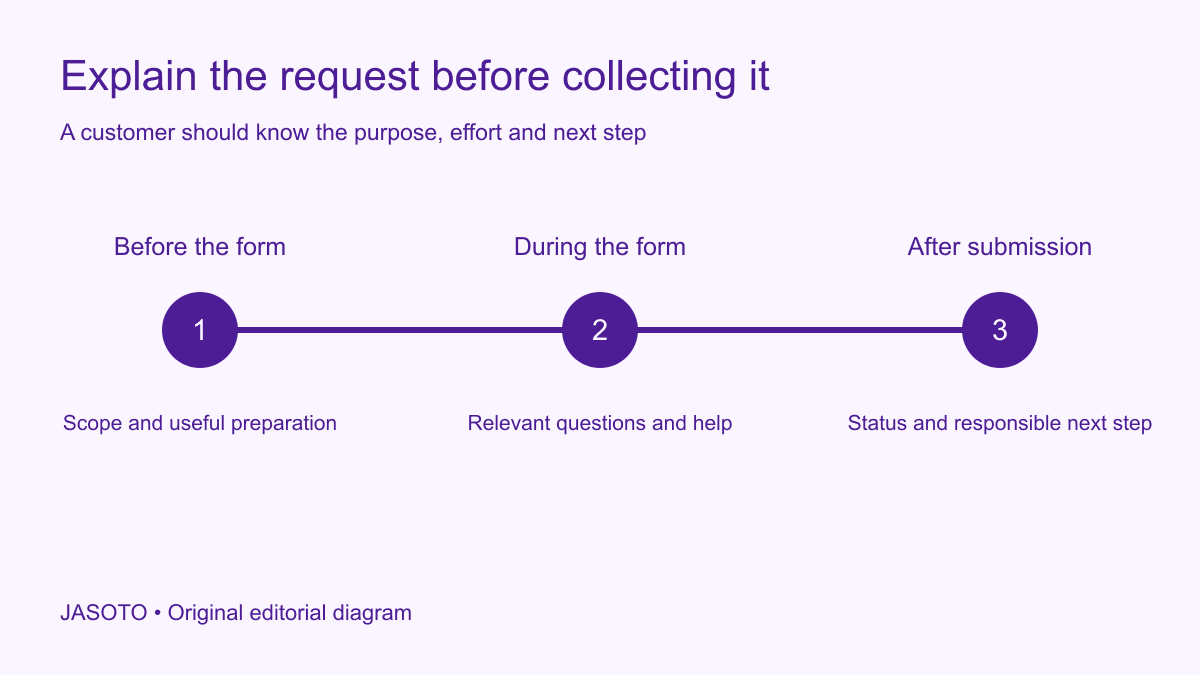
Original JASOTO editorial diagram. Its complete workflow is explained in the article; no actual customer outcome is depicted.
Explain a quote request form before asking for details by telling visitors who it is for, what they need to provide and what submission will produce. Distinguish a request for review from a price or booking. Then ask only the information needed for the next real decision. A customer should not have to disclose a full project history before discovering that the business does not cover their area or offer the required service.
This guide offers a practical editorial approach for a UK small business. It is not a complete form-accessibility, privacy or contractual compliance specification. Use the appropriate specialist review for those requirements. The examples are fictional and should be adapted to the actual service and enquiry process rather than copied as promises the business cannot meet.
The practical answer
- Tell visitors what the request can and cannot produce.
- Explain eligibility and preparation before collecting detailed information.
- Give every required question a real operational purpose.
- Keep the introduction, submit action and acknowledgement consistent.
Define the outcome of submitting the form
Ask the enquiry team what happens when the form arrives. Does someone check eligibility, request more information, prepare a preliminary estimate or issue a quotation? Identify when scope and price become agreed through the actual process. Those distinctions should drive the introduction and the submit button. A heading saying “Get your quote” can mean something different from a form that merely registers interest.
Write the outcome in one accurate sentence. For example: “Send the job details so our team can check whether we can prepare a quotation.” If the business can generate an immediate price, explain its relevant basis and limits through the appropriate process. Do not choose stronger language because it sounds more persuasive while leaving the operational team to correct the expectation later.
Identify who should use this route
Put the main eligibility conditions before detailed questions. These may concern the service, area or type of customer the business can consider. Give a clear alternative route where one genuinely exists. Avoid asking people to complete the form merely to receive a rejection that could have been explained in a short introductory sentence.
Keep the wording understandable to someone unfamiliar with your internal service categories. A customer may describe the problem rather than know the technical solution. Explain enough to help them choose the right path, and provide a route for uncertainty where practical. Do not make the form appear open to every request if staff routinely decline a clearly identifiable category that the page never mentions.
Audit the purpose of each question
Create a working list of question, purpose, user group, required status and next action. Challenge anything nobody can explain. “We have always asked it” is not an operational reason. A question may be relevant eventually while being unnecessary for the current stage, so consider whether it can wait until the business has established that it can help.
[The GOV.UK Service Manual's form guidance](https://www.gov.uk/service-manual/design/form-structure) recommends knowing why information is requested and designing the question sequence around user needs. Use that principle to inspect your own workflow, rather than treating a government form pattern as a complete commercial specification. The audit should explain how answers support real decisions and identify unnecessary questions before they become barriers.
Explain useful preparation without inventing effort estimates
Tell customers what information is helpful: a brief description, relevant dimensions they already know, a preferred service area or an existing reference. Distinguish required material from optional supporting detail. If photographs are accepted, explain the useful subject and avoid encouraging people to include unrelated private information or put themselves at risk to obtain an image.
Only publish a completion-time estimate if there is a reasonable basis and it reflects the actual task, including preparation. A form with five fields can still take considerable effort if one asks for a technical document. If you have not tested the time, describe what customers need rather than inventing “takes one minute.” Keep the introduction practical enough that someone can decide whether to start now or gather information first.
Allow appropriate uncertainty in customer answers
Decide where “not sure” is acceptable and what staff do with that response. A customer may not know a model number, exact quantity or suitable service category. Requiring an invented answer damages the quality of the enquiry. Provide clear help or a route to review when the business can reasonably proceed without that detail.
Do not use free text as an excuse to avoid defining the process. If a missing detail genuinely prevents assessment, explain why it is needed and how the customer can obtain it appropriately. Keep any technical or safety-sensitive advice within the competence of the responsible team. The goal is an honest usable request, rather than a superficially complete form filled with guesses.
Put guidance beside the question it explains
Use the introduction for the overall process and place specific help near the relevant field. A photograph instruction is easier to find beside the upload than halfway through a long preamble. Explain unfamiliar terms and the format needed for answers. Avoid relying on placeholder text that disappears once the person starts typing to carry essential guidance.
Check whether the form's wording matches the staff review. If a question asks for a “preferred date,” the team should not treat the answer as a confirmed deadline. If a field says a document is optional, the acknowledgement should not imply the request is invalid without it. Consistency helps both customers and staff understand what the collected information actually means.
Explain contact and review expectations accurately
Tell customers how the business will respond using the actual process. If a response target exists, state it carefully and identify relevant working periods. Do not imply continuous monitoring merely because the form accepts submissions at any time. If the request is unsuitable for urgent matters, explain the relevant route without inventing emergency capabilities the business does not provide.
Give a contact method for correcting a submitted request or asking about a genuine submission problem. Name the team or function responsible internally. Explore enquiry handling roles if workload requires dedicated ownership. A good introductory promise needs staff and a workflow behind it; wording alone cannot make an unattended mailbox respond reliably.
Show what information handling means at this point
Provide the appropriate privacy information and links through the business's established process, with specialist review where required. Explain optional marketing choices separately from the operational request. Avoid adding a vague reassurance such as “your data is completely safe” that the business cannot substantiate. Keep the form focused on the information actually needed.
Check attachments and shared access with the responsible technical team. A customer may include sensitive material despite a short field label, so the operating process matters as well as the introduction. This guide does not specify a retention schedule or legal basis. It identifies the editorial need to avoid collecting unnecessary detail and to ensure that published explanations match what the organization actually does.
Make the confirmation describe the current status
After submission, show a truthful acknowledgement with the request reference where supported, relevant next step and any stated response expectation. Do not display “Your quote is ready” when the team has only received the form. Repeat customer-supplied dates as preferences if that is their status, and explain how corrections should be sent without encouraging duplicate submissions.
Test the failure path too. If the form cannot submit, the customer needs a useful explanation and a way to recover through the actual service. Do not promise saved answers unless the system preserves them. Ask the technical team to verify behavior in an appropriate environment. The introduction, fields, submit action and result page should all describe the same process.
Work through a fictional site-visit request
Imagine a customer requesting a quotation for fitting office storage. The form first explains the service area and that staff review the brief before deciding whether a visit is needed. It asks for a description and relevant location, while treating detailed measurements as optional at this stage. The customer can submit an honest request without pretending to have a final installation design.
The acknowledgement confirms receipt and explains the review step. A later message agrees any visit arrangements separately. Research travel becomes relevant once a journey is actually needed and confirmed. This scenario does not establish the right questionnaire for every trade; it demonstrates how preparation, eligibility and status can be explained without presenting an enquiry as a completed quotation or appointment.
Test comprehension and review real questions
Ask someone unfamiliar with the business to explain who can use the form, what they need and what happens next. Then give them a realistic incomplete brief and observe where they hesitate. Record specific problems rather than asking only whether the page “looks clear.” Compare business service providers with the same attention to whether their request process answers those practical questions.
After publishing, review repeated clarification, unusable requests and submission issues against the starting position. Note other changes affecting demand and avoid claiming a conversion improvement from a small or incomparable sample. Keep the previous wording and a rollback path. The immediate benefit is a request process whose purpose and next step are understandable before customers invest time supplying their details.
Put the guide into practice
- Define who can use the form and what happens next.
- Audit why each question is needed at this stage.
- Explain useful preparation and acceptable uncertainty.
- Test submission, errors and confirmation messages.
- Measure recurring confusion without inventing conversion claims.
Frequently asked questions
How much introduction should a quote form have?
Enough to explain the request's purpose, important limitations, useful preparation and next step. Put detailed guidance beside the relevant question rather than building a long wall of text above the form. Test whether a new visitor can understand the process without needing private knowledge of how your team works.
Should every field be mandatory so the sales team has a complete brief?
Require information when it is genuinely needed for the current decision. A detail useful later may not be necessary to establish whether the business can consider the request. Give customers an honest way to say they do not know when that is acceptable, and define what staff do next with incomplete but usable information.
Can we promise an instant quote from a request form?
Only when the actual process produces the described quote under clear conditions. If staff must review the scope, call it a request and explain the next step. Avoid using an instant-price headline for a form that merely creates a lead and requires further assessment.
Explore JASOTO tools
Continue with JASOTO
Compare your next step
Discover UK businesses, compare services and request written quotes before making a decision.