
Global Business · UK Guide 2026
Plan Time-Zone Labels for Recurring International Calls
JASOTO · Updated November 5, 2026 · 1,552 words
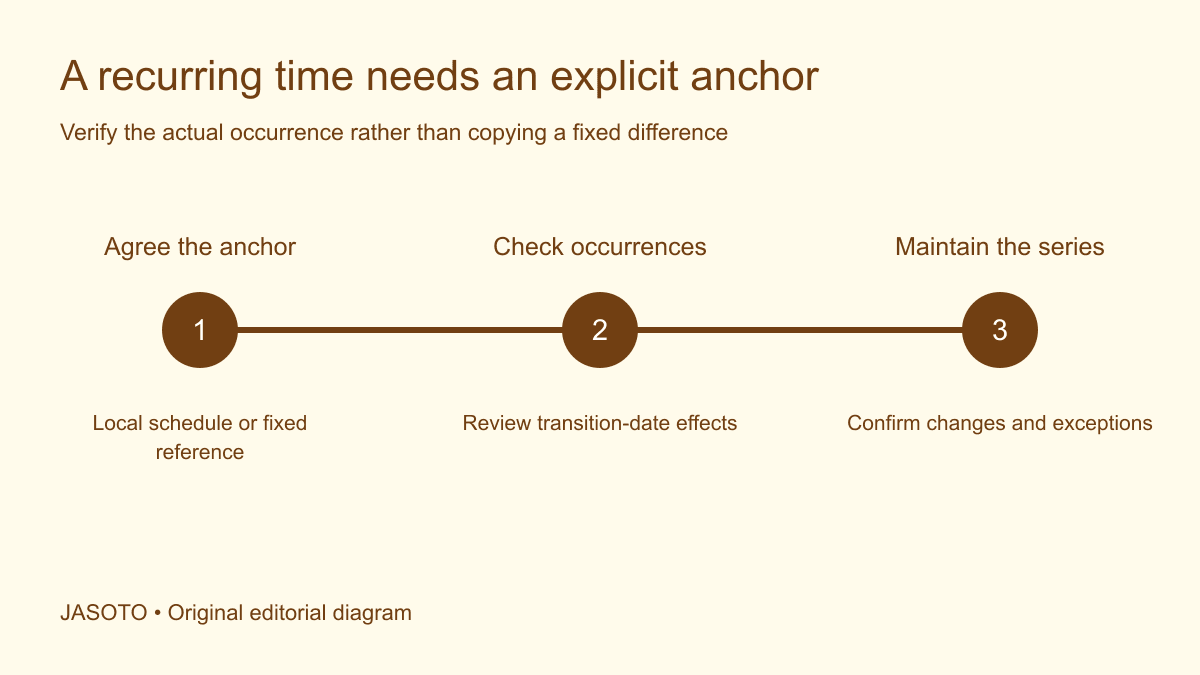
Original JASOTO editorial diagram. Its complete workflow is explained in the article; no actual customer outcome is depicted.
Plan time-zone labels for recurring international calls by agreeing what anchors the series, setting the appropriate time zone in the calendar and checking actual occurrences across the planned period. Give participants readable dates and local-time context that match the invitation. Avoid relying on a copied statement that one city is always a fixed number of hours ahead of another.
For a United States business working with international colleagues, the main decisions are practical: whose local schedule stays fixed, how inconvenient times are shared and who communicates exceptions. The examples below are fictional and use no claimed current conversion. Verify real occurrences with current calendar and time-zone information before sending an invitation.
The practical answer
- Agree which local time or fixed reference anchors the recurrence.
- Use the calendar's appropriate location-based time-zone settings.
- Check occurrences around relevant clock changes.
- Label dates, local times and changes so participants can verify them.
Decide what the recurrence is intended to preserve
Ask whether the call should remain at a particular office's local time, follow a fixed reference or rotate by agreement. Those choices produce different results when local rules or offsets change. Write the decision in ordinary language and have the relevant participants agree it. A label saying “weekly at ten” leaves the anchor unspecified.
Record why the choice suits the work. A meeting attached to a local customer-support shift may have different needs from a rotating project discussion. Do not let the calendar creator's default settings make the decision silently. Once the anchor is explicit, the technical and communication checks can verify that the invitation represents the intended series.
Confirm the locations that matter
Identify participants' usual working locations at the level needed for scheduling. A country name may contain several time zones, while a broad abbreviation can be ambiguous. Ask for the relevant location rather than inferring it from an email domain or company headquarters. Keep personal travel and location information proportionate to the task.
Distinguish a participant's normal working location from a temporary trip. The series can retain its anchor while a traveler sees a different local display. Give people a route to flag conflicts or uncertainty. Research business travel as part of their planning, while ensuring the meeting information itself remains connected to the agreed occurrence and current calendar settings.
Use current location-based time-zone information
Ask the calendar owner or technical support to verify the appropriate time-zone setting for the intended anchor. [IANA's Time Zone Database](https://www.iana.org/time-zones) records local-time rules and is updated to reflect relevant changes. End users commonly receive such data through software providers, so current system and calendar behavior matter to real scheduling.
Avoid turning a technical identifier or abbreviation into an unexplained public label. The invitation can carry the appropriate underlying zone while a summary explains the anchor location in readable terms. Do not manually substitute a guessed offset because it looks simpler. Verify the actual result in the tool the group will use and seek competent support if its behavior is unclear.
Check occurrences across the full planned series
Inspect dates near relevant local clock changes and any period when the participating locations may change on different schedules. Use the actual planned year and dates. A test of the first invitation alone does not establish how every later occurrence appears. Record which dates were checked and any expected local-time shift participants need to understand.
Extend the check when the series is extended or the group adds another location. Do not copy last year's conversion table as current evidence. If rules change after the series is created, have the responsible owner review the affected occurrences through current software and authoritative information. The workflow should acknowledge that time-zone data is maintained information rather than a permanent arithmetic fact.
Write a readable summary that matches the invitation
State the recurrence, anchor location or reference and relevant date context. Explain any known exceptions in clear text. Keep the summary linked to the actual invitation rather than creating an independent schedule that staff maintain by hand. A copied local-time table can become stale if the calendar changes and the document does not.
Use full dates where a message may be forwarded or retained. Avoid “tomorrow” or “next week” as the only reference for an exception. If several local displays are listed, verify each actual occurrence and label its location clearly. Do not imply that a single row applies throughout a long series unless the current checks establish that it does.
Keep the meeting's date as clear as its time
A call can fall on different local dates for participants. Check this when reviewing distant locations and avoid listing only weekday and clock time without context. Ask the calendar owner to show the actual occurrence in the relevant views. A correct conversion that omits the date can still send someone to the wrong day's meeting.
Choose date presentation suited to the audience and language. A month written clearly can reduce ambiguity in a forwarded notice. Do not assume a familiar numeric date order is universal. Keep the actual calendar occurrence as the reference and ensure any human-readable summary preserves both the local date and time intended for that participant group.
Distinguish series changes from single exceptions
Decide whether an adjustment affects one call or every future call. Use the calendar's actual process and verify the result. A message saying “moving the meeting” can mean either, and participants may make different assumptions. State the scope explicitly and identify the occurrence or effective point.
Check that canceled or replaced invitations do not leave competing active entries. Have the owner review the recipient-facing result through an appropriate test or confirmation process. Sending an update is different from verifying the calendar now represents the agreed plan. Keep a record of material changes and the person responsible for resolving contradictions.
Agree how inconvenient times will be handled
Discuss workable participation expectations with the actual group. If the team rotates times, define the pattern and review individual occurrences instead of relying on an informal promise to alternate fairly. Consider working arrangements and relevant organizational policies with the responsible owner. Do not invent a universal acceptable meeting window for every location or role.
Record how absences, recordings or written updates are handled where applicable. Those options need their own permissions and information-sharing arrangements. A difficult time-zone combination may require changing the collaboration method rather than making the label more elaborate. The schedule should support the work and participants rather than simply produce a technically valid invitation.
Check language versions of participation information
If the group receives translated summaries, verify anchor, date, time and exception scope in each version. A fluent translation can still turn a local-time statement into an apparent fixed offset. Give the language reviewer the approved scheduling meaning and the relevant occurrence, rather than asking them to interpret an abbreviation without context.
Explore language support where suitable assistance is needed. Keep translated agenda and access information aligned with the current invitation. Do not assume a participant's chosen language establishes their location or calendar settings. Language preference and time-zone configuration answer different questions and should not be used interchangeably in the scheduling record.
Work through a fictional recurring-call check
Imagine a United States project team agreeing that a weekly call follows one office's local working schedule. An overseas colleague initially receives a copied summary claiming a constant time difference. The coordinator checks the actual series and finds that some later local displays differ from the copied table. The invitation anchor remains intentional; the summary needs correction.
The coordinator replaces the unsupported constant-difference statement with a clear anchor explanation and verified occurrence information for the affected dates. Participants know where to confirm their local display and whom to contact. This fictional scenario illustrates a communication problem without asserting a current conversion between specific cities or a particular year's clock-change dates.
Rehearse the participant view
Ask representatives of relevant locations to check a selected occurrence in the calendar they actually use. Verify the date, local time, access link and any exception notice. Record software or settings discrepancies for the appropriate technical owner. Do not use one person's screenshot as universal proof when another tool handles recurring settings differently.
Test the change process too. Create an authorized test or review showing how a single exception and a series revision reach recipients. Research coordination providers if the workflow needs support, and define the actual scheduling task. A clear process is more useful than asking someone simply to maintain an attractive international time chart.
Assign continuing ownership and review triggers
Name the person who owns the series and the backup who can resolve uncertainty. Review when participant locations, recurrence length, software or relevant time-zone rules change. Consider international coordination roles when recurring work requires dedicated capacity. Keep earlier summaries and decisions so corrections can be explained.
Use actual missed-call questions to identify specific defects in labels or updates, while considering other causes. A person can miss a correctly scheduled call for unrelated reasons. The practical result is a series whose anchor, occurrences and exceptions are understandable and checked, with a maintained route for participants to verify the meeting they are expected to attend.
Put the guide into practice
- Confirm participant locations and recurrence purpose.
- Agree the scheduling anchor and inconvenient-time policy.
- Check actual calendar occurrences across the series.
- Verify copied summaries against the invitation.
- Assign changes and exception communication to one owner.
Frequently asked questions
Can we describe the series with one UTC offset forever?
Check the intended recurrence and relevant locations. Local offsets and rules can change, so a copied fixed offset may stop describing the local meeting correctly. Use appropriate calendar settings and verify actual occurrences. State whether the series is anchored to a local time or a fixed reference rather than leaving participants to infer it.
Should every participant see the same calendar clock time?
They should see the same agreed occurrence represented correctly for their configured location. The displayed local clock time can differ. Confirm the invitation and actual settings instead of trying to make screenshots identical. If the group rotates inconvenient times, record each authorized change clearly.
What if a participant travels during the series?
Ask them to verify the relevant occurrence using their actual location and calendar settings, and provide a maintained contact for uncertainty. Their travel does not necessarily change the group's scheduling anchor. Agree any adjustment explicitly rather than assuming everyone will reinterpret a copied local-time label in the same way.
Explore JASOTO tools
Find suitable support for distributed-team scheduling workflows.
Explore international coordination roles →Define ownership for recurring invitations and exceptions.
Plan around business journeys →Check meeting occurrences when participants travel between locations.
Explore language support →Keep multilingual meeting labels and participation information aligned.
Continue with JASOTO
Compare your next step
Discover UK businesses, compare services and request written quotes before making a decision.