
Jobs & Careers · UK Guide 2026
Prepare a Portfolio Walkthrough for a Remote Interview
JASOTO · Updated 5 November 2026 · 1,682 words
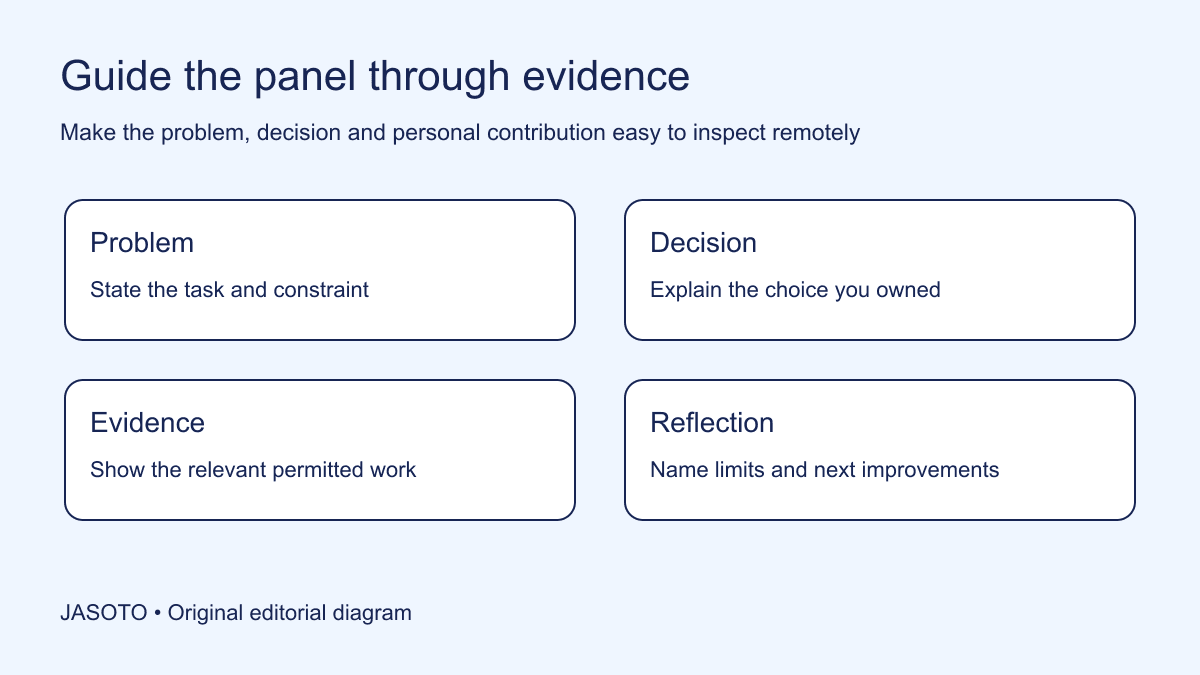
Original JASOTO editorial diagram. Its complete workflow is explained in the article; no actual customer outcome is depicted.
Prepare a remote portfolio walkthrough as a short guided explanation of selected work, with a clear route through the evidence and a backup if screen sharing fails. Tell the interviewer what problem the work addressed, what you personally did and which decision you want them to examine. Do not assume a portfolio website will explain itself while you scroll through it during a call.
This original guide is for UK applicants presenting creative, technical or communication work remotely. Oxford University's careers guidance describes portfolios as selected evidence and discusses different formats. The walkthrough structure, rehearsal method and invented examples below are editorial planning tools. Follow the employer's actual instructions on format, time and materials, and use only work you are permitted to show. A polished presentation supports a discussion; it does not guarantee an offer.
The practical answer
- Confirm the requested portfolio format.
- Choose examples for specific role evidence.
- Credit personal and team contributions accurately.
- Rehearse navigation and a useful fallback.
Confirm what the interviewer expects to see
Read the invitation and identify the time allowed, requested format and subject. Ask the recruitment contact to clarify meaningful gaps before investing in a new presentation. “Discuss your portfolio” could mean answering questions about a previously submitted link, giving a prepared overview or examining a particular piece. Those are different tasks, and a candidate can waste useful preparation by confidently solving the wrong one.
Confirm whether the panel will open the portfolio independently or view your shared screen. Ask how files should be supplied if the invitation requests them. Use the agreed channel rather than sending a large unsolicited archive. Record the confirmed instructions beside your preparation notes and separate them from your own preferences. If no extra presentation is requested, do not assume that a lengthy slide deck will be welcome simply because you have built one.
Choose work for the decision it demonstrates
List the role's relevant responsibilities and select examples that let you discuss them with evidence. A digital designer applying for a service role might choose a form redesign that shows how they handled confusing questions, rather than only a visually striking poster. The example should give the interviewer something concrete to examine about the work you would do in the advertised role.
Choose a manageable primary route and keep other material available for questions. A smaller planned selection gives you room to explain judgement, limitations and revision. Avoid presenting every project as equally relevant. Write a one-sentence reason for including each piece. If you cannot explain what it demonstrates, remove it from the main walkthrough or rethink its purpose. This selection is an editorial preparation method, not a claim that every recruiter prefers the same portfolio length.
Build a narrative around a specific problem
Open each example with the task, audience and relevant constraint. Then explain the decision you made, show the evidence that supports the explanation and describe what happened next. Keep the story focused on the work rather than a dramatic account of overcoming impossible odds. A normal project with clear reasoning can be more discussable than an impressive-looking result whose context you cannot explain.
For an invented communications example, a candidate presents a revised appointment email. They explain that the brief required the message to make the arrival instruction easier to locate, show two permitted draft layouts and identify the option they recommended. They do not claim the change increased attendance without evidence. The panel can examine the structure and decision even though the candidate does not present a manufactured percentage or a fictional customer testimonial.
Make your contribution visible on the page
Label the role you held and distinguish your work from the team's outcome. If you wrote the copy but a colleague designed the layout, say so. If you implemented someone else's concept, explain the implementation decisions you owned. A remote panel should not have to infer authorship from your use of “we” or assume every visible element is yours because it appears in your portfolio.
Prepare concise wording for the boundary: “The research team supplied these findings; I translated them into the first screen flow and tested the labels with our internal reviewer.” Use only accurate evidence and permitted detail. You can credit collaborators by role where names are unnecessary or inappropriate. Clear attribution does not weaken your case. It helps the interviewer evaluate the responsibility you actually carried and the way you work with other people.
Design for the interviewer's viewing conditions
Check readability at the screen size and sharing arrangement you will use. A detailed page that looks clear on your large monitor may be unreadable when shown inside a meeting window. Use a simple navigation route, legible labels and enough context that a single displayed page makes sense. Do not expect the interviewer to follow tiny cursor movements through a complicated canvas while listening to a long explanation.
Separate the presentation view from private working areas. Close unrelated tabs and use a prepared window containing only approved material. Check filenames, comments and visible browser information before rehearsing. Avoid relying on a hidden folder structure that you can navigate quickly but the panel cannot understand. The viewing setup should keep attention on the relevant evidence and make it easy to return to a page when someone asks a question.
Rehearse a timed explanation with interruptions
Practise the main route aloud using the actual files and sharing method. Note where you spend time explaining background that is not needed for the decision. Shorten those passages and retain the evidence that supports the role. Ask a trusted person to interrupt with a realistic question, such as why you rejected another option or what you would revise now. This tests whether you can navigate the work rather than recite a script.
Build a clean stopping point for each example. If the interviewer changes direction, you should be able to finish the current point and move to the requested evidence. Do not treat every interruption as a threat to completing the prepared speech. The walkthrough is part of an interview conversation. A candidate who knows where the evidence is can respond more usefully than one who depends on showing slides in a fixed sequence without questions.
Prepare a fallback that preserves the conversation
Keep an approved compact version or a few clear still images available where the employer's process permits. Save the material locally if it can legitimately be stored there, and test that it opens. If the online portfolio fails, explain what you can show through the agreed method. Avoid improvising a new public upload of sensitive work during the call simply to rescue the presentation.
Prepare a short verbal description for the main example. It should identify the problem, your action and the evidence you would have shown. This allows a useful conversation even when a visual cannot be displayed. The fallback should not pretend to be equivalent to a full demonstration; tell the panel what is unavailable. If the format is essential to assessment, ask how they would prefer to proceed rather than making promises about sending material you do not have permission to share.
Prepare questions that probe the work honestly
Anticipate questions about alternatives, constraints, collaboration and limitations. Identify what you know directly and what another team owned. If the outcome was not measured, say so and explain what evidence is available. A completed draft, approved release or documented review can be described accurately without translating it into an invented business result. Distinguish what the work intended to improve from what was actually established.
Prepare one reflection on what you would change if undertaking a similar task now. Tie it to a concrete issue rather than a ritual statement that every project taught you to communicate better. Perhaps the brief should have identified the approval owner earlier, or the first prototype needed a clearer error state. Avoid rewriting history so that every uncertainty appears to have been a deliberate experiment. Honest analysis gives the interviewer a useful view of your judgement.
Keep preparation connected to the application
Compare names, dates and contribution descriptions with the CV and material already submitted. Correct meaningful inconsistencies through an appropriate route rather than hoping nobody notices them. Use the same factual project description while adapting emphasis to the role. A project can demonstrate several skills, but it should not acquire a different job title, invented metric or broader personal ownership each time you present it.
When exploring further job opportunities, keep a private note about which evidence fits which responsibility. If you commission portfolio editing or technical help through business providers, retain ownership of factual accuracy and check what work can be shared. If the remote interview later becomes in person, confirm the venue and required equipment before planning travel. The portfolio route should adapt to the confirmed interview format, rather than requiring the employer to accommodate assumptions made during preparation.
Review the walkthrough after use
After the conversation, note which evidence the interviewer asked about and which explanation was difficult to follow. Record those observations without inferring a hiring decision from a smile, question or silence. Revise the route for future applications while retaining the version you actually supplied where you appropriately need it. Do not replace the submitted link with materially different claims during an active assessment without considering the employer's process.
If a visual or project does not support the intended discussion, remove it from the main route and use a stronger permitted example. That is the practical rollback: simplify the viewing setup, restore the reliable file and shorten the explanation until the evidence is clear. A useful remote walkthrough lets the panel inspect your thinking and contribution with minimal navigation effort. It succeeds as preparation when you can explain the work accurately and respond to questions, regardless of how elaborate the portfolio looks.
Put the guide into practice
- Check instructions and sharing permission.
- Prepare a focused route through examples.
- Test readability in the actual sharing setup.
- Practise answering questions out of sequence.
Frequently asked questions
Should I present my whole portfolio?
Follow the employer’s instructions and plan a focused route through the evidence most relevant to the role. Keep other permitted examples available for questions. Trying to show everything can leave too little time to explain the decisions, contribution and limitations that make a piece useful to discuss.
What if screen sharing stops working?
Tell the interviewer what failed and offer the prepared fallback through the agreed method. A compact permitted file or verbal account may preserve part of the discussion. If the visual is essential, ask how they want to proceed; do not upload confidential material to a new service in a hurry.
Can I include unfinished work?
Use it only where you are permitted to share it and it serves the requested discussion. Label its status clearly and explain your contribution. Do not present a draft, proposed outcome or untested concept as a finished release with measured results.
Explore JASOTO tools
Discover providers and check support for your specific task.
Explore roles and responsibilities →Consider the practical responsibilities involved when recruiting or joining a team.
Plan work-related travel →Research a journey when joining, training or meeting colleagues in person.
Continue with JASOTO
Compare your next step
Discover UK businesses, compare services and request written quotes before making a decision.