
Business Growth · UK Guide 2026
Rehearse a Short Awards Presentation Without Guesswork
JASOTO · Updated 5 November 2026 · 1,619 words
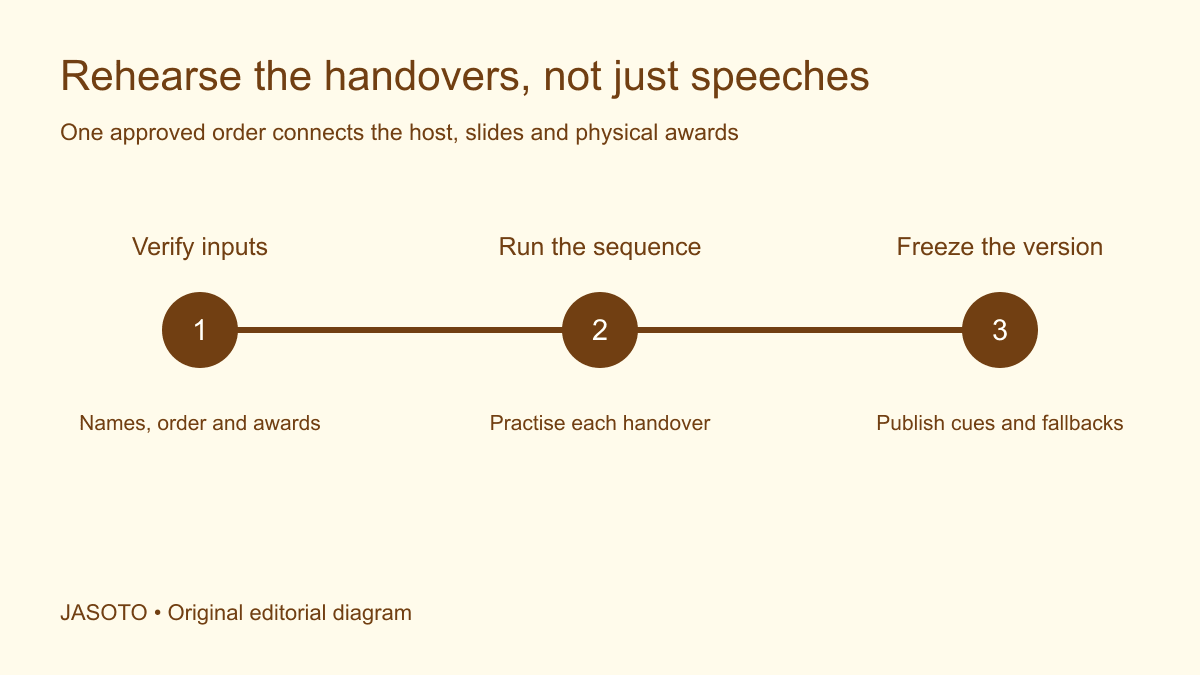
Original JASOTO editorial diagram. Its complete workflow is explained in the article; no actual customer outcome is depicted.
Plan a rehearsal for a short awards presentation by checking the names and award order, assigning every cue, and walking through the complete handover between host, presenter, recipient and technical team. Include the final exit and closing line. Even a brief presentation contains several dependencies, and a smooth speech cannot compensate for a trophy in the wrong order or a slide operator waiting for an undefined signal.
The aim is a repeatable sequence that people understand, with a few agreed responses when the live event differs from the plan. This guide uses a fictional small UK business awards presentation. Timing examples and working methods are editorial suggestions, not measured production standards. Technical and venue decisions belong with the people responsible for delivering them.
The practical answer
- Rehearse the transfers between people, slides and awards.
- Use one checked source for names, order and pronunciation.
- Test the planned access and communication arrangements.
- Freeze a clear cue sheet after resolving rehearsal changes.
Define what the rehearsal must prove
Write a short list of questions the session should answer. Can the host find the correct category? Does the technical lead know when to change the slide? Can the presenter identify the next award? Is the recipient's route usable? Can everybody hear the spoken name? These questions focus attention on what the audience will experience and what the team must coordinate.
Separate these objectives from speech coaching or polishing promotional language. A rehearsal can include delivery practice, but it should not become an extended rewrite while equipment and people wait. Identify script decisions that must be settled beforehand and nominate someone who can approve necessary changes. Otherwise each participant may leave with a different understanding of the final sequence.
Create one approved source for names and order
Build the cue sheet from the authorised awards record. Include category, recipient name, pronunciation note where confirmed, presenter and physical award identifier. Record who checked the names and when. Do not copy winner details from an older slide deck merely because it is easier to open. Where results are confidential, limit access through the event's agreed process.
Ask the appropriate contact to resolve uncertainty about names or preferred wording before the rehearsal. A plausible pronunciation guessed by a colleague is still a guess. Keep the checked version visible to the person speaking, using an appropriate format they can read comfortably. If a name changes, update the script, slide and award record together; changing only one creates an avoidable contradiction at the moment of presentation.
Give each action a clear cue owner
Describe cues in terms the team can observe. “After the host completes the category introduction, the slide operator shows the category title” is clearer than “slide as appropriate.” Identify who calls the cue and who acts on it. In a very small presentation, the host may call the sequence directly, but that arrangement still needs agreement.
Avoid cues that depend entirely on instinct or uncertain audience behaviour. Applause varies, and a recipient may need more time to reach the presentation position. Agree how the host recognises readiness before moving on. The cue sheet should support a sensible pause rather than forcing the next action because an estimated second has arrived. Timing is a planning aid; people remain responsible for observing the live situation.
Match physical awards to the spoken sequence
Lay out awards in the order they will be used, with identifiers that the handling person can verify without exposing confidential information unnecessarily. Check inscriptions and packaging against the approved record. Identify who removes packaging, passes the award and deals with anything returned to the table. A presentation can become confused when several well-meaning people reach for the same object.
Walk the handover using the actual award or an appropriate stand-in. Consider what the presenter holds, where the microphone is and when a photograph happens. Ask the team responsible for staging to confirm the practical arrangement. Do not assume that a heavy or awkward object can be passed one-handed merely because the script leaves no pause for anything else.
Check routes and communication arrangements
Confirm the planned route with the venue and relevant participants rather than assuming everybody will use steps or approach from the same side. Rehearse the agreed arrangement and identify who helps with local coordination. A stand-in is useful for testing sequence, but it does not establish the requirements of a particular recipient. Keep personal details restricted to those who need them.
[W3C's accessible events guidance](https://www.w3.org/WAI/teach-advocate/accessible-presentations/) includes practical consideration of presentation access and communication. Use it alongside direct discussion of requirements and the venue's arrangements. For this rehearsal, check that the spoken content, display sequence and any arranged communication support remain aligned. The purpose is to find coordination problems before the audience is present, rather than label an event accessible after a superficial walk-through.
Run the opening and the first transfer slowly
Begin with the transition into the awards segment. Test who introduces the host, what appears onscreen and when the presenter moves into position. Pause after the first award to check understanding. Early uncertainty often reveals an unclear cue or an item missing from the table, and resolving it now is more useful than repeating the full sequence several times with the same flaw.
Ask each participant to explain their next action in their own words. If the host expects the presenter to read the recipient's name but the presenter expects the host to do so, the ambiguity becomes visible. Update the cue sheet immediately and read back the change. Avoid relying on a comment heard by only part of the team while others were checking equipment.
Time a complete pass with realistic pauses
Run the whole short presentation without unnecessary interruption once the basic sequence works. Include introductions, walking, applause pauses, photographs, any presenter change and the closing transition. Record where the rehearsal uses a placeholder. If a speech is represented by “short remarks,” the resulting total is incomplete and should be labelled accordingly.
Compare the observed duration with the event slot. If the sequence is too long, shorten agreed content or reduce avoidable transitions through discussion with the event lead. Do not solve the problem by telling recipients to move faster or by removing essential communication pauses without review. Keep a record of the chosen change so the live script matches the timing assumption.
Rehearse a few credible failures
Choose failures relevant to the actual setup: a recipient is absent, the presenter misses an entrance, a slide does not advance, or a name cannot be confirmed. Agree who makes the decision and what the host can say while it is resolved. A short neutral pause is usually easier to manage when the team has discussed it beforehand, but the exact wording should suit the event.
For an absent recipient, decide whether an authorised representative receives the award, the presentation is deferred or another agreed arrangement applies. Do not invent that decision onstage. For a technical problem, distinguish a missing display from uncertainty about the award itself. A checked printed script may support continuing without slides; it cannot validate an unconfirmed winner. Preserve that distinction in the fallback plan.
Set an arrival plan that supports the rehearsal
Confirm the call time, meeting point and people required for each part of the session. A presenter who arrives only for the final pass cannot review the route beforehand unless the plan allows it. Use JASOTO travel to research journeys, then build a practical arrival arrangement with the people involved. Travel estimates do not replace confirmation of venue access.
If additional production support is required, brief event providers with the sequence and actual technical questions. Where dedicated staffing is needed, describe the cue and coordination responsibilities in event roles. Avoid a vague request for someone “good with presentations” when the task involves show control, sound operation or confidential winner information. The rehearsal should reveal the role needed, not merely the number of helpers present.
Check the closing transition as carefully as the opening
After the final award, decide who thanks the participants, what appears onscreen and what happens to the people still at the presentation position. The host may be preparing to leave while a photographer expects another image. A closing cue avoids the awkward situation in which nobody knows whether the segment has ended or another announcement is coming.
Include the handover to the next activity in the complete pass. If there is a break, tell the audience where to go and when the programme resumes using confirmed information. If another speaker follows, check who introduces them and whether equipment changes are required. Ending the rehearsal as soon as the last trophy is passed leaves this coordination untested and can make an otherwise well-prepared segment overrun its place in the wider programme.
Freeze the useful version and record open issues
At the end, read through the decisions and identify the final script, cue sheet and slide file. Give them consistent version labels and remove superseded working copies from the live operating location through the team's normal document process. Record unresolved questions with an owner. A file called “final” is not ready if it still contains an unverified name or an unexplained placeholder.
Brief anyone who missed a relevant change, and confirm how last-minute corrections will be authorised. After the presentation, record which cues needed clarification and whether the fallbacks were usable. Keep observations separate from claims about audience satisfaction or business impact unless those outcomes were actually measured. The rehearsal has a concrete purpose: ensure the people delivering the presentation share a checked, workable sequence.
Put the guide into practice
- Confirm category order and the approved names source.
- Allocate each cue to a named person.
- Check trophy identity and handover order.
- Run realistic entrances, exits and pauses.
- Record fallbacks and publish the final version.
Frequently asked questions
Do we need every winner at the rehearsal?
Often that is impractical or would reveal confidential results. Use stand-ins where appropriate, but check any individual arrangements through the authorised event contact. A stand-in can test cue timing and the physical sequence; they cannot confirm another person's pronunciation, preferences or access requirements.
Should we rehearse only the difficult award?
Practise the difficult handover first, then run the full short sequence. A problem may occur between categories, when a presenter changes or when the final slide appears. A continuous pass tests dependencies that isolated practice misses. Record actual timings without assuming the live audience will behave identically.
What happens if the wrong slide appears?
Agree a simple fallback with the host and technical lead before the event. They might pause, return to the approved cue and verify the correct category. The exact action depends on the presentation system and confidentiality arrangements. Avoid making a public guess about a winner while someone searches for the right file.
Explore JASOTO tools
Continue with JASOTO
Compare your next step
Discover UK businesses, compare services and request written quotes before making a decision.