
Business Growth · UK Guide 2026
Organise Product Photos for a Small Catalogue
JASOTO · Updated 5 November 2026 · 1,607 words
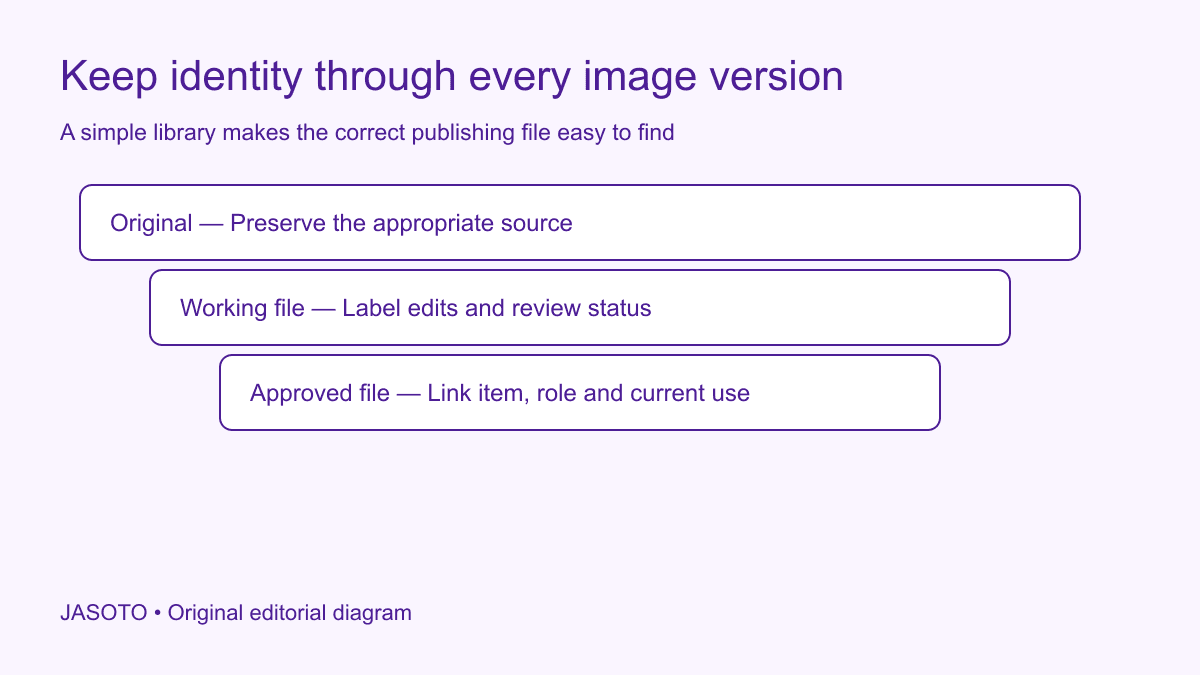
Original JASOTO editorial diagram. Its complete workflow is explained in the article; no actual customer outcome is depicted.
Organise a small product catalogue's photographs around the exact item, the image's role and its publishing status. Keep a simple register connecting product references to approved files, and distinguish original photographs from edits. Staff should be able to select the correct current image without remembering the last shoot or guessing which similarly named folder contains the final version.
This guide is an original workflow for UK small retailers preparing a manageable image library. It focuses on file organisation and accurate product presentation. A photographer or designer can advise on production requirements, while the business remains responsible for identifying what each image represents and how it may be used. The worked example uses an invented range of ceramic mugs.
The practical answer
- Connect every photograph to the exact product and variant.
- Give main, detail and context images distinct roles.
- Separate originals, working files and approved publishing versions.
- Test the image selection before updating the catalogue.
Start with the product register
Use the business's stable product references as the anchor. List the items and variants that need images, then identify what is already available. A product name can change for marketing reasons while its internal reference remains useful. Keep the relationship clear so a revised title does not break the connection between stock, photographs and the catalogue entry.
Record the exact variant where relevant. Two mugs with the same shape but different glazes need distinguishable records. Do not rely on a photographer's temporary label if it cannot be matched to the shop's item identifier. Resolve that mapping before sorting a large set of files. Otherwise an orderly folder can still contain images linked to the wrong product.
Define useful image roles
Decide which roles the catalogue actually needs: main view, alternative angle, relevant detail or context. Use a small consistent set that staff understand. Avoid creating a separate category for every artistic variation if nobody will use it to choose a publishing file. The roles should help answer the customer's product questions and the editor's placement decisions.
[Google Merchant Center's image guidance](https://support.google.com/merchants/answer/6324350?hl=en) distinguishes the primary product image from additional views in its own product-data system. Check the current requirements if you use that channel. Your internal library can use plain role names while preserving the distinction between the image selected as primary and supporting photographs that explain another aspect of the item.
Make a naming pattern people can follow
A practical filename can combine the item reference, image role and a simple version marker. For example, an invented reference such as mug-amber-main-v2 identifies more than final-final-new. Choose a pattern compatible with the systems the business uses and explain it in a short note. The pattern should remain understandable when someone joins the team after the shoot.
Keep lengthy descriptions and changing campaign text in the register where they can be updated. Do not make the filename carry every fact about the product. If the business already uses an asset-management system, follow its established identifiers rather than creating a competing manual scheme. The aim is reliable retrieval and traceability, not elaborate naming for its own sake.
Separate originals from working and approved files
Preserve the appropriate source files in a clearly identified location with suitable access. Keep edits in a working area and publishing-ready files in an approved area or status. Do not assume that the largest image or the newest timestamp identifies the approved version. An experimental crop saved yesterday may be less suitable than the selected file from the previous week.
Explain who can move a file into approved status and what review is required. A shared folder named approved becomes unreliable if every contributor can add unreviewed files without distinction. Use controls proportionate to the team and systems. A small register can be sufficient if people maintain it, while a more sophisticated tool still needs clear ownership and a usable review process.
Track what each photograph actually depicts
Record whether an image shows the actual item, a representative model or a styled scene. Identify props or accessories that could be mistaken for included products. A mug displayed beside a spoon may need a clear product description if the spoon is not supplied. Keep image context connected to the listing so the editor does not accidentally turn styling into an implied bundle.
Check that selected images match the relevant colour, finish and configuration as accurately as appropriate. Photography and screens can affect appearance, but that does not justify using an image of a different variant without explanation. Ask the responsible product and photography people how to handle a meaningful limitation. Avoid silently editing a characteristic into a product the business does not actually supply.
Preserve permission and supplier context
Keep the relevant licence or permission reference with externally supplied photographs. Receiving a file does not automatically explain every permitted use, duration or restriction. Ask the supplier or rights holder to clarify the actual arrangement where necessary. Use appropriate advice for a consequential licensing question rather than assuming that a product purchase includes unrestricted rights to every promotional image.
Where the business commissions photography, agree the expected handover and usage terms before the shoot. Include file roles, references and delivery organisation in the practical brief. This can prevent a folder of attractive images arriving with no usable connection to the catalogue. Keep commercial terms in their proper record while giving publishing staff the information they need to choose and use files appropriately.
Build a small item-to-image register
Useful columns include item reference, image role, approved filename, approval date, owner and relevant permission reference. Add an unresolved-question field only if someone acts on it. The register should point to the actual controlled files rather than duplicate them as attachments in several spreadsheets. Check that authorised colleagues can open the links through the intended system.
Keep the current primary image easy to identify. If several approved alternatives exist, explain their intended use rather than leaving the editor to choose from memory. For a seasonal campaign crop, record that context. The general catalogue image and a temporary campaign version may both be valid, but the business needs to know which should appear after the campaign ends.
Worked example: three ceramic mug finishes
Imagine a shop preparing a catalogue for three mug finishes. The shoot returns main views, handle details and styled table scenes. Staff map each file to the correct item reference before choosing approved versions. The register shows which main view represents each finish and flags that the styled scene includes a coaster sold separately. The original photographs remain distinct from web crops.
A colleague who missed the shoot can now select the correct image and understand the accessory context. This invented example claims no search ranking or conversion improvement. It shows how product identity, image role and approval status solve a practical publishing problem that a folder full of files named image-one cannot address reliably.
Test a product entry before publishing many changes
Choose a representative item and follow the full path from register to catalogue entry. Check the selected image against the actual product information, the displayed variant and any relevant accessory description. Review the crop in the intended layout. A correctly named file can still be unsuitable if the page cuts off the detail the customer needs to see.
Ask an authorised colleague who did not organise the files to repeat the selection. If they choose the wrong variant or an unapproved crop, improve the register or status labels. This is a practical retrieval check. It does not require an elaborate new system if a simple clarified field fixes the observed confusion. Preserve the previous publishing reference so a mistaken update can be reversed.
Handle replacements without losing the history
Check copied image files when a product is duplicated to create a new catalogue entry. The duplicated page may retain the earlier item's photographs even after its title and stock reference change. Give that check an owner in the publishing workflow. A clear library helps only if the editor verifies the new product-to-image relationship rather than assuming the duplication tool updated it automatically.
When a new photograph replaces an old one, record the new current file and relevant review date. Keep the appropriate original history according to the business's needs and rights arrangements. Avoid deleting a file that another approved page still uses without checking its dependencies. The person maintaining the library should know where to look for those uses or whom to ask.
If an item's appearance changes, ask whether the existing image still accurately represents it. A new supplier batch, finish or accessory may require a fresh product review. Do not reuse an image indefinitely because it has the correct internal reference. The reference connects the record; it does not prove the photograph remains current when the product itself has changed.
Maintain the library as part of ordinary catalogue work
Name the person responsible for image corrections and make the request route easy to find. Review recurring errors: mismatched variants, unclear file status or missing permission context. Change the relevant step and check later comparable updates. Avoid declaring the new library saves time without observing the actual work. A proportionate process remains useful only if staff can maintain it during ordinary operations.
Use JASOTO businesses to discover product photographers or catalogue support and verify relevant work directly. If publishing becomes a continuing workload, explore catalogue support roles within a staffing review. For an agreed shoot or product handover, research travel after confirming the location. A useful library makes the correct current photograph easy to identify, explain and replace when the real product changes.
Put the guide into practice
- Create an item-to-image register.
- Use stable identifiers and simple image-role names.
- Record approval and relevant usage permission.
- Check a sample product page against the physical item.
Frequently asked questions
Should filenames contain every product keyword?
Prioritise a stable reference and an understandable image role. A filename overloaded with descriptions can become difficult to maintain when the wording changes. Keep the product identity connected through a register rather than relying on a long filename as the only record.
Can one image be used for every colour?
Use an image that accurately represents the selected item. If a shared image is illustrative, make that clear and provide appropriate variant information. Avoid silently showing one colour or size as though it depicts another actual product.
Should the original photograph be overwritten after editing?
Preserve an appropriate original and distinguish the approved publishing version. That makes later crops, corrections and review easier. Use storage and retention arrangements suitable to the files and permissions rather than keeping an uncontrolled collection of indistinguishable copies.
Explore JASOTO tools
Discuss item references, image roles and the required handover directly.
Explore catalogue support roles →Consider staffing when maintaining product records and publishing images is ongoing work.
Research a confirmed photo session journey →Plan travel after agreeing the studio or product handover location.
Continue with JASOTO
Compare your next step
Discover UK businesses, compare services and request written quotes before making a decision.