
Business Growth · UK Guide 2026
Create a Speaker Arrival Pack for a Small Event
JASOTO · Updated 5 November 2026 · 1,604 words
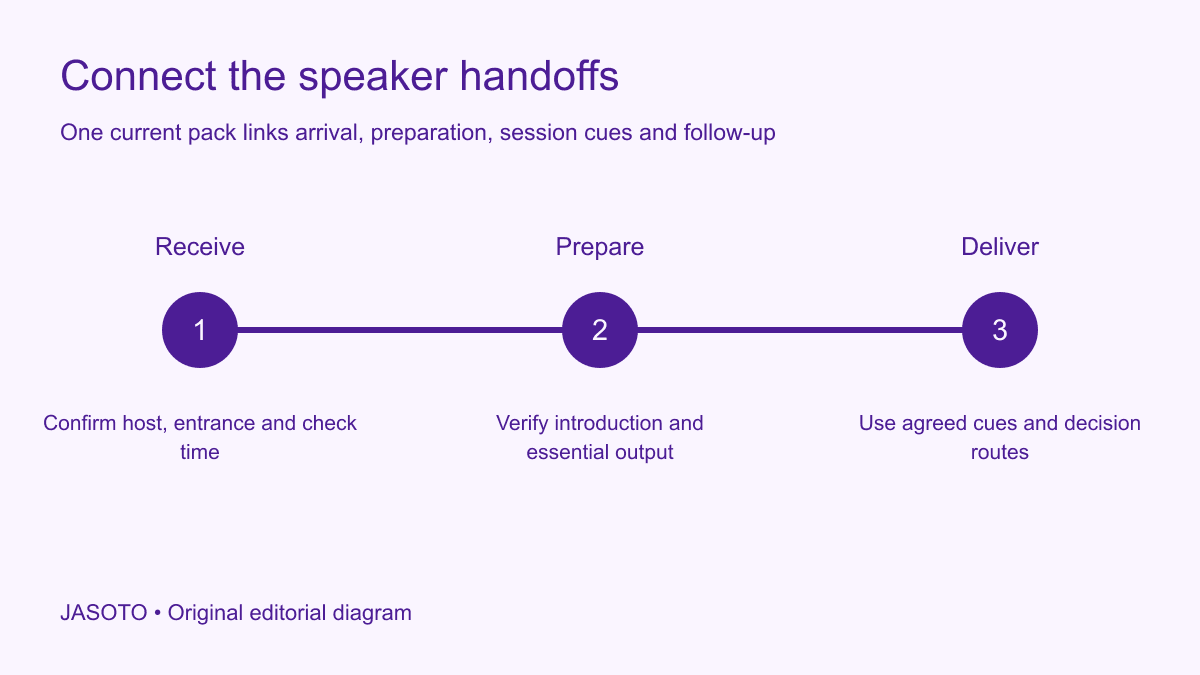
Original JASOTO editorial diagram. Its complete workflow is explained in the article; no actual customer outcome is depicted.
Create a speaker arrival pack that connects the person, the session and the event team. Include the receiving host, arrival and technical-check times, session purpose, running-order position and agreed introduction. Give the speaker one clear contact for changes. The pack should let someone arrive and prepare without having to reconstruct instructions from several invitations, slide requests and private messages.
This guide offers an original coordination method for small UK events. TEDx's speaker guide includes rehearsal as part of its preparation process; its format-specific advice belongs to TEDx. The pack below applies that narrow preparation idea to a broader practical handoff, using your own event's confirmed arrangements. It focuses on readiness and communication, with technical, access and event decisions kept with their responsible owners.
The practical answer
- Confirm session purpose and format first.
- Name the receiving host and program owner.
- Test the practical session handoffs.
- Maintain one current speaker instruction.
Define the session before writing the pack
Confirm the title, intended audience, purpose and format with the speaker and program owner. A keynote, interview, panel contribution and practical demonstration need different preparation. State what attendees should be able to understand or discuss after the session, without promising a measured outcome that has not occurred. This gives the speaker a useful frame and helps the host introduce the session accurately.
Record the agreed duration and how questions fit. A twenty-minute speaking slot and a twenty-minute session including questions are different commitments. Use the actual agreed arrangement rather than an inherited template label. If the format remains under discussion, mark it pending and name who will decide. The arrival pack should reflect the confirmed session, while unresolved program questions remain visibly open instead of being converted into a polished but misleading instruction.
Name the receiving host and backup
Identify who meets the speaker and who can help if that person is temporarily unavailable. Confirm the responsibility with both people. Provide a contact route usable before the speaker reaches the venue, and say when it will be monitored. An internal extension or event app requiring onsite access may not help someone outside an unfamiliar entrance.
Separate the receiving host from the person who can approve program changes. A volunteer may guide the speaker to the preparation area while the program owner decides whether a delayed session moves. Explain those boundaries in the team version of the pack and give the speaker a simple route to the right answer. This prevents a friendly arrival conversation from becoming an unintended promise about extra speaking time or a different audience arrangement.
Put arrival and preparation in one sequence
Show the full arrival destination, relevant entrance and the time the speaker should present themselves. Then list the technical check, preparation period and session start as distinct steps. A venue opening time does not establish when the speaker's room or support contact becomes available. Confirm the actual receiving window before asking someone to travel around it.
Include the place where the speaker waits or prepares and how they reach the session area. Check that the arrangement is appropriate and actually available. Do not assume a public café or an unused meeting room can serve as a preparation space without permission. The pack should describe the agreed route from entrance to session, with any individual requirement handled through an appropriate private contact rather than exposed in a general program note.
Agree the introduction in advance
Ask the speaker to approve a concise name, role and session introduction. Confirm pronunciation where useful and avoid adding unsupported claims about expertise, awards or influence. Put the approved introduction beside the session cue in the host’s working copy. This keeps the public wording and the practical handoff together if a substitute host receives the task shortly before the session. A host should not improvise flattering credentials simply because they want the welcome to sound impressive. Use the speaker's verified description and the event's actual purpose.
Check whether an organization name or current role needs particular wording, and keep the approved version accessible to the person introducing the session. If the host changes, transfer that version rather than asking the speaker to correct a new draft at the last moment. Keep private biographical detail out of the public introduction unless it has been appropriately agreed. A useful introduction orients the audience and passes the session to the speaker without turning the welcome into an unverified promotional biography.
Connect the running order to actual cues
Give the speaker enough surrounding context to know what happens immediately before and after their session. Identify who signals the start, handles questions and indicates the end through the agreed method. A running-order time alone may not explain whether the host introduces the speaker from the stage or asks them to begin from the audience. Confirm the actual handoff.
Use cue language understood by the team and explain anything unfamiliar. If a session can move because an earlier activity overruns, identify the decision owner and update route. Avoid asking the speaker to monitor a changing public schedule while simultaneously preparing. The host should provide a clear current instruction. This keeps the speaker focused on their task while preserving the program owner's authority to decide a timing change.
Specify the technical check by its purpose
List the actual file, device or demonstration requirement and what the check should establish. A slide presentation may need the audience view, notes arrangement and sound checked. A remote contribution may need a different rehearsal. Confirm what the venue supplies and what the speaker brings, using the technical contact's actual instructions. Keep confirmed items distinct from requests still awaiting a response.
Provide a file-delivery route and deadline only where they have been agreed. Check the current version and avoid several attachments with ambiguous names. Do not ask the speaker to put confidential material into a public upload simply because it is convenient for the team. The technical check should use permitted content and the relevant approved setup. If a dependency fails, the responsible contact should know which essential output is unavailable and who can decide the next step.
Reserve a useful rehearsal or walkthrough
Use a proportionate walkthrough to test the start, essential presentation action, question handoff and finish. TEDx's guide explicitly includes rehearsal, but your event should choose the activity appropriate to its own format. A short session may need only a focused check of the transitions and equipment, while another arrangement needs more preparation. Confirm the actual opportunity before promising it in the pack.
Ask the speaker and host to identify what remains unclear after the check. A working screen does not establish that the introduction, timing cue and question process are understood. Record the specific correction and owner. Avoid treating rehearsal as a performance score or an excuse to rewrite the session unexpectedly. Its practical purpose is to make the agreed activity usable, with enough shared understanding that people know the next action when the audience arrives.
Prepare the delay and fallback route
Tell the speaker whom to contact if travel or preparation changes. Ask for the relevant facts and a practical update, without demanding continuous tracking. The program owner can then decide whether to adjust the order, use an agreed alternative or communicate another plan. A notification of delay should not automatically become permission for the speaker to choose a new start time.
Agree the acceptable fallback where one is appropriate. A remote conversation, shorter format or approved static presentation may serve some sessions but not others. Identify its limits before the event. Keep the alternative clearly proposed or confirmed and ensure the technical and venue owners understand their part. The pack should make a disruption decision easier without promising that an untested option will preserve every aspect of the original session.
Keep public and private material separate
The speaker-facing pack needs practical instructions and approved session context. The team may need additional contact, access or decision information through appropriate handling arrangements. Do not copy everything into a single widely shared attachment. A person guiding arrival does not necessarily need the speaker's private travel record or every commercial detail of the engagement.
Use business listings to discover potential event or technical support and verify capability for the actual session. Confirm the venue and preparation window before planning travel. If speaker coordination is a recurring responsibility, describe it accurately in relevant roles, including ownership of the pack, technical review and program changes. Clear boundaries let a small team support the speaker efficiently without assuming every volunteer can make the same decisions.
Issue one current pack and close the handoff
Show a date or version and identify who maintains the pack. When a material detail changes, update the speaker, receiving host and relevant technical or program contacts through the agreed route. Replace old active instructions and check that any downloaded copy remains current. A new calendar time with an old running-order page can create a conflict the speaker should not have to resolve alone.
After the session, confirm any agreed follow-up and return or remove supplied material through the appropriate process. Note the practical improvement for another event, such as clearer cues or an earlier file check. If the pack becomes unwieldy, restore the essential sequence, host, session purpose and decision route. A useful speaker pack makes the transitions dependable enough for the person to focus on their contribution, with an event team ready to receive, support and hand the session onward.
Put the guide into practice
- Approve the introduction and pronunciation.
- Confirm setup window and supplied equipment.
- Agree delay and fallback decisions.
- Transfer current details when the host changes.
Frequently asked questions
Should a speaker pack contain the full event manual?
Provide the information the speaker needs for their session and practical arrival, with appropriate links to supporting detail. Keep internal decision records and private information in the relevant team view. A concise sequence is easier to use than an unfiltered collection of planning documents.
Who approves a changed speaking time?
Name the actual program decision owner and the route for contacting them. The receiving host can guide and support the speaker while another person owns schedule changes. A delay message does not by itself establish a revised start time.
What should be checked in a short rehearsal?
Test the essential session action and transitions: introduction, start cue, relevant technical output, questions and finish. Use the actual format and permitted material. Record the specific unresolved point and responsible owner rather than treating a working screen as proof that the whole session is ready.
Explore JASOTO tools
Discover providers and check support for your specific task.
Explore roles and responsibilities →Consider the practical responsibilities involved when recruiting or joining a team.
Plan work-related travel →Research a journey when joining, training or meeting colleagues in person.
Continue with JASOTO
Compare your next step
Discover UK businesses, compare services and request written quotes before making a decision.