
Websites & Visibility · UK Guide 2026
Write a Website Maintenance Message with a Useful Contact
JASOTO · Updated November 5, 2026 · 1,550 words
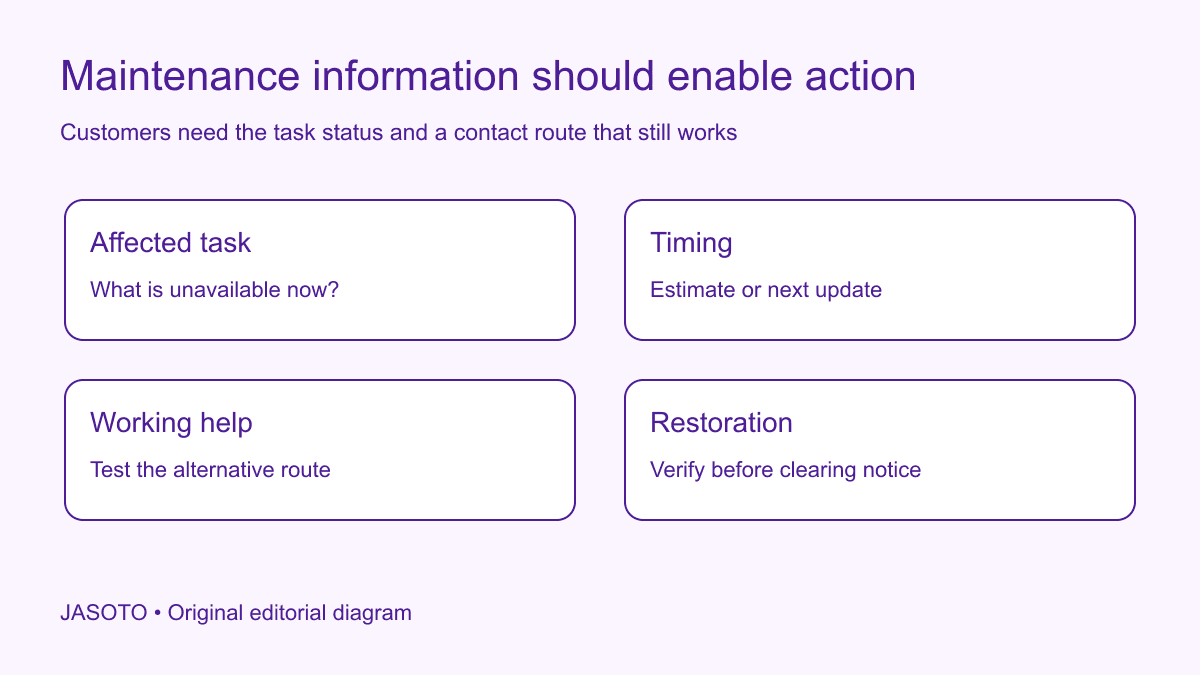
Original JASOTO editorial diagram. Its complete workflow is explained in the article; no actual customer outcome is depicted.
Write a website maintenance message by identifying the unavailable task, giving an honest timing statement and providing a contact route that works outside the affected flow. Explain what customers should do next, especially if they were partway through a request or transaction. A polite “back soon” message leaves too many decisions unresolved when someone needs to know whether to wait, contact support or confirm an existing arrangement.
For a small business in the United States, the message needs coordination between the person operating the site and the people helping customers. The examples here are fictional. Use verified system behavior for transaction and data-status statements, and have the technical owner implement the appropriate response, recovery and monitoring arrangements.
The practical answer
- Name the unavailable task rather than only saying maintenance is happening.
- Give supported timing or a clear next update.
- Use a contact route that works during the affected outage.
- Test existing transactions and the return to normal service.
Define the customer tasks affected
List what customers cannot currently do: browse service information, sign in, submit a request, view a booking or complete a payment. Distinguish a partial outage from the whole site being unavailable. A broad message saying “our services are down” may imply that physical appointments or phone support have stopped when only the online form is affected.
Ask the technical lead to confirm the scope and what remains uncertain. Keep the internal status separate from the public wording, but ensure the message accurately describes the consequences. Customers do not need a speculative explanation of infrastructure. They need to know whether their task is affected and which route remains available. Update the scope when investigation shows a broader or narrower problem.
Separate planned work from an unexpected interruption
For planned maintenance, prepare the notice and alternative handling before the affected period. Confirm who authorizes the start and who checks that the message is visible. For an unexpected interruption, publish verified facts promptly through the available process and improve the detail as evidence arrives. Avoid guessing at a cause to make the notice sound complete.
Keep the description neutral and useful. “Online appointment requests are temporarily unavailable” can remain accurate while the team investigates. If the issue later proves unrelated to maintenance, revise the wording rather than leaving an incorrect explanation indefinitely. The communication record should identify what was known at each point so the team can understand why the message changed.
Use timing that the team can maintain
Ask the responsible person for the current estimate and its uncertainty. Publish a time only when it has a useful basis, and identify the local time zone where the audience needs it. If an estimate is not available, give a maintained status route or a specific next update where the team can support that commitment. Do not substitute a hopeful countdown for a recovery plan.
Distinguish “we will update this notice by 3 p.m.” from “the service will return at 3 p.m.” Those statements create different expectations. Give the update a named owner and backup. An estimate that expires without explanation can become more frustrating than an honest unknown, because customers may repeatedly retry based on information the business already knows is no longer reliable.
Choose an alternative contact outside the failure
Identify a working phone, email or other appropriate route for affected customers. Check whether it depends on the same unavailable system. A contact form may load while its delivery service fails, so test receipt as well as the screen. Verify the receiving team and coverage period. Do not publish a route merely because it appears in an old contact template.
Explain what the route is for and what information helps the team respond. Use the business's normal information-handling process and avoid requesting passwords, payment secrets or unrelated personal detail. If the alternative can only record an inquiry for later review, say so. Customers should understand the help available without being encouraged to expect immediate completion of a task the team cannot perform.
Give interrupted users a safe status-check path
Ask the technical and support owners what happens to requests already in progress. A customer may not know whether a booking or payment completed before the maintenance page appeared. Use verified wording about that uncertainty and the route to resolve it. Do not claim that nothing was submitted or that all data is preserved unless the system evidence supports the statement.
Avoid generic advice to “try again” where repetition could create duplicate requests or transactions. The responsible team should decide the appropriate instruction for the actual system. Give support staff a consistent reference-check process so customers receive useful answers. The public message should connect people to that process without exposing internal security details or encouraging them to send sensitive information through an unsuitable channel.
Keep physical services and appointments clear
If physical visits continue, state the relevant distinction when customers are likely to confuse website availability with business availability. If a visit needs to be checked, provide the actual contact route. Do not announce that all appointments are unaffected merely because the technical issue appears limited; confirm with the people delivering them.
Before customers plan or change travel, they should understand whether their agreed appointment is affected. Individual changes may need direct communication through the normal authorized process. A maintenance banner does not establish that every customer has been informed. Keep those operational actions with named owners alongside the website work, rather than assuming the message itself resolves the consequences.
Coordinate the page message with technical behavior
Give the technical owner the approved customer text and recovery needs, then ask them to verify implementation. [HTTP Semantics defines the 503 response](https://www.rfc-editor.org/rfc/rfc9110.html#section-15.6.4) for a server temporarily unable to handle a request and describes optional retry information. The developer should choose appropriate behavior for the actual situation using current standards and platform guidance.
The editor should verify that the public explanation matches what the site actually does. Avoid displaying a reassuring success message while the underlying task is unavailable. Check important entry points, including direct links into booking or account pages. A home-page notice may be invisible to someone arriving deep inside the service, so the implementation must support the customer routes the team has identified.
Prepare a short message structure
Use four components: affected task, current timing or next update, available help, and any critical status instruction. For a fictional example: “Online quote requests are temporarily unavailable. We are investigating and will update this notice by 2 p.m. local time. For an existing request, email the support team with your reference. Please do not send payment details.” Each component needs confirmation before use.
Adapt the length to the interface without removing essential meaning. A short banner can link to a maintained status page if that destination works independently enough for the situation. A full maintenance screen should contain the usable contact information directly. Do not make customers navigate the broken service to discover what the notice means or how to obtain help.
Test the message under outage conditions
Check the customer view using the planned maintenance arrangement in an appropriate environment. Verify that text, contact details and any status link appear without assets or services that will be unavailable. Ask a reviewer to explain the affected task and next action. Record issues with readable content, access and routing for the relevant owner.
Test the alternative contact from submission or call through receipt by the intended team. This is a practical end-to-end check. A link opening correctly does not establish that the business receives the message. Find website support providers with a brief describing these affected tasks and checks, rather than requesting a generic attractive error page with no operational route behind it.
Staff the communication as well as the repair
Assign who updates the notice, answers affected inquiries and confirms restoration. Use a backup when the technical person is occupied fixing the problem. If additional capacity is needed, define the work before considering support roles. The person monitoring customer questions should know which statements are confirmed and where to escalate uncertainty.
Keep a compact timeline of published updates and material decisions. This supports handover and later review without reproducing every technical log in a customer-facing document. Do not let several teams publish conflicting completion estimates. A shared source of verified status helps the business explain changes consistently across the maintenance page, support replies and any other active channel.
Verify restoration before removing the notice
Test the affected customer tasks, message delivery and relevant transaction status through the appropriate technical process. Remove or revise the notice when the responsible team confirms what has recovered. If only part of the service returns, keep the remaining limitation clear. Check that an old maintenance page is not still being shown on an important customer route.
Review the incident's communication afterwards: which task was unclear, whether the contact route worked and whether timing updates remained accurate. Keep a reusable structure and the evidence of what needed correction. The message's value is practical: it gives customers an honest current position and a usable next step while the service is unavailable, then yields to verified normal information when recovery is complete.
Put the guide into practice
- Confirm affected tasks and the current incident owner.
- Approve timing language and update responsibility.
- Test the alternative contact and its staffing.
- Review transaction-status wording with the technical team.
- Verify restoration and remove outdated messages.
Frequently asked questions
Should the notice always include a completion time?
Include a supported estimate when the responsible team can provide and maintain one. Label uncertainty clearly and distinguish the next update time from a promised restoration. If the estimate changes, update the notice rather than allowing an expired time to remain the only available information.
Can we send customers to our normal contact form?
Only if that form and its delivery path work during the maintenance and someone handles the messages. Test the full route, including receipt by the responsible team. A contact link that depends on the same unavailable service gives customers another failed attempt rather than useful help.
What should the notice say about a payment that may have gone through?
Use wording approved by the people responsible for the actual transaction system and customer support process. Do not guess that no payment was taken or encourage repeated submission without checking the consequences. Provide a maintained route for customers to resolve uncertain status using the appropriate reference.
Explore JASOTO tools
Brief technical providers with affected customer tasks and recovery requirements.
Explore support roles →Plan coverage for customer questions during maintenance.
Check visit plans separately →Confirm appointments before assuming a website outage changes a physical visit.
Continue with JASOTO
Compare your next step
Discover UK businesses, compare services and request written quotes before making a decision.