
Home & Living · UK Guide 2026
Home Office Desk Organisation
JASOTO · Updated October 3, 2026 · 2,294 words
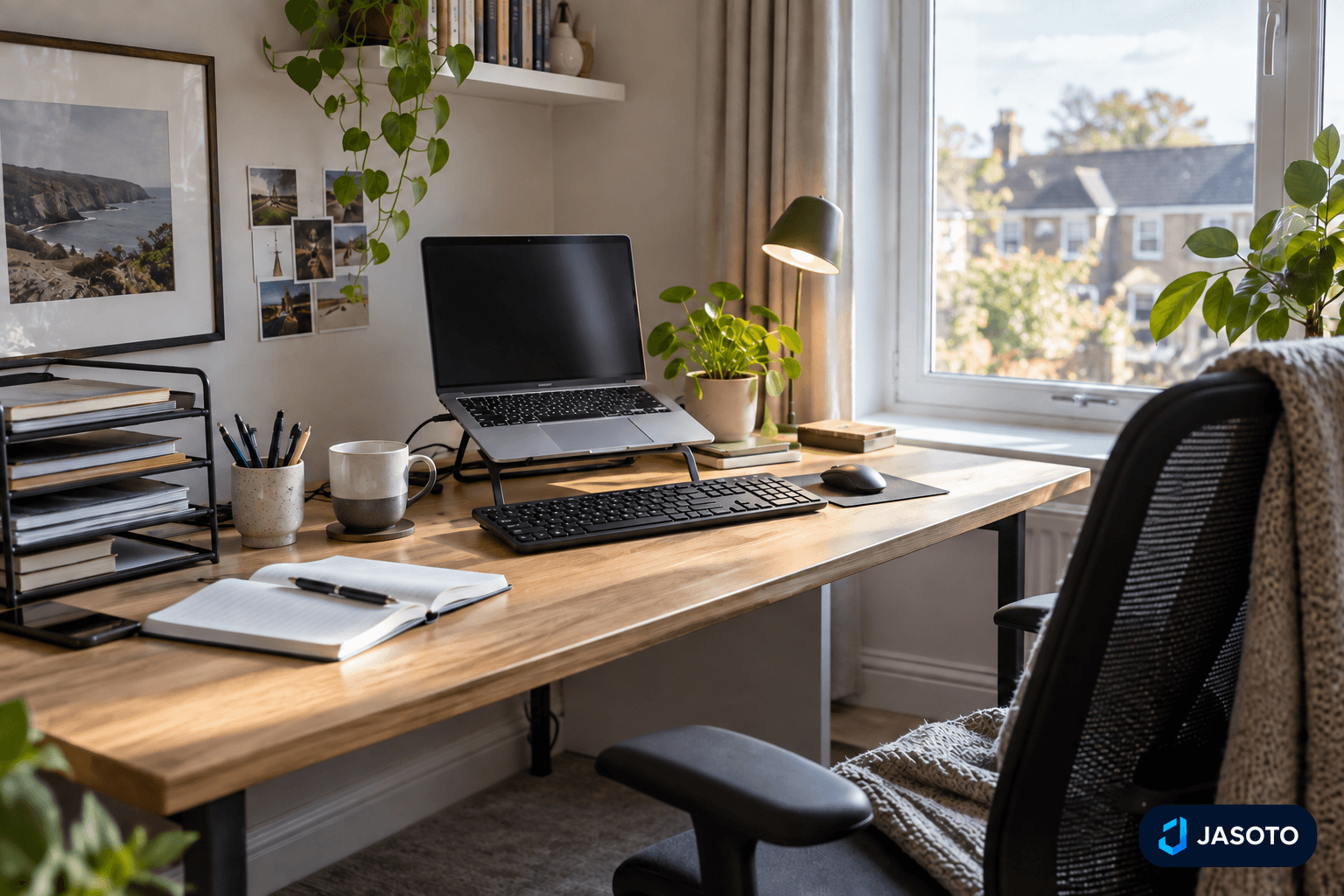
AI-generated illustrative image. It does not depict an actual customer project or a tested product.
A home office desk stays useful when it follows the way you actually work. The point is not to create a perfectly bare surface or a row of matching accessories. It is to make the next task easier to start and the previous task easier to finish. That means keeping everyday tools close, giving paperwork a clear route, reducing cable clutter without making access awkward, and ending the day with a repeatable reset.
Before buying organisers, it helps to step back and look at the whole workspace. A tidy desk is not a substitute for a suitable workstation. The Health and Safety Executive’s guidance on display screen equipment covers workstation assessment and work routines, so it remains worth checking if the desk setup feels cramped, awkward or uncomfortable. Once the basics are sound, organisation becomes a practical way to support the work rather than decorate it.
At a glance
- Organise the desk around the items you use every day, not around what looks neat.
- Give paperwork a simple route for incoming, active and finished work.
- Manage cables for access, ventilation and safe use, not just appearance.
- Keep a short shutdown routine so the reset is easy to repeat.
Start with the work you do every day
The simplest way to organise a desk is to begin with the items that you use on most working days. For many people, that means a computer, keyboard, mouse, notebook, phone and perhaps a headset. These are not storage problems first and foremost; they are the tools that need the best access. If they are buried under paper stacks, decorative holders or spare supplies, the desk becomes harder to use, even if it looks neat.
A useful reset starts by placing those daily items first. Leave enough open space for the keyboard and mouse to move comfortably, and make sure anything you reach for several times a day has a predictable home. Rarely used items can move into nearby storage instead of staying on the working surface. This approach works better than trying to make every object visible, because the desk is there to support the current task, not to display everything you own.
Check the workstation before you buy storage
Desk organisation helps, but it cannot correct a workstation that is uncomfortable or unsuitable. That is why it makes sense to assess the whole setup before choosing organisers. If the desk is too crowded, if equipment is awkwardly placed, or if the work area makes ordinary tasks feel strained, the answer may not be another tray or box. It may be a different arrangement of what is already there.
The HSE’s display screen equipment guidance is relevant here because it covers workstation assessment and work routines. That matters when the desk is used for computer work, especially if you sit there for long stretches. The practical lesson is straightforward: do not confuse neatness with suitability. A desk can look orderly and still be wrong for the way you work. When the basic workstation works well, organisers become a finishing step rather than a substitute for proper setup.
Give paperwork one clear route
Paper causes clutter when it has no obvious path. A practical system only needs a few categories: incoming papers, active work, and filing or disposal. The problem with multiple trays is not the trays themselves, but the confusion that can creep in when each one becomes a vague holding area. If you are not sure what belongs where, the papers will drift from one pile to another and the desk will still feel unfinished.
A clearer method is to choose one place for papers that have arrived, one place for items you are actively working on, and a defined end point for papers that are completed. If a document is waiting for action, write down the next step and the date so it does not have to sit on the desk as a reminder. That small note often does more than a second tray, because it turns an unmade decision into a concrete task. In practice, the best paper system is the one that tells you what happens next.
Privacy also matters. Confidential records should stay out of view during video calls and when other people share the room. A decorative open tray may suit general paperwork, but it may not suit sensitive material. Choose storage according to access and privacy needs as well as appearance, so that the system fits both the desk and the work itself.
Separate active papers from finished ones
One of the most common causes of desk clutter is mixing active papers with completed work. Once that happens, even a modest stack can feel endless because nothing has a clear purpose. A useful reset is to decide what counts as active work and what counts as finished work. Active papers stay within reach because they need action. Finished papers leave the desk as soon as possible, either into filing or into disposal.
The value of this separation is that it reduces decision fatigue. When you sit down, you do not want to sort every sheet again before beginning. You want the desk to tell you what matters now. For someone handling admin, that may mean one document that needs a reply, one form that needs checking, and everything else out of sight. For someone doing project work, it may mean one brief, one notebook and a small number of supporting pages. The exact contents will vary, but the rule does not: the desk should show the task in hand, not every task you have ever started.
Use storage that matches the level of access you need
Not all desk storage has the same job. Some things need to be reached several times a day, while others can sit nearby and come out only occasionally. That difference should shape the organiser you choose. A frequently used notebook needs a more open and direct place than a box of spare supplies. A reference folder may need to be close enough to reach without standing up, but not so close that it crowds the work area.
This is why it helps to think in terms of access rather than appearance. A storage solution that looks tidy but slows you down is not much help. Similarly, an organiser that is convenient to use but spreads papers or tools across the whole desk may not improve the workspace. The aim is a middle ground: close enough for routine use, contained enough to keep the surface clear. If you are deciding between options, ask which item will be reached most often and which can be stored further away without affecting your day.
Keep cables controlled without making them awkward
Cables can make a desk feel chaotic even when the rest of the surface is in good order. The practical answer is not to hide every cable at any cost, but to group and label where that helps identify them. Cables should not trail across walking routes, and there should still be enough movement for adjustable equipment. If plugs become difficult to reach or inspect, the arrangement is no longer helping.
It is also sensible to follow the instructions for electrical equipment and avoid overloaded sockets. Cable organisers can make things neater, but they should not trap heat or block access. Before choosing a cable box or clamp-on accessory, measure the desk and check the ventilation and fixing requirements. That step matters because an organiser may seem neat while quietly making everyday use worse. A good cable solution supports the equipment rather than forcing the user to work around it. If you need to unplug, adjust or inspect something regularly, that access should remain simple.
Choose accessories after measuring the desk
It is easy to buy a desk organiser because it looks like the answer to clutter, but the better question is whether it fits the actual space and task. Measuring first avoids awkward surprises. A tray that works on a large desk may crowd a smaller one. A clamp-on accessory may interfere with the edge of the desk or with movement around it. A cable box may solve one visual problem while creating another if it makes connections hard to reach.
The useful comparison is not between tidy and untidy, but between workable and unworkable. An organiser should make the next task easier to start. If you need to open a lid, move several items, or reconnect cables every time you sit down, the product may be too complicated for the job it is meant to do. The safest approach is to identify the specific problem first, then look for a simple fix. In many cases, the desk only needs one clear tray, one controlled paper route and enough open space for the essentials.
Build a short end-of-day shutdown routine
A tidy desk is easier to maintain when the end of the day has a set pattern. The routine does not need to be long. Put loose items back where they belong, file completed work, clear cups and rubbish, and return chargers to their intended place. If you spend a minute or two writing down the first task for tomorrow, you make the next start easier as well. The aim is to leave the desk ready, not to perform a full clean every evening.
The key is consistency. A routine that takes too long is one you are less likely to repeat, so it should be short enough to fit your actual working day. Some people prefer to close the laptop, clear the notebook and leave one visible cue for the morning. Others like a fully cleared surface. Either can work, provided the reset is quick and repeatable. The desk should not become a place where yesterday’s work lingers by default. A brief shutdown habit gives the surface a reset without demanding an elaborate system.
Make the reset work for shared or multi-purpose spaces
Not every home office stays a home office all day. Some desks also have to serve as dining tables, craft areas or family catch-all surfaces. In those cases, storage needs to support transition as well as organisation. A portable work caddy can help if it holds the items you use every day and moves away easily when the desk has to become something else. The benefit is not that the caddy is clever; it is that the transition becomes simpler.
That said, a portable solution still needs a reality check. Test it with the actual equipment you use, not with a guess about what might fit. Make sure nothing heavy or fragile is stacked insecurely, and avoid expanding storage before the basic routine is working. The more roles a desk has, the more important it becomes to keep the system uncomplicated. Shared spaces reward tools that can be cleared and reset quickly, because the next use of the room may not be work-related at all.
Troubleshoot the common organising mistakes
A few familiar mistakes tend to show up in home office desk organisation. One is buying storage before clearing the desk, which often leads to the wrong organiser for the job. Another is using several trays without giving each one a distinct purpose, so papers move around but never really settle. A third is focusing only on appearance and ignoring cable access, ventilation or the comfort of the work area. Each of these mistakes creates a desk that looks more finished than it feels.
The fix is to go back to the task. Clear and sort first, then decide what must stay close, what can be stored nearby and what should leave the desk altogether. If paperwork keeps returning to the surface, check whether the route for incoming, active and completed papers is actually clear. If cables keep getting in the way, re-check the layout rather than just hiding them. If the desk still feels uncomfortable, revisit the workstation itself rather than adding more containers. Troubleshooting is easier when you treat the desk as a working system, not a display shelf.
Your practical checklist
- Keep the computer, keyboard, mouse, notebook, phone and any daily headset within comfortable reach.
- Create one place for incoming papers, one for active work and one clear filing or disposal route.
- Check that cables do not trail across walking routes and that plugs remain accessible.
- Measure the desk before choosing trays, boxes or clamp-on accessories.
- Leave enough open space for keyboard and mouse movement.
- Write tomorrow’s first task before you finish for the day.
- Review the workstation itself if the setup feels awkward or uncomfortable.
Frequently asked questions
Should I buy desk organisers before clearing the surface?
No. Clear and sort the desk first, then measure the items that need storage. That makes it easier to choose an organiser for a specific job instead of guessing what might help.
Is a tidy desk enough if the workstation feels uncomfortable?
Not by itself. Organisation is only one part of a usable setup. If the desk arrangement feels awkward or unsuitable, review the workstation as a whole and refer to the relevant HSE guidance for display screen equipment.
What is the simplest way to handle papers on a home office desk?
Use one place for incoming papers, one for active work and a clear route for filing or disposal. If a paper is waiting for action, write down the next step and date so it does not have to sit out as a reminder.
How do I keep a desk clear when it also has to be used for something else?
Use a portable system that can be cleared quickly, such as a work caddy for the items you use every day. Test it with the actual equipment and avoid building a system that takes too long to reset.
Explore Daily Living UK
Use the guide to compare suitable products. Check the current specifications, availability, delivery and price on Daily Living UK before ordering.
Browse Daily Living UK