
Websites & Ecommerce · UK Guide 2026
Website Launch Checklist: Test a Complete Customer Enquiry
JASOTO · Updated 5 November 2026 · 1,582 words
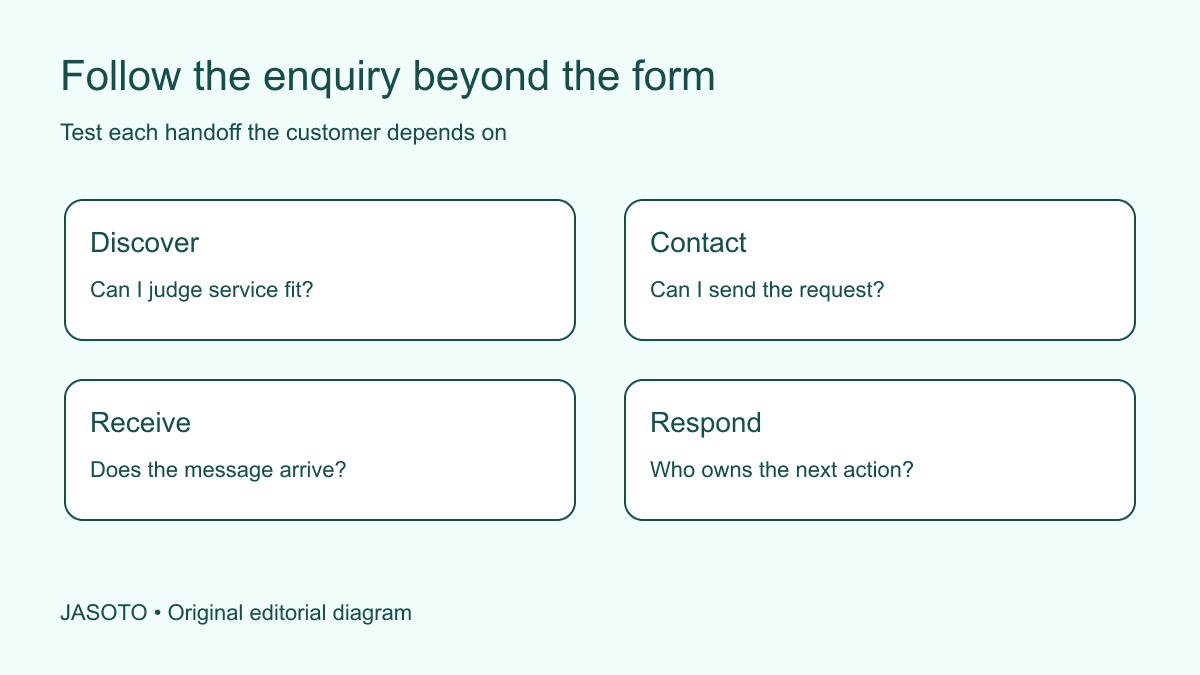
Original JASOTO editorial diagram. Its complete workflow is explained in the article; no actual customer outcome is depicted.
To check a website launch, follow a realistic customer enquiry from finding the service through to receipt and ownership of the message. Confirm what the customer sees, what the business receives and who acts next. A working button and a success message are useful checks, but they do not prove that the enquiry reached a monitored destination or that the customer received accurate instructions.
This guide offers a practical test for a small business's own website. It is an editorial review method, not a full accessibility audit, security assessment or performance certification. W3C's forms tutorial is a primary reference for form design. Use authorised test arrangements and agreed test data, and keep the scenario tied to an actual customer task the site is intended to support.
The practical answer
- Start with a customer question the site should help resolve.
- Test the complete route through to the person who responds.
- Check failures and corrections as well as a successful submission.
- Use safe test data and keep evidence proportionate.
Choose a customer question with a meaningful outcome
Describe the person's need, relevant location or circumstances and the decision they are trying to make. For example, a customer may need to know whether a provider covers a particular area before asking about an appointment. Do not start by telling the reviewer which button to click. That bypasses the discovery problem you need to test and can make an unclear website appear easy to use.
Define the expected outcome without prescribing the exact path. The reviewer should find enough accurate information to decide whether to enquire and then reach the appropriate contact route. If the website cannot answer an essential question by design, it should explain how to resolve it. Keep the scenario realistic and limited. One thoughtfully chosen journey is more informative than a vague instruction to browse around and say whether the new site looks professional.
Begin from the public entry point
Open the page in the way the intended customer is likely to encounter it, such as a direct service link or the homepage. Follow visible navigation rather than using an internal preview shortcut. Check that the page identifies the service, location and provider clearly. If a menu or call to action is difficult to find, record the observation before someone familiar with the site explains where it was meant to be.
Repeat the relevant journey on an appropriate small-screen view as well as a desktop where those audiences matter. Do not assume that a responsive layout automatically makes every interaction usable. A floating button can obscure a form label or a menu can hide the service information. Keep the evidence focused on the task: what the reviewer could find, what they tried and where they needed help. Avoid inventing a general usability score from a single observation.
Check whether the service information supports a decision
Ask the reviewer to explain what the provider does, who the service suits and what the next step involves. Compare that explanation with the business's actual offer. A visually attractive page may still imply the wrong service area, availability or deliverable. Correct factual differences with the responsible owner rather than asking a developer to guess which interpretation is commercially convenient.
For a travel-related page, a suitable scenario may involve finding a relevant research destination through JASOTO travel, while checking the descriptions and provider handoff. Do not make a purchase simply to test navigation unless that transaction is separately authorised and appropriately arranged. The scenario should match the site's actual function. A directory or research page may help people reach another provider without itself handling the booking or guaranteeing the provider's availability.
Use test data that the receiving team recognises
Agree a clearly identified test message, contact method and time with the people receiving enquiries. Avoid using a real customer's identity or private circumstances without a proper reason and arrangement. The test should be recognisable to staff but still exercise the normal route as far as practical. If you use a special bypass that skips delivery or filtering, report that limitation instead of claiming the normal process was checked.
Decide who cleans up test records and how they are distinguished in reports. A test submission should not become a genuine sales lead, appointment or public testimonial. Keep the content representative enough to exercise the required fields without adding sensitive information. If the system sends messages to external recipients, use approved addresses and arrangements. Testing your own launch does not authorise creating unwanted enquiries or messages for unrelated businesses.
Complete the form as the customer would
Read labels and instructions before entering data. Note fields that are unclear, ask for information the customer may not know or obscure the required format. W3C's forms tutorial covers labels, instructions, validation and notifications. Use that reference for the technical design while keeping the scenario focused on whether the customer understands and can complete the task.
Check a relevant correction path, such as a missing required field or a mistyped contact format, using the authorised test data. Does the message explain what needs correcting without erasing useful work? Can the reviewer find the affected field? Do not deliberately submit harmful payloads or expand this exercise into an unrequested security test. A normal customer error is enough to reveal whether the form's feedback supports completion or merely displays a generic failure.
Verify what the customer is told after submission
Read the success state and any confirmation message. Does it accurately describe what happened and what comes next? “Your appointment is booked” is misleading if the form only requested availability. An acknowledgement should not imply an assessed quotation or approved order unless that is what the system actually created. Check the wording against the business process rather than treating it as harmless interface copy.
Confirm any stated response commitment with the team responsible for delivering it. If the business cannot support a specific turnaround, change the promise through the appropriate approval process. Give the customer a suitable contact route for urgent practical questions where that is actually available. The page should distinguish a successful submission from the later decision, while preserving enough reference information for a follow-up without exposing unnecessary details.
Follow the message to its destination
Ask the authorised recipient to confirm what arrived, where it appeared and whether the information was complete. Check the actual mailbox, queue or system record rather than relying only on a notification count. A notification may arrive while a link points to an inaccessible record, or the record may exist without anyone being alerted. Report the step you verified and what remains untested.
Identify who owns the next action and what happens when that person is absent. A new contact form can fail operationally even when its delivery code works. If the message reaches a shared mailbox, use a clear assignment and handover arrangement. Keep credentials and private customer records out of screenshots used to report the test. Evidence should establish the result without creating an unnecessary copy of sensitive information in a general project document.
Worked example: a correct form and an ownerless inbox
Imagine a local service website launching a new enquiry page. This is an invented example. The reviewer finds the correct service, submits agreed test data and receives a truthful acknowledgement. The message reaches the business mailbox, but the old recipient has moved roles and nobody is responsible for the queue. A check ending at the success screen would have missed the actual problem.
The business assigns ownership, agrees absence coverage and updates the relevant internal instructions. It then repeats the affected enquiry route to confirm receipt and a useful next action. The lesson is not that every launch needs a new helpdesk platform. It is that the website's promise depends on people and processes after submission. Recording the first broken handoff makes the correction specific instead of declaring the entire site unsuccessful without explaining why.
Fix the known break and retest its boundary
Record the scenario, observed result, evidence and responsible owner for a correction. Distinguish a factual error, interface problem, delivery failure and missing operational step. The right fix depends on that distinction. If support is needed, find website providers on JASOTO and give them the reproducible task and observation rather than an instruction to make everything work better.
Retest the affected journey after the change, including connected steps where necessary. Do not repeat unrelated checks without a reason, but do not assume a local fix leaves every dependency intact. Keep a restoration path for a consequential change and confirm the current page still represents the business accurately. A test report should show whether the specific issue was resolved; it should not claim a fully verified website merely because one previously broken route now succeeds.
Make the check reusable without freezing the scenario
Save the useful scenario and add materially different ones where the site serves different tasks, markets or contact methods. Review them when the service or workflow changes. A test based on an old offer can keep passing while no longer representing what customers need. Give the review a continuing owner if launch work becomes ongoing maintenance, and explore relevant jobs when the workload warrants staffing.
Keep the final report modest and concrete: which route was checked, on what setup, what happened and which limitations remain. That is more useful than a blanket claim that everything works. The purpose of a complete enquiry scenario is to connect public information, interaction, delivery and responsibility. A successful launch check shows that a real customer task can proceed through those boundaries with accurate expectations and an identifiable next action.
Put the guide into practice
- Define a realistic customer and task without invented personal data.
- Follow the public navigation and contact route.
- Verify receipt, ownership and the next customer instruction.
- Correct the first broken step and recheck the affected journey.
Frequently asked questions
Is a successful form submission enough?
No. Check whether the message reaches the appropriate place, has an owner and gives the customer a truthful next step. A success screen can coexist with a missing notification or an unmonitored inbox.
Should I submit test enquiries to unrelated businesses?
No. Use your own site, authorised test arrangements and clearly identified test messages. Coordinate with the people receiving them so a test does not become an unwanted sales enquiry or an accidental operational task.
Does one scenario verify the whole website?
No. It checks that particular route under the tested conditions. Add other scenarios for materially different services, audiences or contact methods and report the boundaries rather than claiming complete coverage from one successful check.
Explore JASOTO tools
Discuss a specific broken customer journey with a suitable provider.
Explore website and support roles →Research staffing when testing or enquiry handling needs continuing ownership.
Explore JASOTO travel →Use an appropriate booking-research scenario when reviewing travel content.
Continue with JASOTO
Compare your next step
Discover UK businesses, compare services and request written quotes before making a decision.